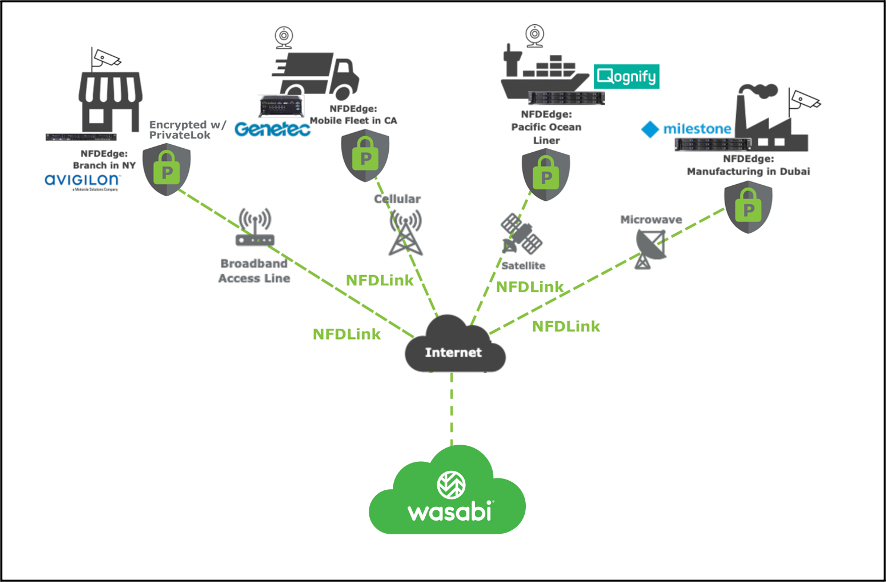
Log in to your Wasabi account via the Wasabi console (https://console.wasabisys.com) and click on the Wasabi has been validated for use with Rasilient's NFDHybrid Cloud. NFDHybrid Cloud is a subscription-based, VMS-agnostic video surveillance cloud service offering zero-knowledge encryption and high-speed uploading from coast to coast, with no video degradation, using commonly available wired, cellular, or satellite Internet services.
Reference Architecture
Requirements
Rasilient appliance: NFDEdge5, NFDEdge15, or NFDEdge30
NFDLink version 1.1 & PrivateLok
Compatible VMS: Milestone, Genetec, ISS, Digifort, Wave, Qognify (full list coming soon). Compatible cameras: any cameras certified by the listed VMS
An active Wasabi object storage account
Configuration
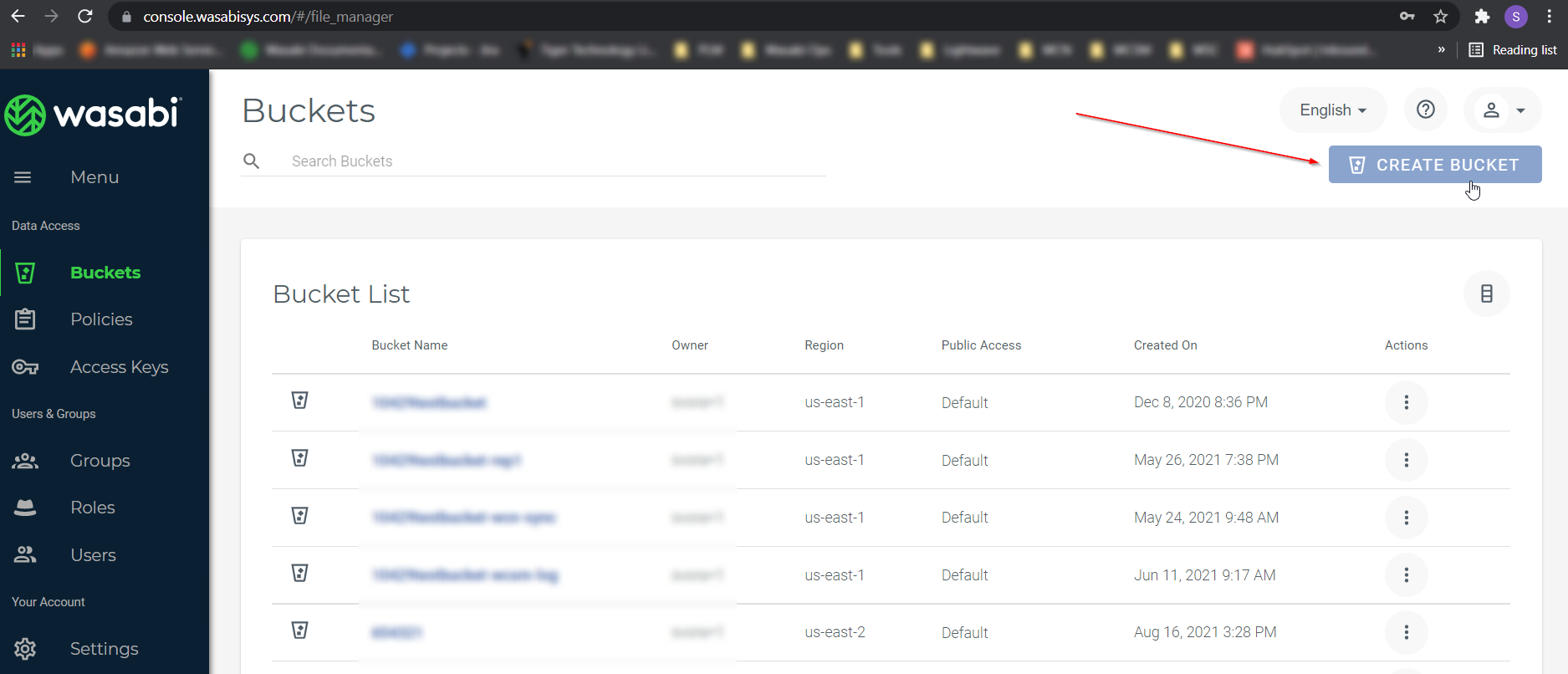
Log in to your Wasabi account via Wasabi console (https://console.wasabisys.com) and click on Create Bucket option.
Enter a unique bucket name, for example, ‘nfdlink-wasabi’. In this case, select the appropriate region and click Create Bucket.
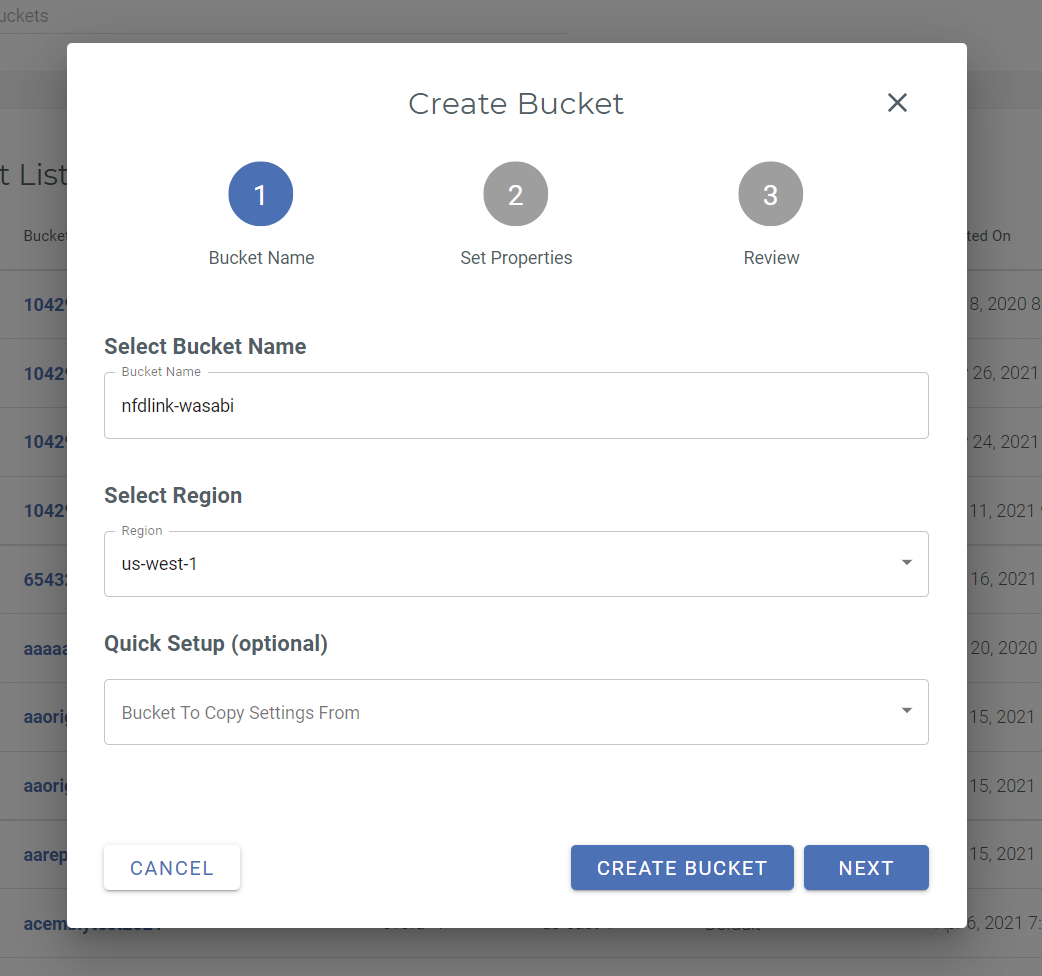
Note: This config example uses Wasabi’s us-west-1 storage region. To use other Wasabi storage regions, use the appropriate Wasabi service URL as described in Service URLs for Wasabi's Storage Regions.
Now, on the Rasilient appliance, Rasilient will provide a token generation tool for the system integrator. Note: The token generator tool provides unique identifiers that combine the Bucket, Account, Edge Unit Serial Number, and other communication-related parameters.
Generate the NFDEdge token by inputting the following information into the tool.
.png)
The NFDEdge is pre-loaded with Windows OS, NFDLink, and the selected VMS. To connect to Wasabi, import the access token.
.png)
Navigate to the Cloud Storage tab and configure the desired settings.
.png)
Set up PrivateLok.
Note: PrivateLok is data security software that helps users protect their video recordings from unauthorized disclosure. PrivateLok encrypts each user’s video data using a key known only to the user, so even in the unlikely case of a data breach, each user’s video cannot be used by the hackers unless the user discloses their key.
.png)
NFD Hybrid Cloud is the solution for VMS live video recording, content archiving, and backup to the designated drive letter (for example, P:\ from the example configuration above). The VMS and NFDLink software are preloaded and preconfigured before delivery to the customer.