Checking Egress (Download/List) for Your Wasabi Account
Wasabi expects all customers to adhere to the customer agreement on Wasabi’s free egress policy (https://wasabi.com/paygo-pricing-faq/#free-egress-policy).
You can use bucket-logging to audit all activities performed on your bucket(s) and monitor the data READ from Wasabi servers and databases during GET and LIST operations. To see egress statistics for your overall account for a defined timeframe:
Download the utilization tool:
Double-click on the ZIP file and unzip the tool.
Once unzipped, double-click to run the tool, for example:

Enter your Wasabi access key and secret key.
Enter the number of days for which you want to review egress.
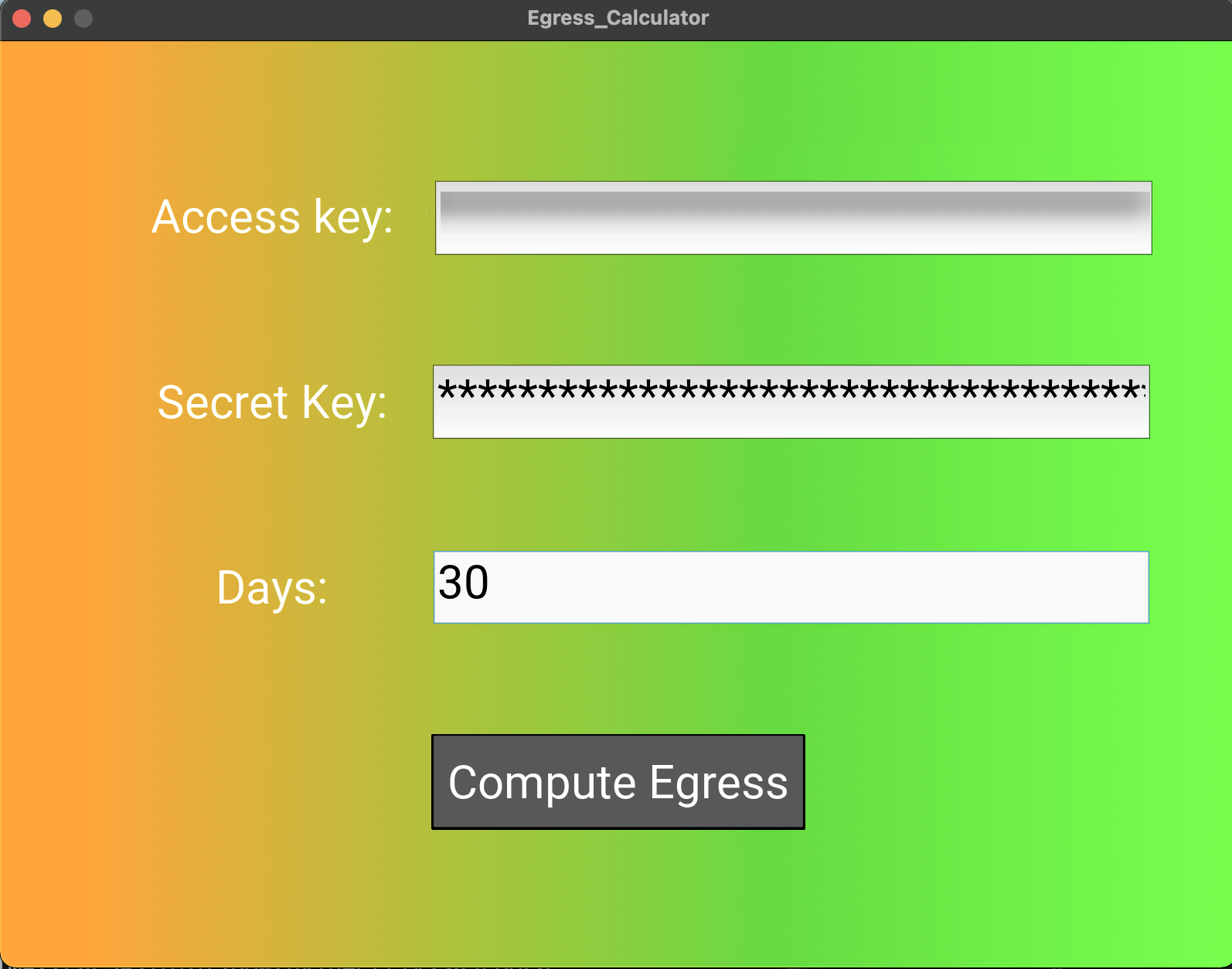
You will see a report similar to:
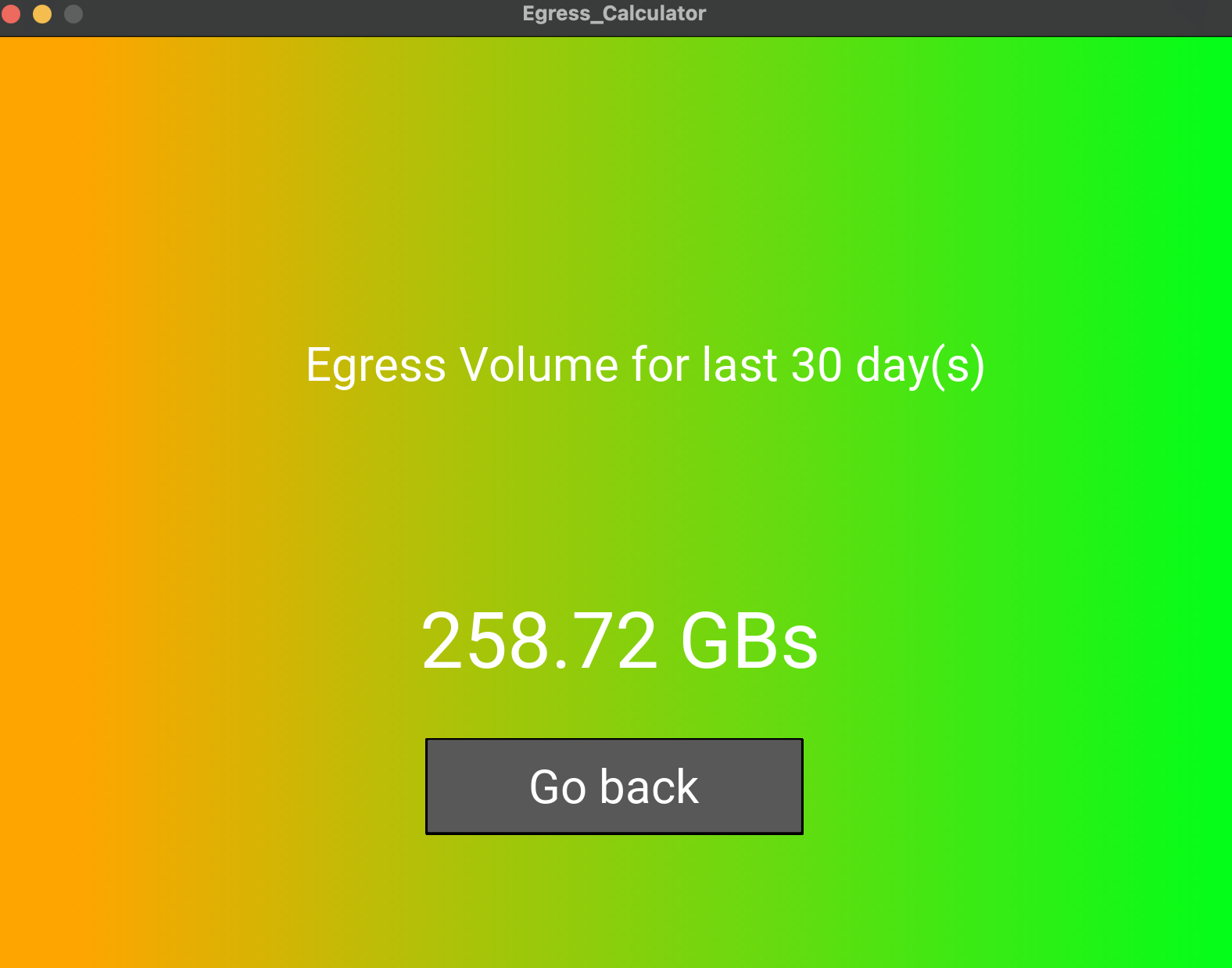
Generating a Daily Report for Ingress (Upload) and Egress (Download/List)
You can generate a daily report of egress and ingress bytes in Wasabi Hot Cloud Storage by processing S3 bucket access logs with Python. These instructions are designed for users familiar with the AWS CLI, Wasabi, and basic scripting.
Before beginning, be sure the following requirements are met:
Python 3.9+ is installed.
boto3 library is installed
(pip install boto3).tzdata module if no system time zone data is available
(pip install tzdata).AWS CLI is configured with a profile for Wasabi credentials (access and secret keys).
There is a centralized logging bucket. Enable bucket logging for each Wasabi bucket, directing logs to a dedicated centralized bucket for easier management. Logs should be sent to the designated centralized bucket.
Follow the steps below to calculate daily ingress and egress bytes using the provided Python script. The script processes each log file in the logging bucket for today and:
Identifies upload operations (PUT/POST/MULTIPART) to measure ingress bytes.
Identifies GET (downloads) and LIST operations to measure egress bytes.
Outputs total ingress and egress in Bytes and TB per bucket into a CSV report.
Optionally, you can create cron jobs to run this script and automate the daily report generation.
The accuracy of ingress and egress bytes and TB depends directly on the availability and logging of the bucket logs. Bucket logging is an essential prerequisite. Without consistent and correct log files, the report output may be incomplete or inaccurate. For reliable monitoring, always verify that bucket logging is enabled for every source bucket and that logs are being saved to a dedicated, centralized logging bucket.
Prepare the environment.
Confirm AWS SDK boto3, Python >= 3.9, and AWS CLI are set up.
Ensure your Wasabi credentials are available via an AWS CLI profile.
Download the script. Use the provided Python script (
wasabi_ingress_egress.py) for log analysis:Run the script.
Save the script as
wasabi_ingress_egress.py.From the command line, navigate to the folder containing the script and run:
python3 wasabi_ingress_egress.py --logging-bucket <log_bucket_name> --region <Logging_bucket_region> --profile <aws_profile>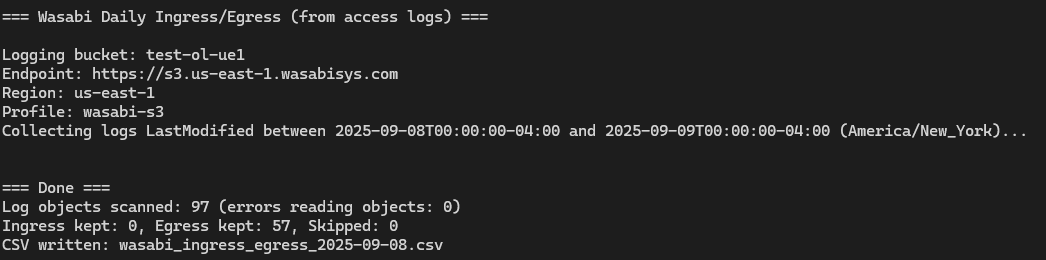
If parameters are omitted in the command, the script will prompt for them interactively.
python3 wasabi_ingress_egress.py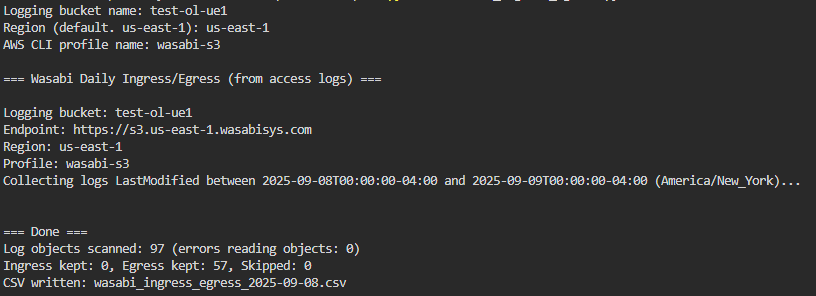
Output will be a CSV file summarizing ingress and egress per bucket for the current day.
An output example is:
date_local | bucket | total_ingress_bytes | total_ingress_tb | total_egress_bytes | total_egress_tb |
|---|---|---|---|---|---|
9/8/2025 | test-olue1 | 124565 | 0 | 1209462790553.6 | 1.21 |
Verify the output. Inspect the generated CSV to confirm that the data matches the expected operations. If log files are missing, verify bucket logging settings.
For billing or compliance inquiries, contact Wasabi Support referencing this report.