Before configuring XProtect for use with WSC, review the recording server storage settings requirements in Milestone XProtect Requirements. Once complete, enable disaster recovery and storage extension (extension), as described below.
Activating the Software
Once the WSC Milestone plugin is successfully installed, launch the Milestone XProtect Management Client application and navigate to the WSC section, as shown below. Click Administration. The Wasabi Surveillance Cloud Login dialog is displayed.
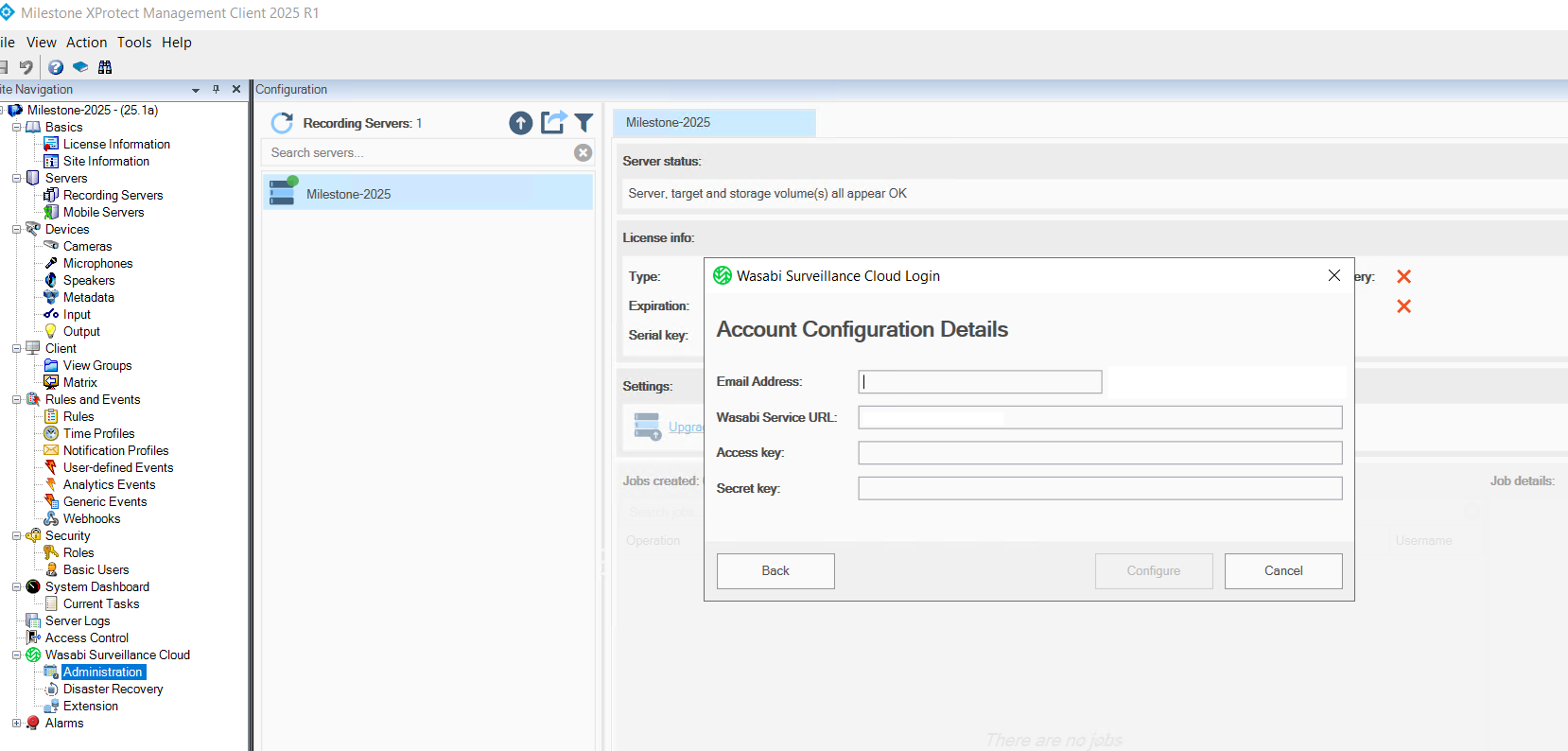
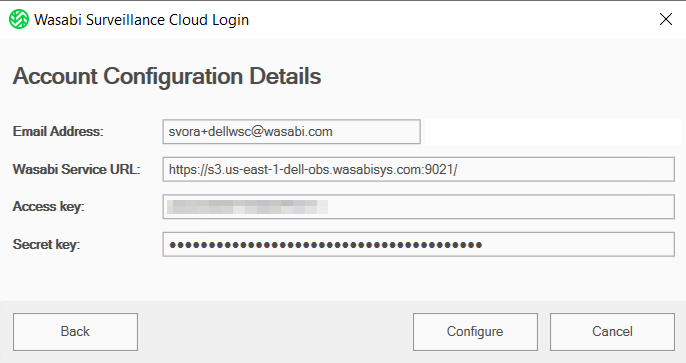
Enter your account details to log in to WSC:
Email Address—Enter your account email address.
Wasabi Service URL—Enter the appropriate Wasabi Service URL.
US East 1:
https://s3.us-east-1-dell-obs.wasabisys.com:9021/United Kingdom:
https://s3.us-east-1-dell-obs.wasabisys.com:9021/
Access key—Enter your account access key.
Secret key—Enter your account secret key.
Click Configure.
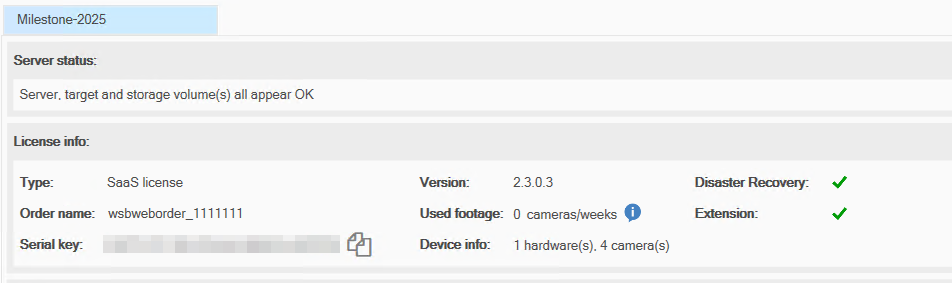
Once the activation is successful, a confirmation screen is displayed.
Configuring Milestone XProtect With WSC
To configure Milestone XProtect with WSC, refer to Configuring Milestone XProtect With WSC.