Refer to the cautionary information in Bucket Management: Deleting.
If a bucket is large (with numerous objects), the delete request may time out in the browser before the operation completes. One solution is to create a Lifecycle rule to remove objects and reduce the bucket to a more manageable size. Then, the bucket can be deleted in the Console. Another option is to use a third-party application, such as Postman, to send the delete request. Both options are described below.
Deleting a Large Bucket Using a Lifecycle Rule
Click
 to access options for the bucket you want to delete.
Click Settings.
Click the Lifecycle tab.
Click Create New Rule.
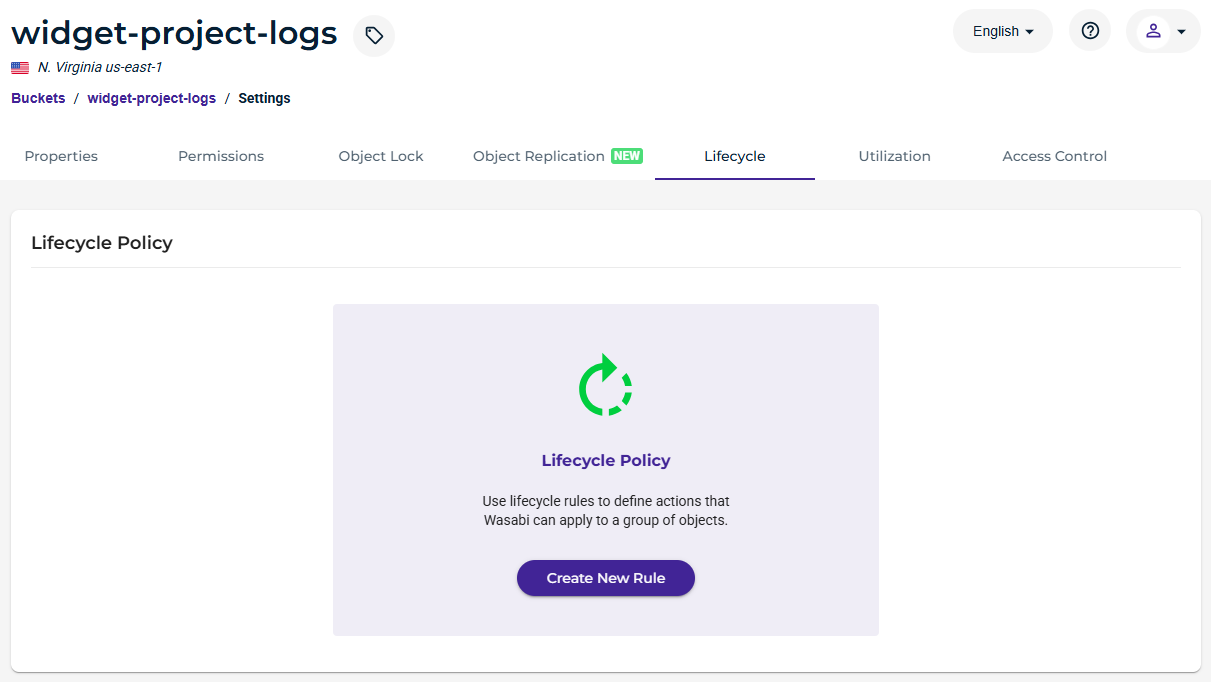
Enter a name for the Lifecycle rule.
Choose to apply the rule to all objects in the bucket.
Select Expire current version of objects and enter 1 for the number of days after object creation.
Select Permanently delete noncurrent versions of objects and enter 1 for the number of days after an object becomes noncurrent.
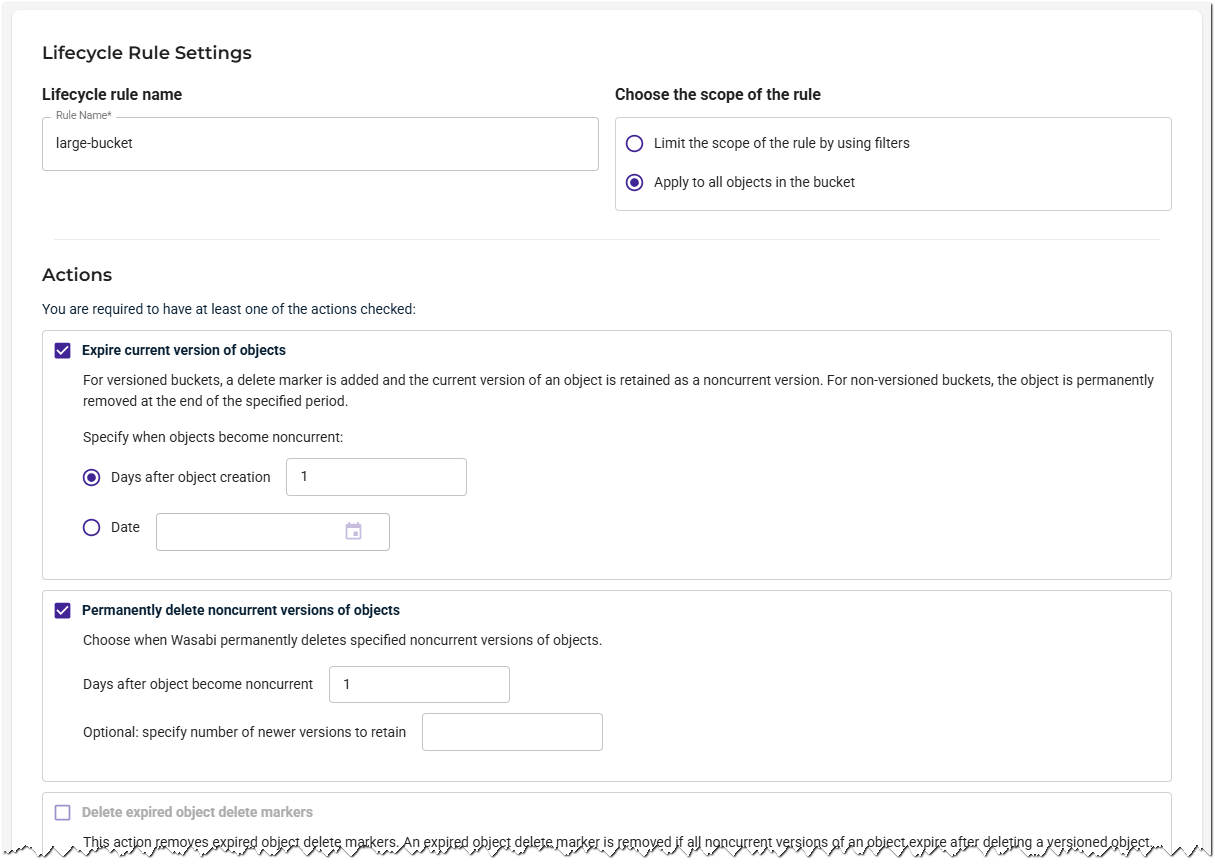
Scroll down and click Create to save the Lifecycle rule configuration.
It may take a few days for the Lifecycle rule to be added to the queue and start processing the bucket.
After the rule has had time to process objects in the bucket, you will see the bucket utilization drop. This will enable you to delete the bucket from the Console.
Deleting a Large Bucket Using Postman
You can delete buckets from the Wasabi Console. However, when deleting large buckets, the browser may time out before the operation completes. Wasabi recommends using Postman as an alternative for large buckets.
Postman is an API platform for building and using APIs. If you do not have any prior experience with the application, you should review the Postman Getting Started guide. You will need to create an account to use the Postman application.
In Postman, click the + symbol to start a new API request.
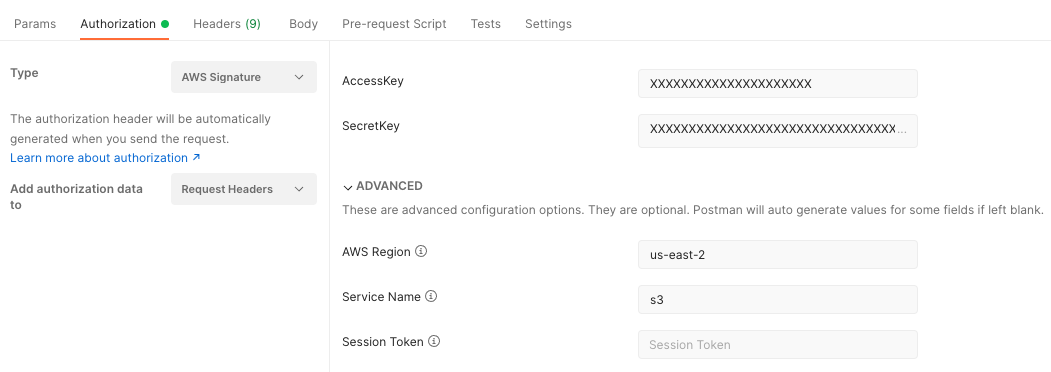
On the Authorization tab, select AWS Signature from the drop-down.
Confirm that the authorization data is added to the Request Headers.
Enter your Wasabi access and secret keys.
Enter the region in which the bucket is located. The following example uses Wasabi's us-east-2 storage region. To use other Wasabi storage regions, use any appropriate Wasabi service URL.
Enter s3 as the Service Name.
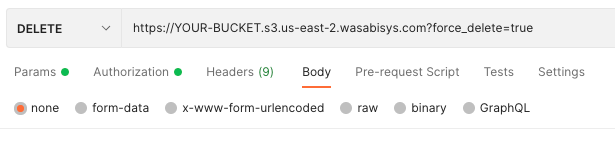
Confirm that the Request Type is DELETE and enter the service URL for your bucket. For example:
https://YOUR-BUCKET.s3.us-east-2.wasabisys.com?force_delete=true
Click Send. Keep Postman open and running until you get a response.
If the request was successful, you will see a 204 response with an empty body.

Confirm in the Wasabi Console that the bucket has been deleted.