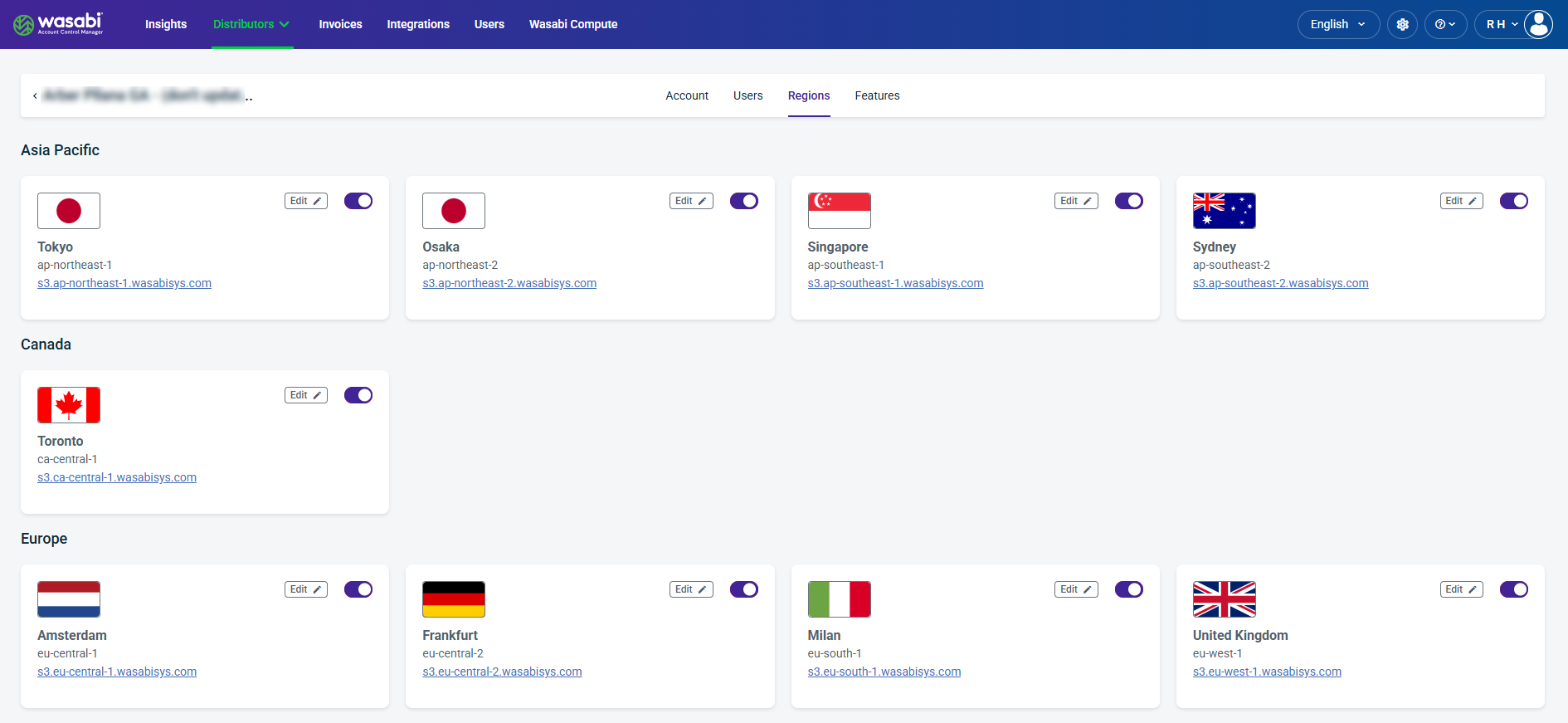
The Regions tab displays the Wasabi storage regions associated with a Distributor Account, organized by geographic location. Each region card displays the region name, region identifier, and S3 service endpoint. Administrators can edit region settings or use the toggle to enable or disable individual regions.
Region Card Details
Region Name—Displays the geographic location of the storage region, such as Tokyo, Toronto, or Frankfurt.
Region Identifier—Displays the unique identifier assigned to the region (for example, ap-northeast-1).
S3 Endpoint—Provides the region-specific URL used to access Wasabi Object Storage.
Edit—Opens the region settings for modification.
Enable/Disable Toggle—Enables or disables the selected region for the Distributor Account.
Updating Region Details
Click Edit on a region card to open the Update Region Details dialog. This dialog enables administrators to modify the selected region's configuration.
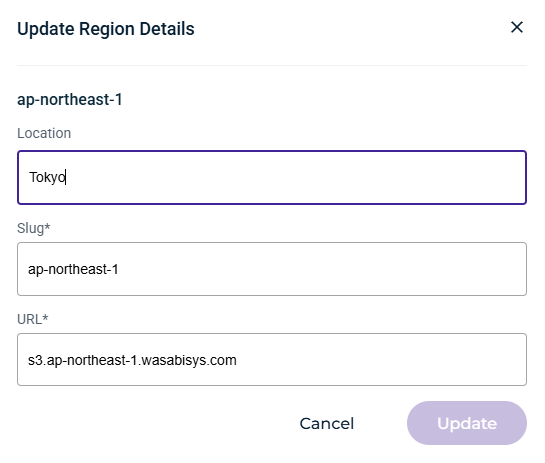
The following fields are displayed:
Location—The geographic location of the storage region (for example, Tokyo).
Slug—The unique identifier assigned to the region (for example, ap-northeast-1). This field is required.
URL—The S3 service endpoint associated with the region (for example, s3.ap-northeast-1.wasabisys.com). This field is required.