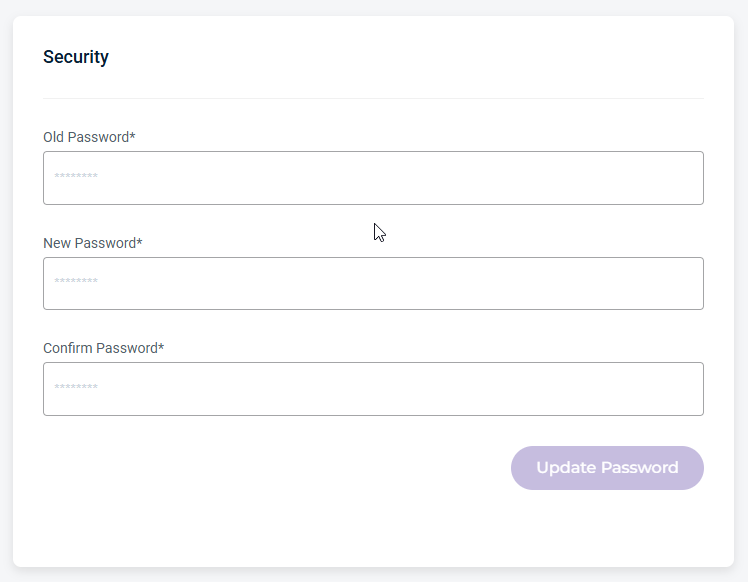
A User represents an individual User identity within an Account. It is used to assign roles, permissions, and access.
User Profile and Role
The Users page provides a view of user accounts. From this page, users can view and manage their account information, update contact details, configure notification preferences, generate and manage API keys, and review security settings. Administrators can also manage user access and create new users from this page.
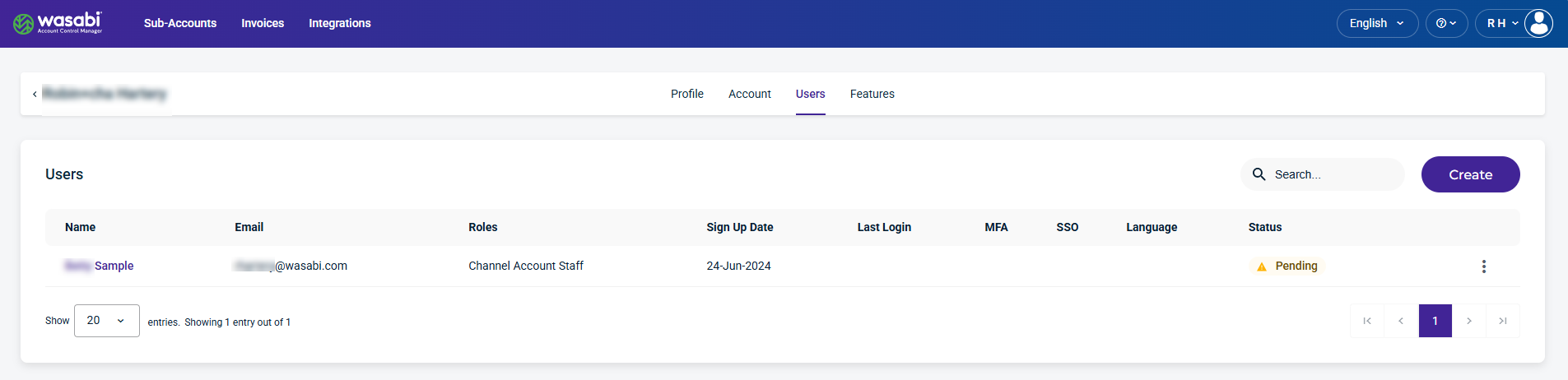
The Users page displays the following information for each user:
Name—The user’s name associated with the account.
Email—The email used for the account.
Roles—The role assigned to the user.
Sign Up Date—The date the user profile was created.
Last Login—The last time the user logged in.
MFA (multi-factor authentication)—The MFA status active
 icon, if enabled.
SSO (Single Sign On)—The SSO status is Yes if enabled.
Language—The language selected by the user.
Status—The user status: Active, Deactivated, Locked, or Pending.
Kebab menu—Select an option on a user account.
Manage User Access
You can manage a user’s access through the User menu icon, which, when clicked, allows you to perform actions on that user.
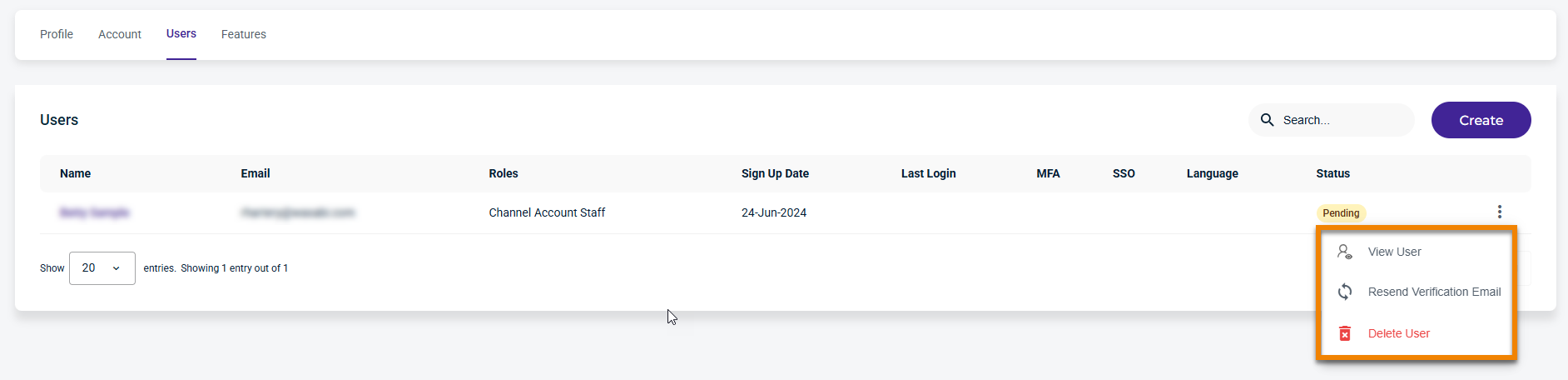
A Channel Account Admin can perform the following actions on a user account:
View User—Provides user information, contact, and security information.
Resend Verification Email—Resends the verification email after it has expired.
Delete User—Deletes the selected user.
Create a New User
For information on creating a user from the Create link, see Creating a User.
User Information
Select a user from the list to view their information.
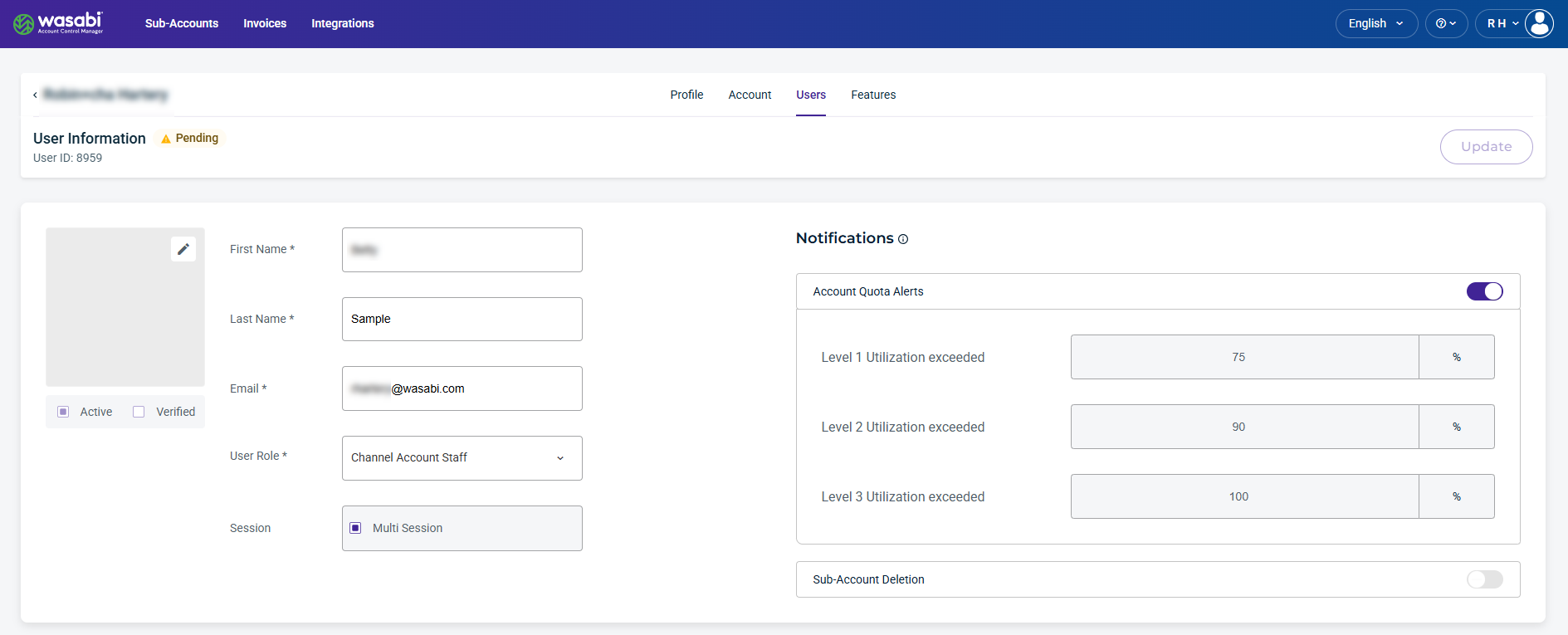
When you select a user from the list on the Users page, the user’s information and user role is displayed. From this page, you can update the name and email fields and change the user role.
Be sure to click Update (in the upper-right corner) to apply any changes made on this page.
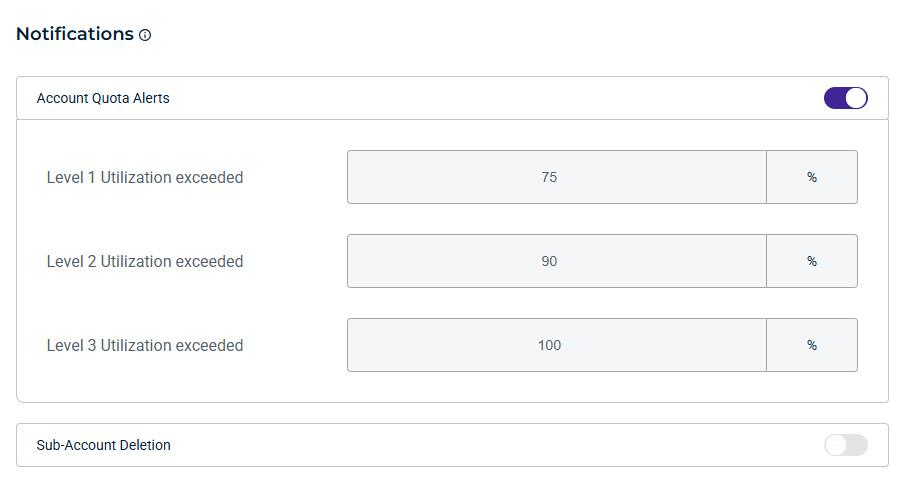
Notifications
By default, Admin users have notifications enabled to receive email updates about important account activity and usage. All other users can optionally enable them.
Account Quota Alerts
Enable Account Quota Alerts to receive email notifications when account storage usage reaches configured quota thresholds. These alerts help you monitor capacity and take action before storage limits are reached.
Sub-Account Deletion
Enable Sub-Account Deletion to receive email notifications related to Sub-Account deletion. Notifications are sent when:
A Sub-Account is scheduled for deletion.
A user cancels a Sub-Account scheduled for deletion within the Delay Window.
A Sub-Account is deleted once the delay window has elapsed.
You can enable notifications for account quota alerts. Define up to 3 utilization thresholds to activate email notifications when each threshold is reached. Notifications will be sent to your user email.
WACM Connect API Key
The WACM Connect API provides access to WACM data for automation and can be rotated or deleted as needed for security.

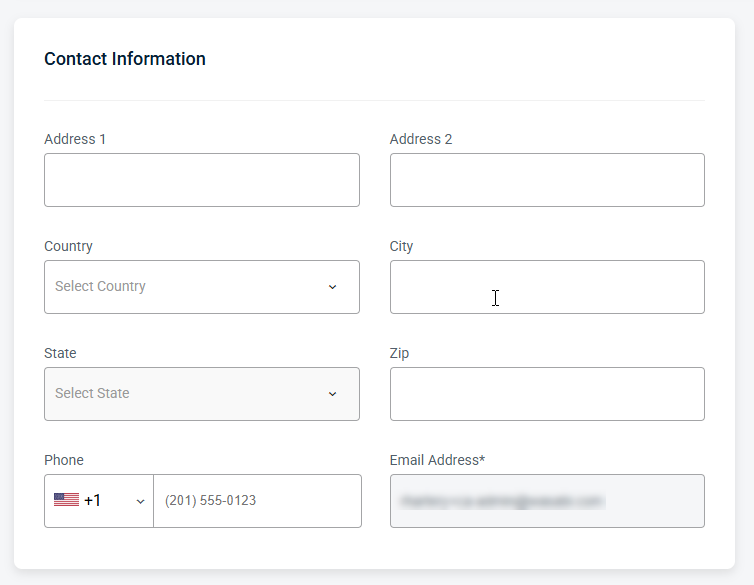
Contact Information
Provides editable fields for the user’s contact details, including the email address and other associated contact information.
Security Information
Manage password settings, including resets.