You can define a password policy for your sub-users by configuring settings that align with your organization’s security standards.
Click Security on the Wasabi menu.
Click User Password Settings.
The following is an overview of the settings you can apply to the user password. These settings will apply to all sub-users.
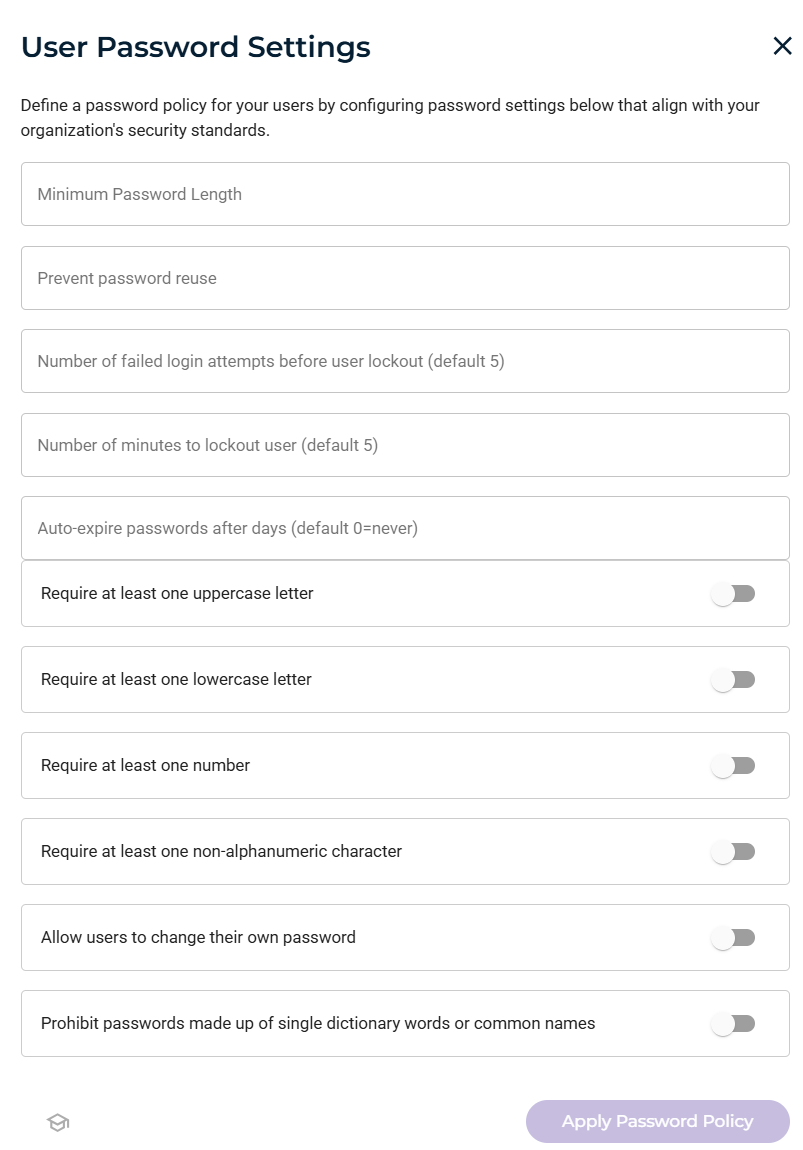
Set the user password rules.
Setting
Description
Minimum Password Length
Enter the minimum number of characters the user must enter for the password. This value must be between 8 and 128.
Prevent password reuse
Enter the number of times the password can be reused.
Number of failed login attempts before user lockout (default 5)
Enter the number of times a user can fail to enter the correct password before being locked out of the login.
Number of minutes to lock out user (default 5)
Enter the number of minutes that a user will be locked out after login attempt failures.
Auto-expire password after days (default 0=never)
Enter the number of days after which a password will expire.
Require at least one uppercase letter
Enable to require the user to enter a password that includes at least one uppercase letter.
Require at least one lowercase letter
Enable to require the user to enter a password that includes at least one lowercase letter.
Require at least one number
Enable to require the user to enter a password that includes at least one number.
Require at least one non-alphanumeric character
Enable to require the user to enter a password that includes at least one non-alphanumeric character.
Allow users to change their own password
Enable to allow the user to change the password. If this setting is not enabled, only the Root User can change the user password.
Prohibit passwords made up of single dictionary words or common names
Enable to prohibit the password from consisting of a single dictionary word or a combination of names.
After changing password settings, click Apply Password Policy.