When you sign in to the WACM console, you are presented with the WACM dashboard, your WACM “landing” page. It includes information about your account and configuration-specific details.
Dashboard View
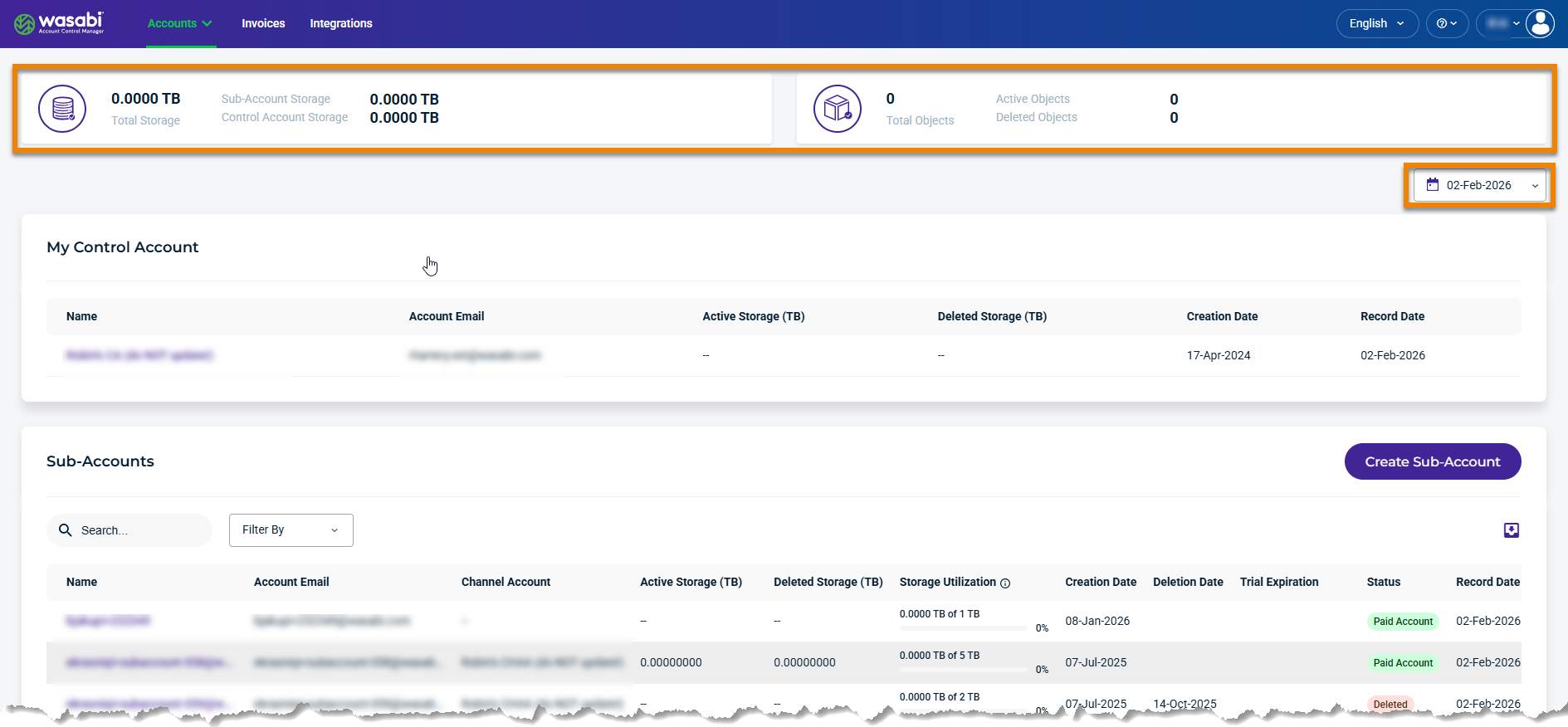
The WACM dashboard is divided into three basic areas:
Aggregated Utilization Statistics—Provides a high-level view of the current aggregate utilization for the Control Account and Sub-Accounts. It includes Total Storage and the Total Number of Active and Deleted Objects. Historical data records are available by selecting a date from the corresponding drop-down menu.
Control Account Panel—The storage account associated with the Wasabi subscription. The Control Account is the storage account itself, with buckets, and stores utilization details tracked in WACM. Standalone Accounts that are converted to Control Accounts retain any existing buckets and data, with no impact on data operations.
Sub-Account Panel—Displays a list of all provisioned Sub-Accounts under the Control Account.
Navigation Menu
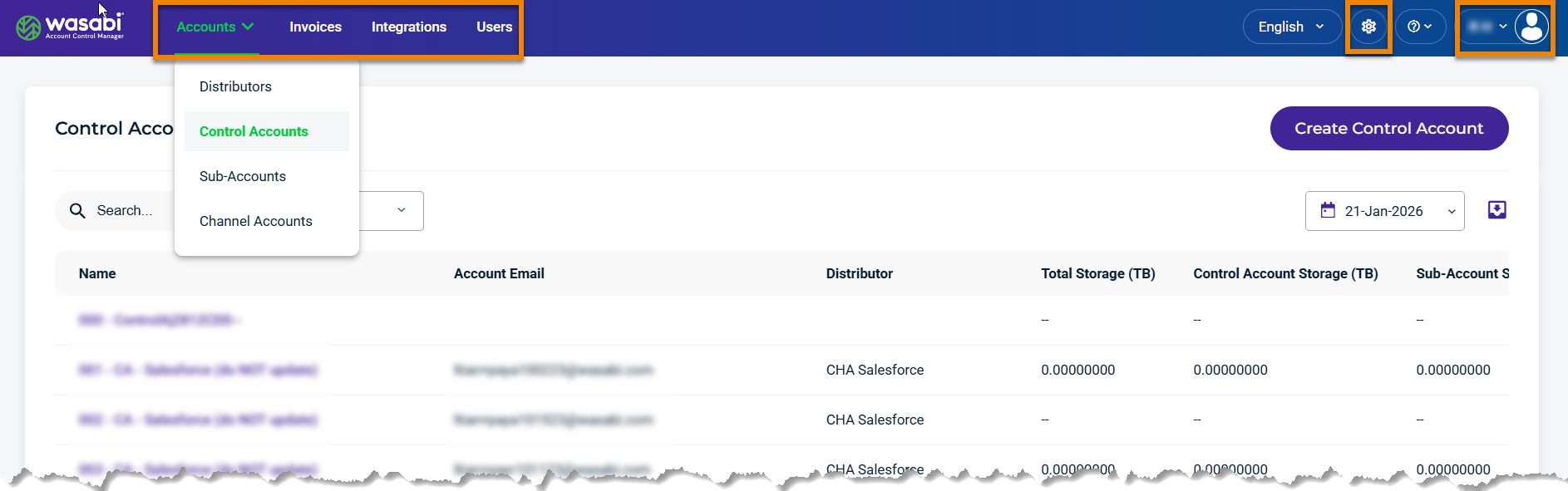
The WACM navigation menu provides a centralized interface for managing users and accounts and includes the following components:
Accounts—Lists account types. The account types listed under “Accounts” on the navigation bar depend on your tier and user permissions.
Distributor (Account Governance)—The top-level account in the WACM hierarchy. It can manage multiple Control Accounts.
Control Account—The second level in the WACM hierarchy. It consists of a paying Wasabi account and a related Wasabi Console account with your billing information. A Control Account can manage Sub-Accounts and Channel Accounts.
Channel Account—The third level in the hierarchy. It is optional and can provide third-party access to WACM. Created by a Control Account user, a Channel Account user can create Sub-Accounts that belong to the Channel Account.
Sub-Account—Synonymous with a Wasabi Console account. It is the main account that creates billing/utilization records for all higher-tiered accounts.
Standalone Account—A Wasabi Console account not attached to a WACM account.
Invoices—Are sub-invoices that provide detailed utilization metrics for each sub-account, including storage, data egress, and API requests.
Integrations—Are third-party software, platforms, and services that work directly with Wasabi Hot Cloud Storage. These integrations interact with Wasabi storage, and WACM governs that interaction.
Users—Create WACM user profiles and assign a distinct role, for example, Admin, Staff, Staff Lite, or Viewer.
Settings—Access and create Cloud Consoles, view cron jobs, and edit branded forms.
My Profile—Displays your profile and provides access to account and user information.
Display Options
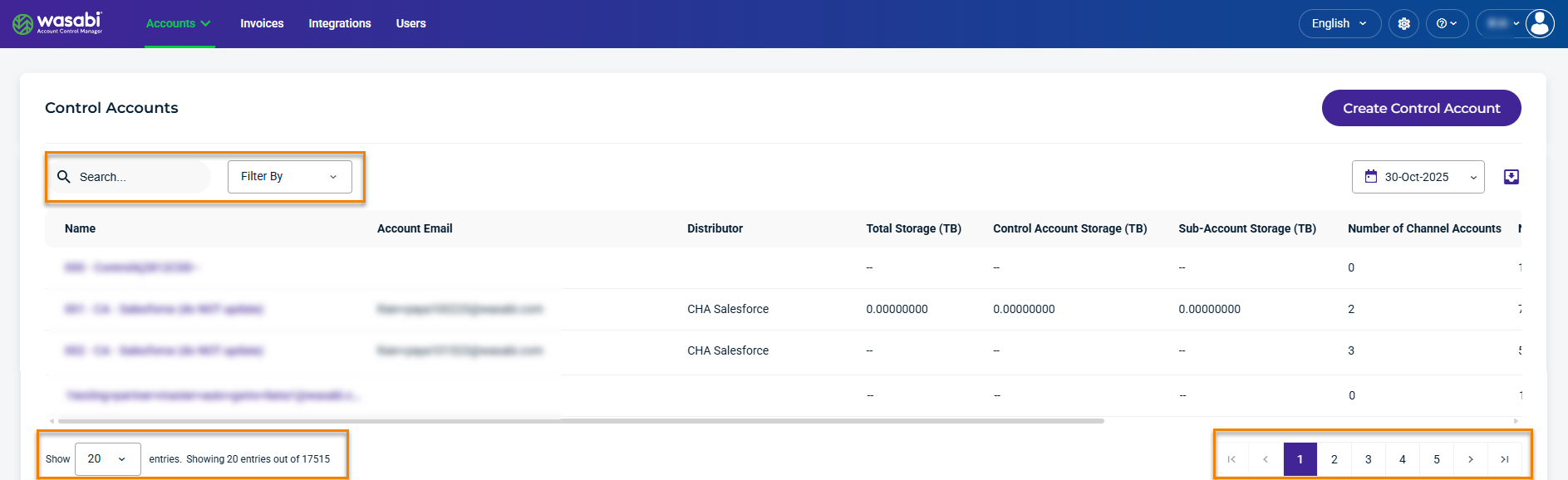
You can manage how your display is presented. For example, the Control Accounts panel shown here is similar to the account panels for Channel Accounts and Sub-Accounts. Each panel lists information for each account, including related account types, storage usage, and account status.
With these display options, you can:
Search for accounts and Filter By account type and status.
Display 20, 50, or 100 entries per page.
Use the < and > keys to go to the previous (<) or next (>) page.
Feature-Specific Tools
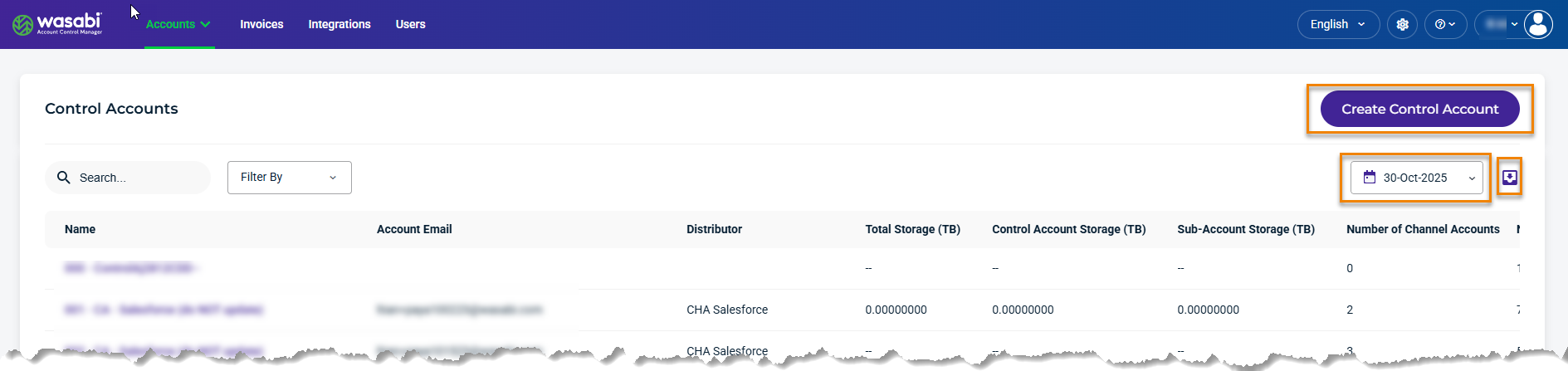
You may see feature-specific tools on the Accounts panels. These are described for each feature throughout the documentation. Here are examples of feature-specific tools:
Create Account link
Date Range Picker or Day Picker
Export Data icon
Common Tools
Common tools are displayed in the upper right of the WACM dashboard.

With these tools, you can:
 Select an alternative to English for your dashboard.
 Access the User guide, Wasabi Console, System Status, and Contact Us.
 Access your Profile settings and log out of WACM.