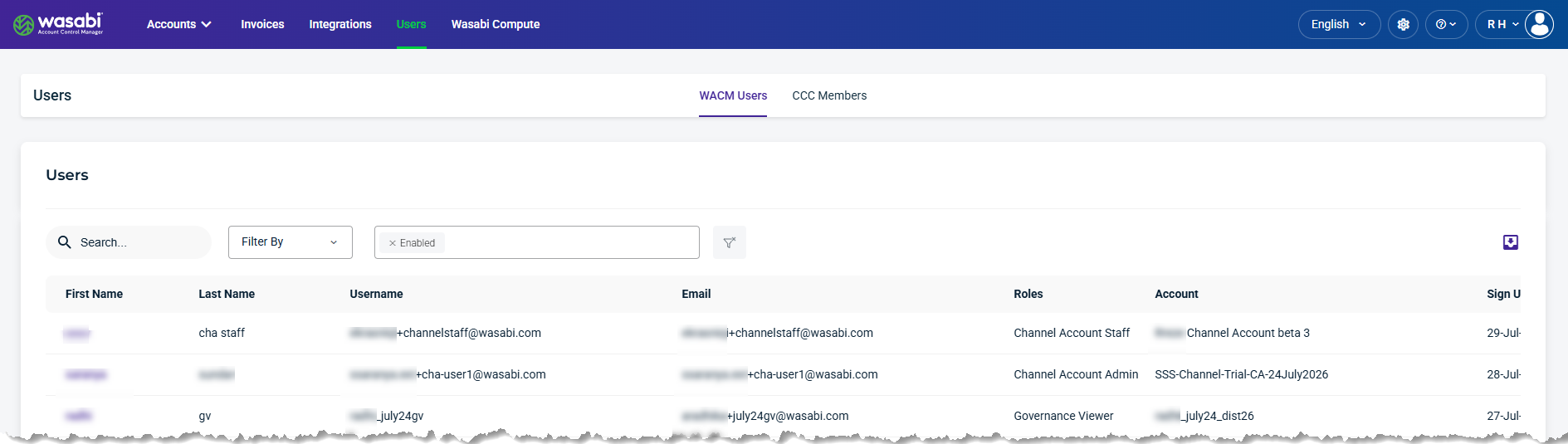
The WACM Users page lists all user accounts for Account Governance, Control Accounts, and Channel Accounts, offering a centralized view of user identities, assigned roles, and security settings.
Users Details and Metrics
The Users page provides the following details and metrics:
First Name—The user’s first name used for the account.
Last Name—The user’s last name used for the account.
Username—The unique name (single string) used for the account.
Email—The user’s email used for the account.
Roles—The role assigned to the user.
Account—The account used by the user.
Sign Up Date—The date the user profile was created.
Last Login—The last time the user logged in.
MFA (multi-factor authentication)—The MFA status active
 icon, if enabled.
SSO (Single Sign On)—The SSO status is Yes if enabled.
Verified—The user is verified when a checkmark appears.
Has API Key—An API key was generated for this account.
Language—The language selected by the user.
Status—The user status: Active, Deactivated, Locked, or Pending.
Three-dot menu—Click to select an option.
Find and Filter Users
Use the Search and Filter By tools to find and view user details. Use the export tool to export account data for reporting or further analysis.

Search and Filter Users
The following Filter By menu options are available:
Role—Filter by Channel Account, Control Account, or Governance Account type.
Account—Filter by account name.
MFA (multi-factor authentication)—Filter by users with MFA Enabled or Disabled.
SSO (single sign-on)—Filter by users with SSO Enabled or Disabled.
Has API Key—Filter by whether the user has an API key, either True or False.
Language—Filter by language type.
Status—Filter by user account status of Active, Deactivated, Locked, or Pending.
Verified—Filter by whether the account was verified, either True or False.
Export Data
The export tool lets you filter results and export data to CSV, JSON, or Excel.

User Information Settings
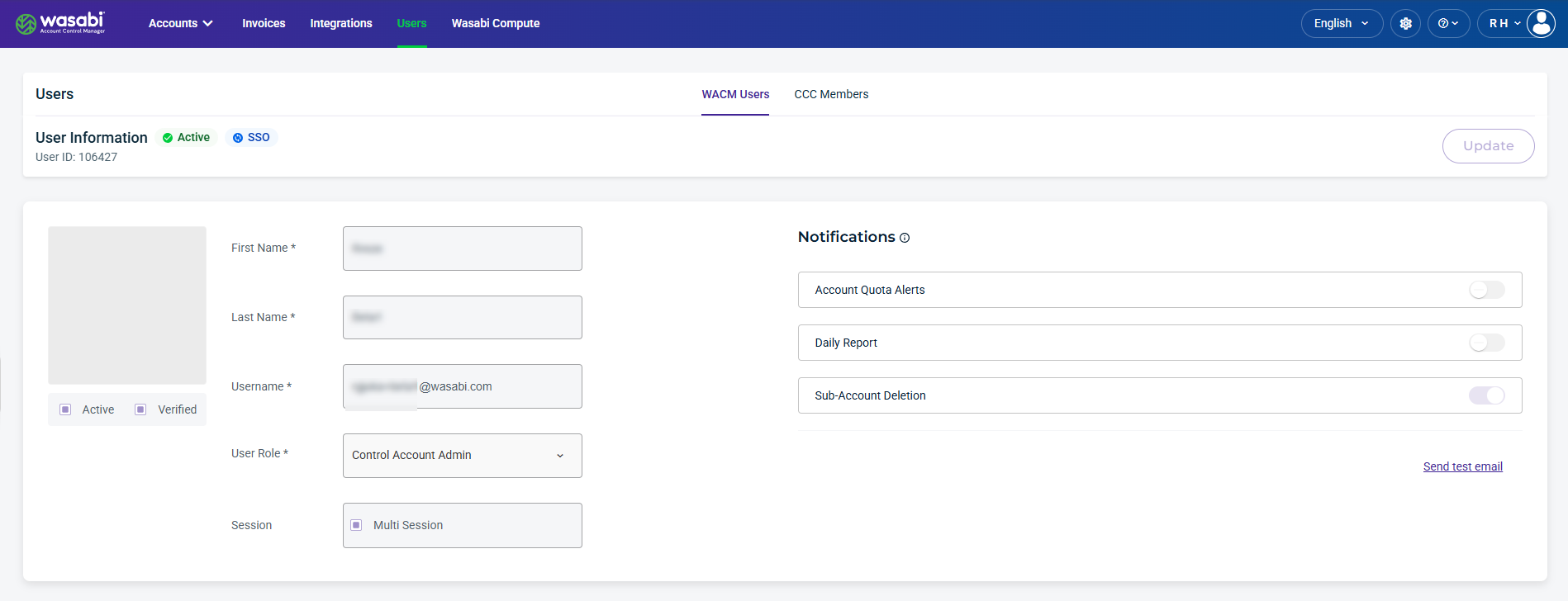
Select a User from the list to view or update their information. User Information displays account status and product storage type (WCN, WOS, or WSC), along with user details such as first and last name, username, user role, and session type.
Be sure to click Update (in the upper-right corner) to apply any changes made on this page.
Notifications
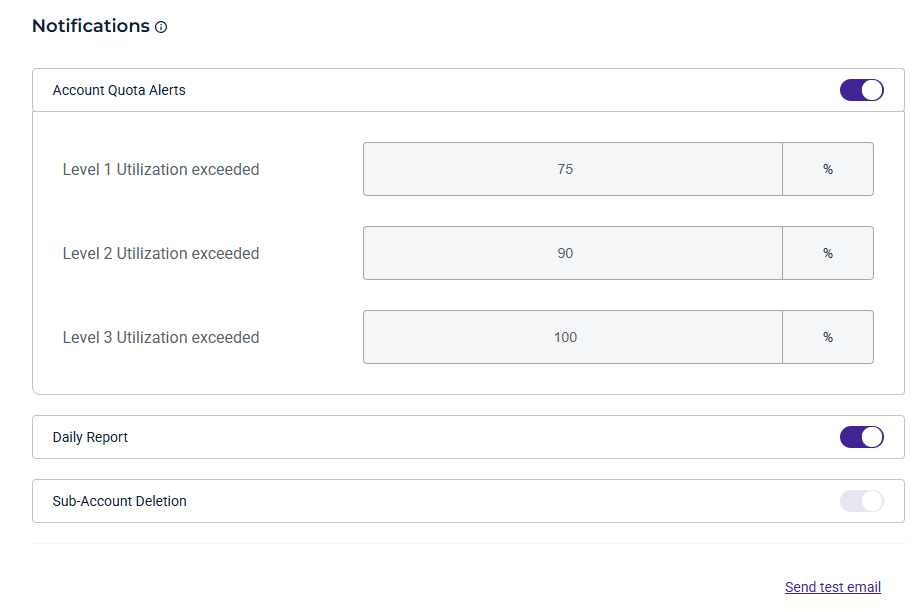
You can enable notifications for account quota alerts and daily reports, and set utilization thresholds to trigger email notifications when each threshold is reached. Notifications will be sent to your user email address. Additionally, you can enable Sub-Account deletion.
WACM Connect API Key
The WACM Connect API lets you access WACM data for automation and can be rotated or deleted as needed for security purposes. To generate an API key for WACM Connect, click Generate New API Key.

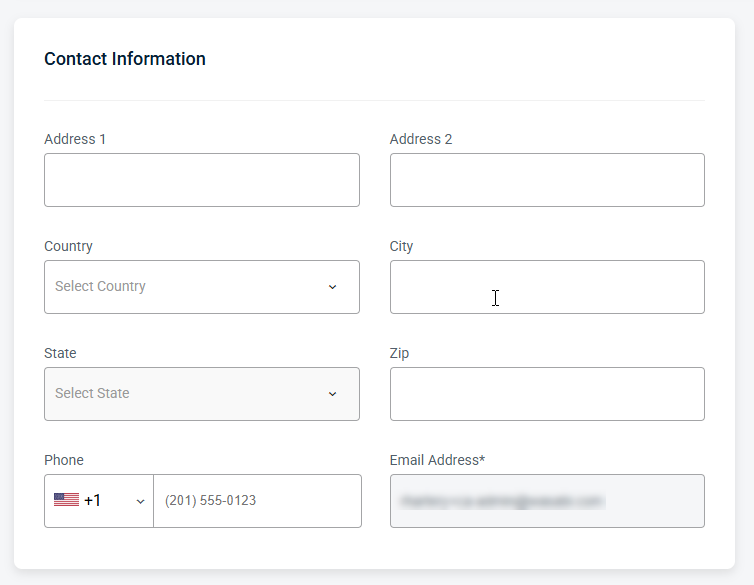
Contact Information
Provides editable fields for the user’s contact details, including the email address and other associated contact information.
Security Information
Passwords and authentication settings are managed through your Identity Provider (IdP).
MFA Settings
This setting determines whether MFA is required for this user. If the toggle is enabled, the user is required to use MFA for authentication.
