My Profile allows WACM users (Admins, Staff, Viewers) to view and manage account-related information. This includes identity details, assigned roles, and other attributes that WACM uses to determine access and permissions. Changes made to these profiles apply only to you and don’t affect other users or settings.
Think of My Profile, Account, and User profiles as different views of the same underlying WACM data, filtered by who you are and what you’re allowed to manage.
Accessing My Profile
A link to your profile is located at the top right of the WACM Console.
Sign in to the WACM console (https://wacm.wasabisys.com/en/wasabi/auth/login) as a Channel Account user.
Click your username in the navigation menu and select My Profile from the drop-down menu. The related modules are displayed.
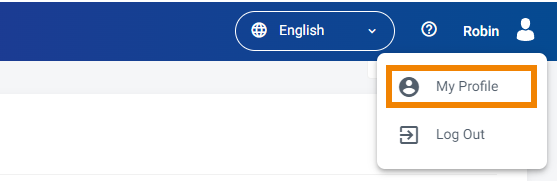
Profile Menu
My Profile provides access to the following modules:
Profile—A self-scoped view of a User within an Account. This is the default view for My Profile.
Account—Represents the organizational boundary with account-level settings and policies.
Users—Represents an individual User identity within the Channel Account.
Features—Provides access to features that enable partners to manage multiple users under a single primary account and to enforce MUA for sensitive actions.