In My Control Account, Control Account, and Account Governance, users can access the Buckets page, which provides a consolidated view of all buckets created under the linked Sub-Accounts.
Select the link in the My Control Account section to view the details and metrics for each bucket.

Bucket Details
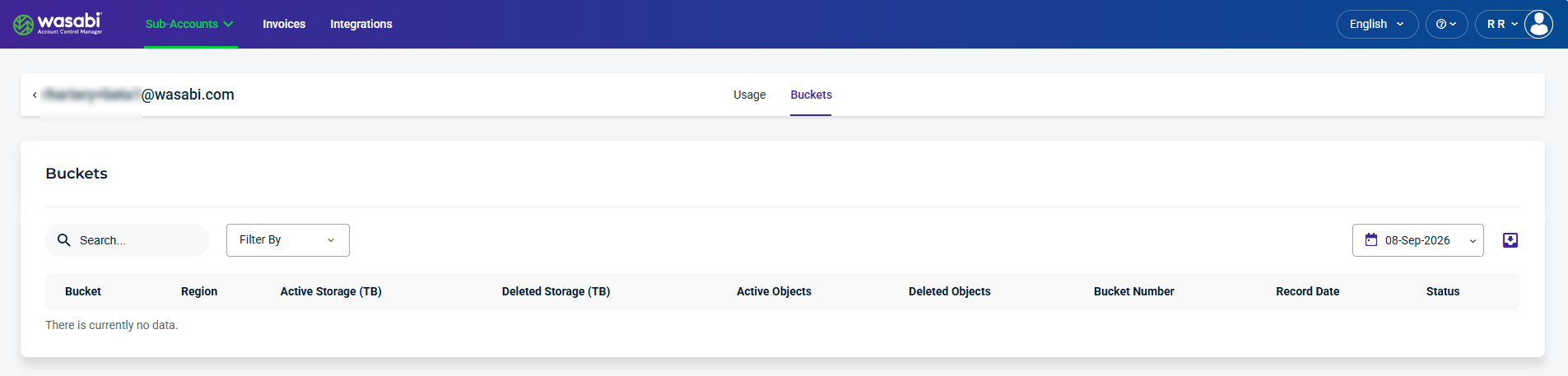
The Buckets page displays a list of buckets and the storage consumed per bucket within the Control Account.
Details and Metrics
The Buckets page shows the following details and metrics:
Bucket—Label used to identify and access a specific bucket.
Region—Data center location assigned to the bucket.
Active Storage (TB)—Total size of data currently stored, broken down by each bucket.
Deleted Storage (TB)—Total size of data removed from each bucket, shown separately for each bucket.
Active Objects (TB)—Per-bucket count of how many files currently exist.
Deleted Objects (TB)—Per-bucket count of how many files have been removed.
Bucket Number—Unique number associated with the bucket.
Record Date—Date a particular metric or piece of data was recorded.
Status—Active status means the bucket is in use and can store data. Inactive status means the bucket is not currently in use or may be disabled, empty, or no longer actively managed.
Find and Filter Buckets
Use the Search, Filter By, and Calendar tools to find and refine the account data displayed on the page. You can also use the Export tool to export account data for reporting or further analysis.

Search and Filter Buckets
Use the Search field to search buckets and use the Filter By menu to filter other criteria.
The following Filter By menu options are available:
Region—Filters buckets by region.
Bucket Number—Filters buckets by bucket number.
Status—Filters buckets by status. Active status means the bucket is in use and can store data. Inactive status means the bucket is not currently in use or may be disabled, empty, or no longer actively managed.
Select a Date
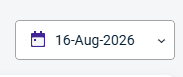
The calendar dropdown lets you select a date to view historical data.
Export Data
The export tool lets you filter results and export data to CSV, JSON, or Excel.
