This article describes how to configure ClickHouse to use a Wasabi bucket as its primary storage backend. We show how to configure a custom storage policy that directs all new table data to Wasabi, load a real-world dataset, and verify that data is stored in and readable from your bucket.
Requirements
ClickHouse server and client installed on a Linux server. This solution was tested with version 26.5.1 running on Ubuntu Server 26.04 LTS.
Active Wasabi Cloud Storage Account.
A Wasabi bucket—For more information, review Working With Buckets and Objects.
Access and secret Key pair—For more information, review Creating a User Account and Access Key.
Configuring ClickHouse
ClickHouse storage is configured via an XML file located at/etc/clickhouse-server/config.d/. Create or edit the following file using vi or your preferred text editor (nano, vim, and so on).
sudo vi /etc/clickhouse-server/config.d/storage_config.xmlAdd the following content, replacing YOUR_BUCKET with the name of your Wasabi bucket, WASABI_ACCESS_KEY with your Wasabi access key, and WASABI_SECRET_KEY with your Wasabi secret key.
<clickhouse>
  <storage_configuration>
    <disks>
      <s3_disk>
        <type>s3</type>
        <endpoint>https://s3.us-east-2.wasabisys.com/YOUR_BUCKET/</endpoint>
        <access_key_id>WASABI_ACCESS_KEY</access_key_id>
        <secret_access_key>WASABI_SECRET_KEY</secret_access_key>
        <metadata_path>/var/lib/clickhouse/disks/s3_disk/</metadata_path>
      </s3_disk>
      <s3_cache>
        <type>cache</type>
        <disk>s3_disk</disk>
        <path>/var/lib/clickhouse/disks/s3_cache/</path>
        <max_size>10Gi</max_size>
      </s3_cache>
    </disks>
    <policies>
      <s3_main>
        <volumes>
          <main>
            <disk>s3_disk</disk>
          </main>
          <default>
            <disk>default</disk>
          </default>
        </volumes>
      </s3_main>
    </policies>
  </storage_configuration>
</clickhouse>
This configuration example discusses the use of Wasabi's us-east-2 storage region. To use another Wasabi storage region, use the appropriate URL. See Service URLs for Wasabi's Storage Regions. Use the region your bucket is located in.
The s3_main policy defines two volumes: main (the Wasabi S3 disk, listed first so new data always lands there) and default (the local disk, included to satisfy ClickHouse’s requirement that a new policy be a superset of the old one when migrating existing tables).
After saving the file, restart ClickHouse to apply the configuration.
sudo systemctl restart clickhouse-serverVerify that both volumes are visible.
If using a ClickHouse password:
clickhouse-client --passwordIf you are not using a ClickHouse password:
clickhouse-clientIssue the following command.
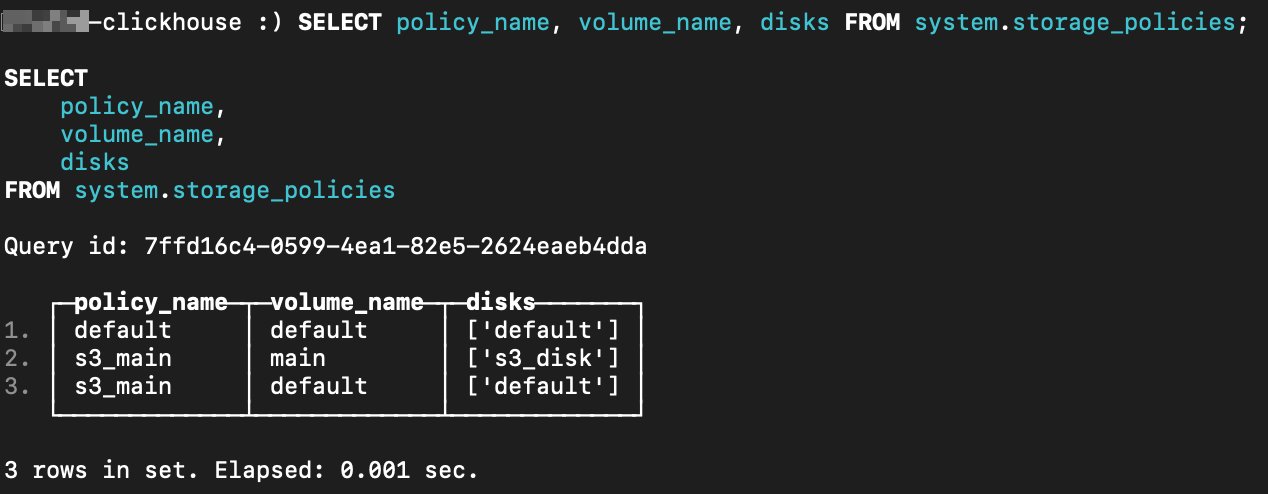
SELECT policy_name, volume_name, disks FROM system.storage_policies;An example from our testing is provided below. The s3_main policy shows two volumes — main (s3_disk) and default — confirming the configuration loaded correctly.
Testing Basic Connectivity
Before loading production data, confirm that ClickHouse can read from and write to Wasabi by creating a small test table using the s3_main storage policy.
CREATE TABLE wasabi_s3_table
  (
    `id`   UInt64,
    `name` String
  )
ENGINE = MergeTree
ORDER BY id
SETTINGS storage_policy = 's3_main';

INSERT INTO wasabi_s3_table (id, name)
  VALUES (1, 'Alice'), (2, 'Bob');

SELECT * FROM wasabi_s3_table;
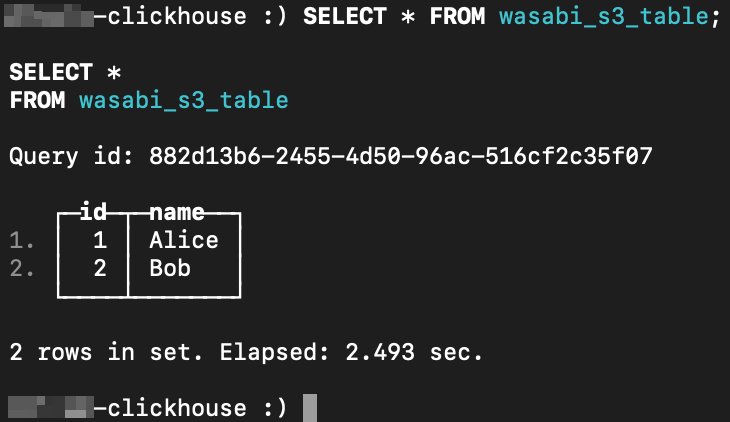
Below is an example showing the table contents from our testing. It shows two rows written to and read back from the Wasabi-backed table.
Loading a Real-World Dataset
This section loads the NYC Yellow Taxi trip data (January 2026) from the NYC Taxi & Limousine Commission as a practical, larger-scale test. The data will initially be stored locally until it is moved to Wasabi in the next section.
Download the Parquet file. This link was valid as of the writing of this article. See TLC Trip Record Data for an updated link, if required.
wget -O yellow_tripdata_2026-01.parquet \
  https://d37ci6vzurychx.cloudfront.net/trip-data/yellow_tripdata_2026-01.parquet
Create the database and table.
Launch
clickhouse-clientand run the following. Note that columns used in the ORDER BY key (tpep_pickup_datetime and VendorID) must not be Nullable.CREATE DATABASE IF NOT EXISTS nyc_taxi; CREATE TABLE IF NOT EXISTS nyc_taxi.yellow_trips ( VendorID Int32, tpep_pickup_datetime DateTime, tpep_dropoff_datetime Nullable(DateTime), passenger_count Nullable(Float64), trip_distance Nullable(Float64), RatecodeID Nullable(Float64), store_and_fwd_flag Nullable(String), PULocationID Nullable(Int32), DOLocationID Nullable(Int32), payment_type Nullable(Int64), fare_amount Nullable(Float64), extra Nullable(Float64), mta_tax Nullable(Float64), tip_amount Nullable(Float64), tolls_amount Nullable(Float64), improvement_surcharge Nullable(Float64), total_amount Nullable(Float64), congestion_surcharge Nullable(Float64), Airport_fee Nullable(Float64), cbd_congestion_fee Nullable(Float64) ) ENGINE = MergeTree() ORDER BY (tpep_pickup_datetime, VendorID);This table is initially created with the default storage policy (local disk). The next section covers migrating it to the s3_main policy and moving the parts to Wasabi.
Load the Parquet file.
INSERT INTO nyc_taxi.yellow_trips
  FROM INFILE 'yellow_tripdata_2026-01.parquet' FORMAT Parquet;
The path is relative to the directory where
clickhouse-clientwas launched.Verify the load.
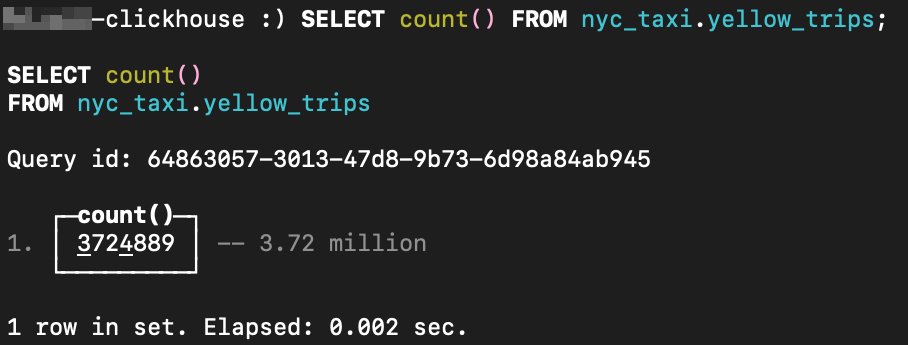
SELECT count() FROM nyc_taxi.yellow_trips;Here is the output from our testing. This shows that 3.72 million rows were loaded from the January 2026 Parquet file.
Migrating the Table to Wasabi Storage
The table’s parts reside on the local disk. The following steps move all parts to Wasabi.
Change the table’s storage policy.
ALTER TABLE nyc_taxi.yellow_trips MODIFY SETTING storage_policy='s3_main';Here is an example output from our testing.
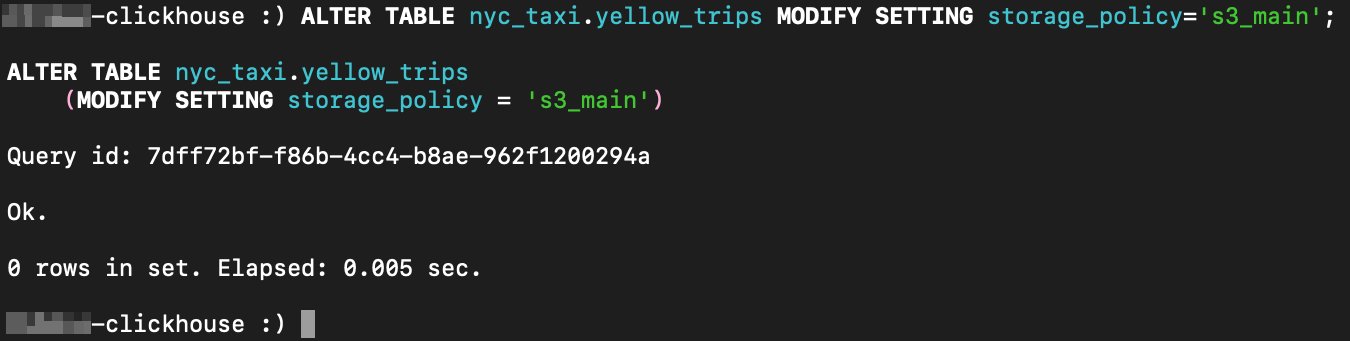
ClickHouse requires the new policy to contain all volumes present in the old policy. This is why the default volume was added as a second volume in s3_main in the configuration above. Without it, the command fails with "New storage policy shall contain volumes of the old storage policy".
Check existing parts. Before moving parts, confirm which disk they currently reside on.
SELECT name, disk_name FROM system.parts
WHERE `table` = 'yellow_trips' AND database = 'nyc_taxi';
From our testing:
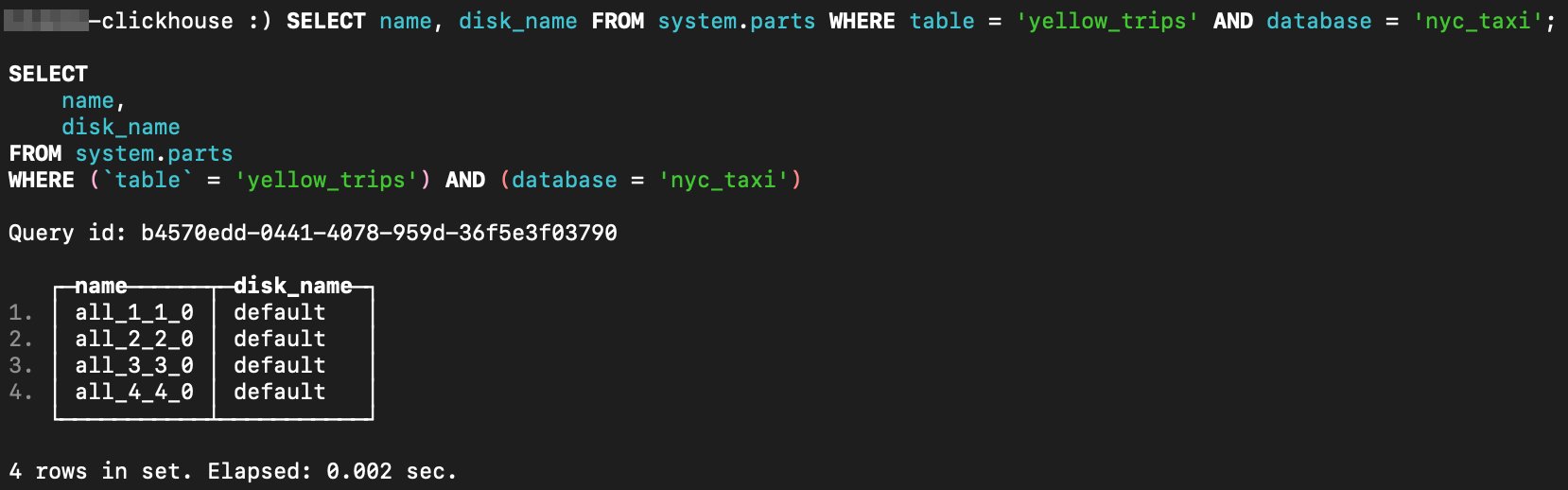
All four parts show disk_name = default, confirming they are still on local disk and need to be moved.
Move each part to Wasabi.
ALTER TABLE nyc_taxi.yellow_trips MOVE PART 'all_1_1_0' TO DISK 's3_disk';
ALTER TABLE nyc_taxi.yellow_trips MOVE PART 'all_2_2_0' TO DISK 's3_disk';
ALTER TABLE nyc_taxi.yellow_trips MOVE PART 'all_3_3_0' TO DISK 's3_disk';
ALTER TABLE nyc_taxi.yellow_trips MOVE PART 'all_4_4_0' TO DISK 's3_disk';
Each command returns "Ok. 0 rows in set." — this is expected. MOVE PART is a DDL (Data Definition Language) operation, not a query, so it returns no rows on success.
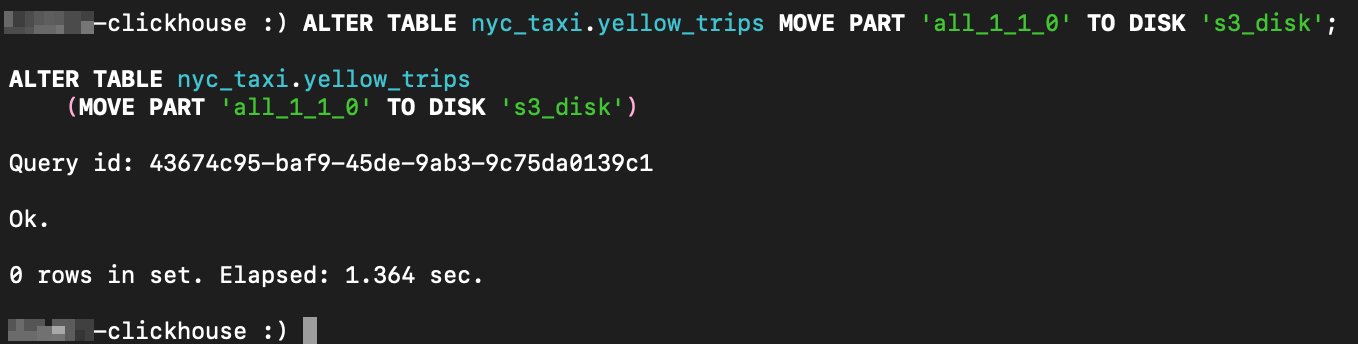
Moving a part to s3_disk completes in about 1–2 seconds per part, depending on the size on disk, connection bandwidth, and so on.
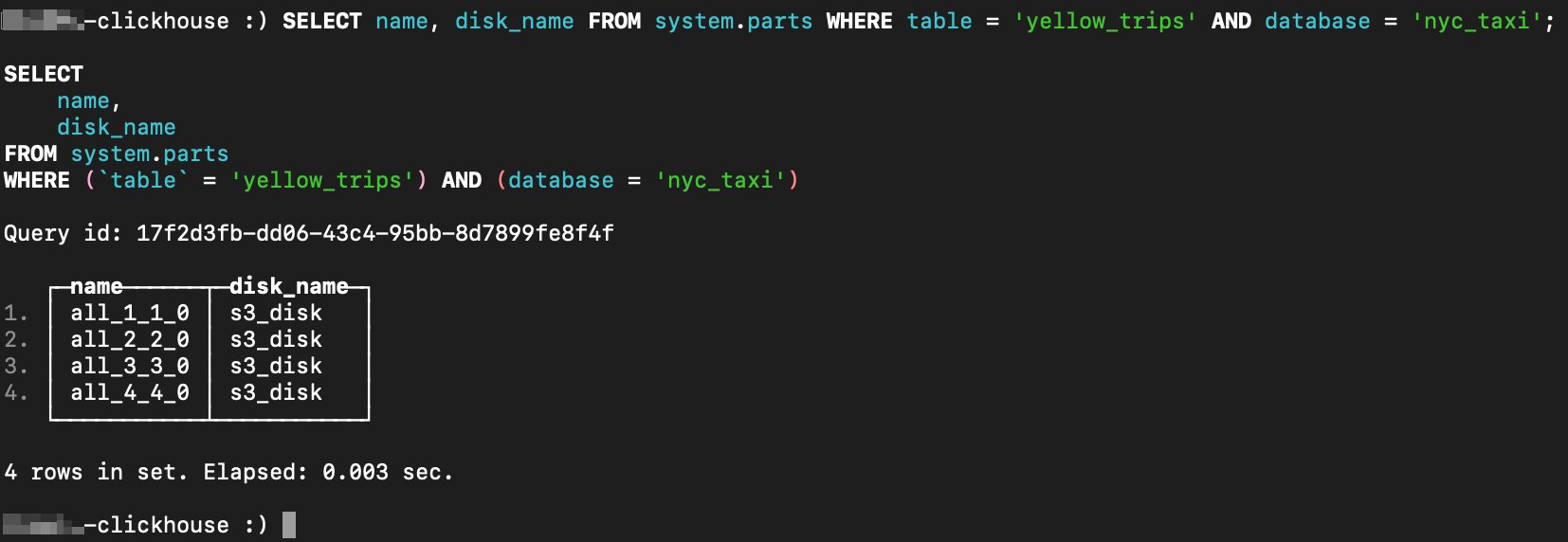
Verify all parts are on Wasabi.
SELECT name, disk_name FROM system.parts
WHERE `table` = 'yellow_trips' AND database = 'nyc_taxi';
Here is an example output from our testing. All four parts now show disk_name = s3_disk, confirming successful migration to Wasabi.
Loading Additional Data and Verifying Storage
With the table now on s3_main, any subsequent inserts will write directly to Wasabi. Download additional months to build a larger dataset. These links were valid as of the writing of this article. See TLC Trip Record Data for updated links, if required.
wget -O yellow_tripdata_2025-01.parquet https://d37ci6vzurychx.cloudfront.net/trip-data/yellow_tripdata_2025-01.parquet
wget -O yellow_tripdata_2025-02.parquet https://d37ci6vzurychx.cloudfront.net/trip-data/yellow_tripdata_2025-02.parquet
wget -O yellow_tripdata_2025-03.parquet https://d37ci6vzurychx.cloudfront.net/trip-data/yellow_tripdata_2025-03.parquet
wget -O yellow_tripdata_2025-04.parquet https://d37ci6vzurychx.cloudfront.net/trip-data/yellow_tripdata_2025-04.parquet
wget -O yellow_tripdata_2025-05.parquet https://d37ci6vzurychx.cloudfront.net/trip-data/yellow_tripdata_2025-05.parquet
Then, in the
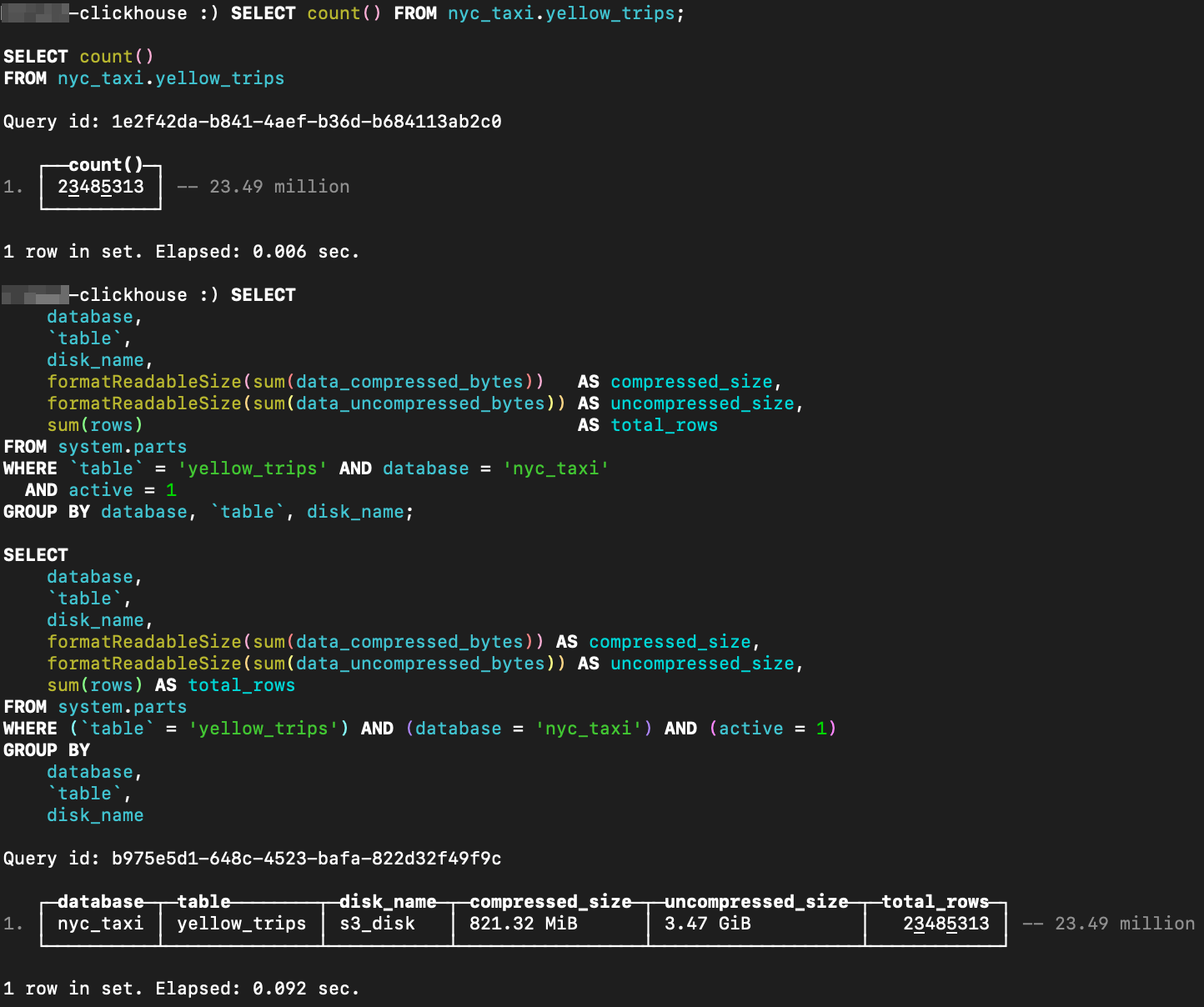
clickhouse-clientissue the following commands.INSERT INTO nyc_taxi.yellow_trips FROM INFILE 'yellow_tripdata_2025-01.parquet' FORMAT Parquet; INSERT INTO nyc_taxi.yellow_trips FROM INFILE 'yellow_tripdata_2025-02.parquet' FORMAT Parquet; INSERT INTO nyc_taxi.yellow_trips FROM INFILE 'yellow_tripdata_2025-03.parquet' FORMAT Parquet; INSERT INTO nyc_taxi.yellow_trips FROM INFILE 'yellow_tripdata_2025-04.parquet' FORMAT Parquet; INSERT INTO nyc_taxi.yellow_trips FROM INFILE 'yellow_tripdata_2025-05.parquet' FORMAT Parquet;Check the total row count and confirm all data resides on s3_disk.
SELECT count() FROM nyc_taxi.yellow_trips;

SELECT
    database,
    `table`,
    disk_name,
    formatReadableSize(sum(data_compressed_bytes))   AS compressed_size,
    formatReadableSize(sum(data_uncompressed_bytes)) AS uncompressed_size,
    sum(rows)                                        AS total_rows
FROM system.parts
WHERE `table` = 'yellow_trips' AND database = 'nyc_taxi'
  AND active = 1
GROUP BY database, `table`, disk_name;
The following screenshot shows the result from our testing. After loading six months of data, 23.49 million rows (821 MiB compressed, 3.47 GiB uncompressed) are confirmed on s3_disk.
Verifying Data in Your Wasabi Bucket
You can confirm that ClickHouse has written data to your bucket directly from the Wasabi Console.
Log in to the Wasabi Console.
Click Buckets in the left navigation menu.
Locate and click your bucket name.
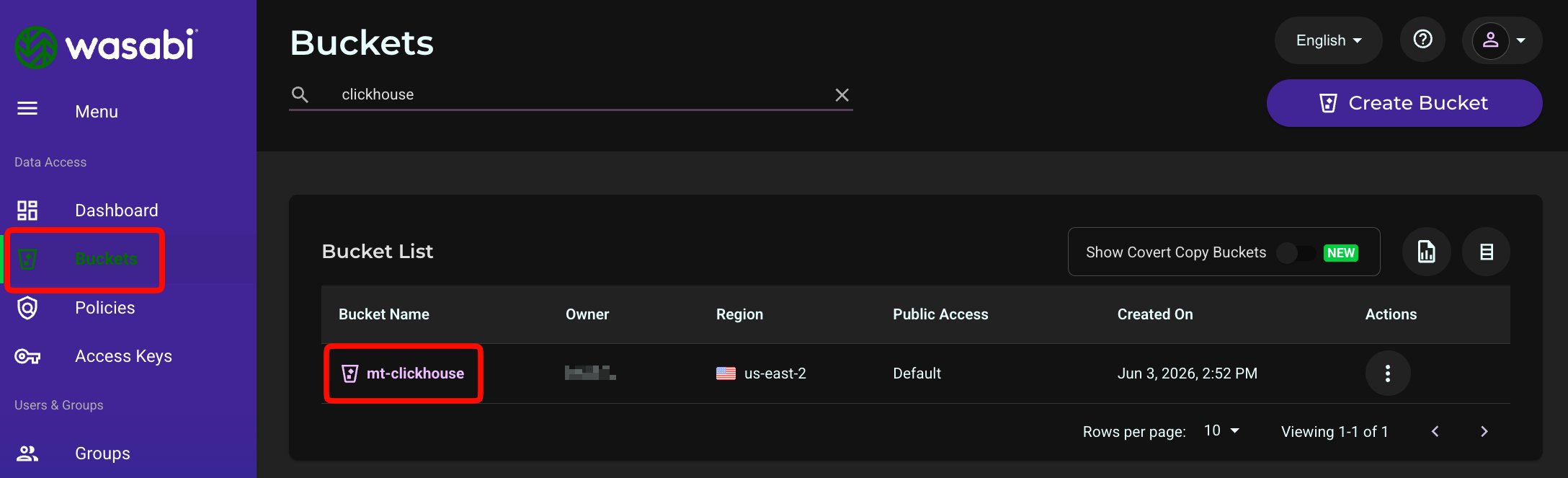
You should see your ClickHouse data stored as objects in folders the bucket.
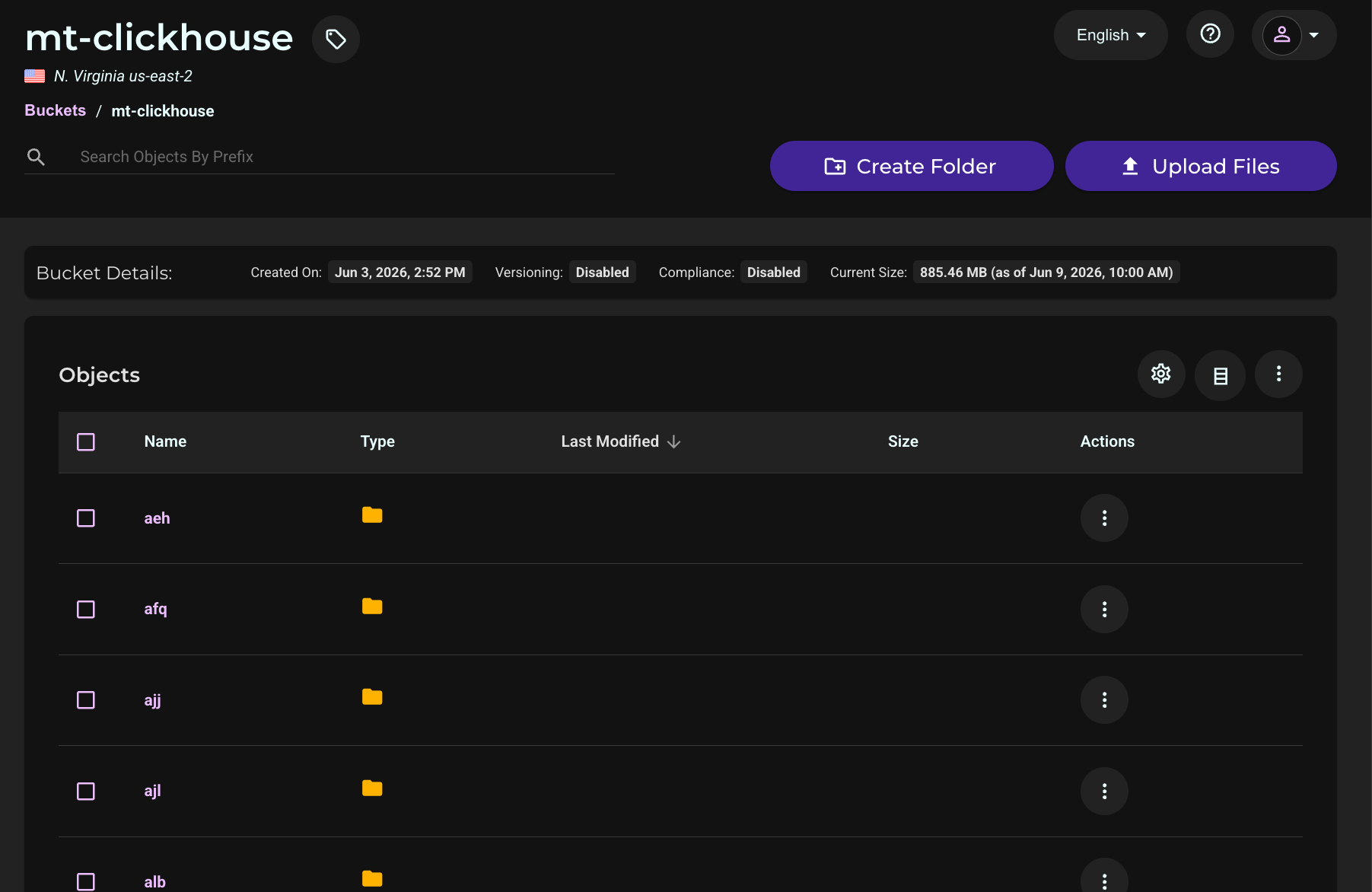
Using the s3() Table Function
In addition to managed tables, ClickHouse can query Parquet files stored in Wasabi directly using the s3() table function without the file being registered as a table. Replace YOUR_BUCKET with the name of your Wasabi bucket, WASABI_ACCESS_KEY with your Wasabi access key, and WASABI_SECRET_KEY with your Wasabi secret key. Use the URL for the region your bucket is located in.
The yellow_tripdata_2026-01.parquet object was uploaded to the bucket using the AWS CLI. See AWS CLI with Wasabi for details.
aws s3 cp yellow_tripdata_2026-01.parquet \
  s3://mt-clickhouse/yellow_tripdata_2026-01.parquet \
  --endpoint-url https://s3.us-east-2.wasabisys.com \
  --profile wasabi
SELECT *
FROM s3(
'https://s3.us-east-2.wasabisys.com/YOUR_BUCKET/yellow_tripdata_2026-01.parquet',
'WASABI_ACCESS_KEY',
'WASABI_SECRET_KEY',
'Parquet'
)
LIMIT 2;Below is an example from our testing.
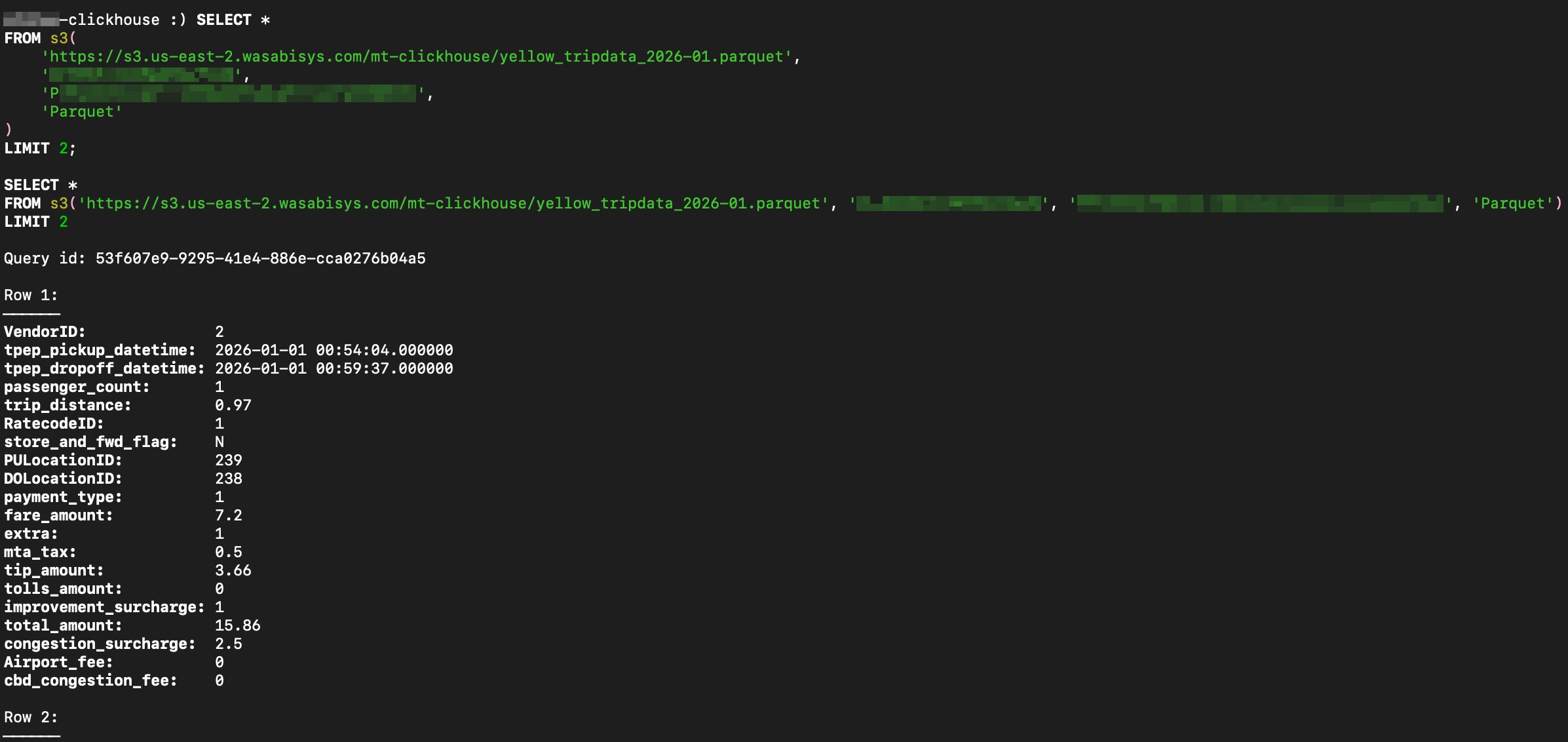
The s3() table function queries the Parquet file directly from Wasabi and returns two rows in vertical format, showing all taxi trip columns.
This is useful for ad hoc exploration of files uploaded directly to the bucket, without needing to define a schema or load data first.