When compliance mode is enabled on a bucket, the local source corresponding to the bucket is set to WORM (write only read many) mode. WORM mode prevents the files in the local folder from being edited and deleted. If a local file has been modified, the system will force the user to save the content as a new file. To enable compliance mode, follow the steps below.
Any modifications made to versioning and compliance settings sync between the WCN software and the WCN storage account (Wasabi Console). To ensure that updates take effect in the WCN software, users are required to refresh the WCN software following any modifications made in the Wasabi Console. To do so, click Refresh all on the WCN client.
Compliance mode can only be disabled from the Wasabi Console.
Under the selected source, click Bucket Settings.
Click the toggle to enable Compliance Mode (on/off):

A message will notify you that compliance mode can only be disabled from the Wasabi Console. Click Yes.
You will now set the Retention Time. This determines when objects in the bucket can be modified and/or deleted. Enter a number in the type field.
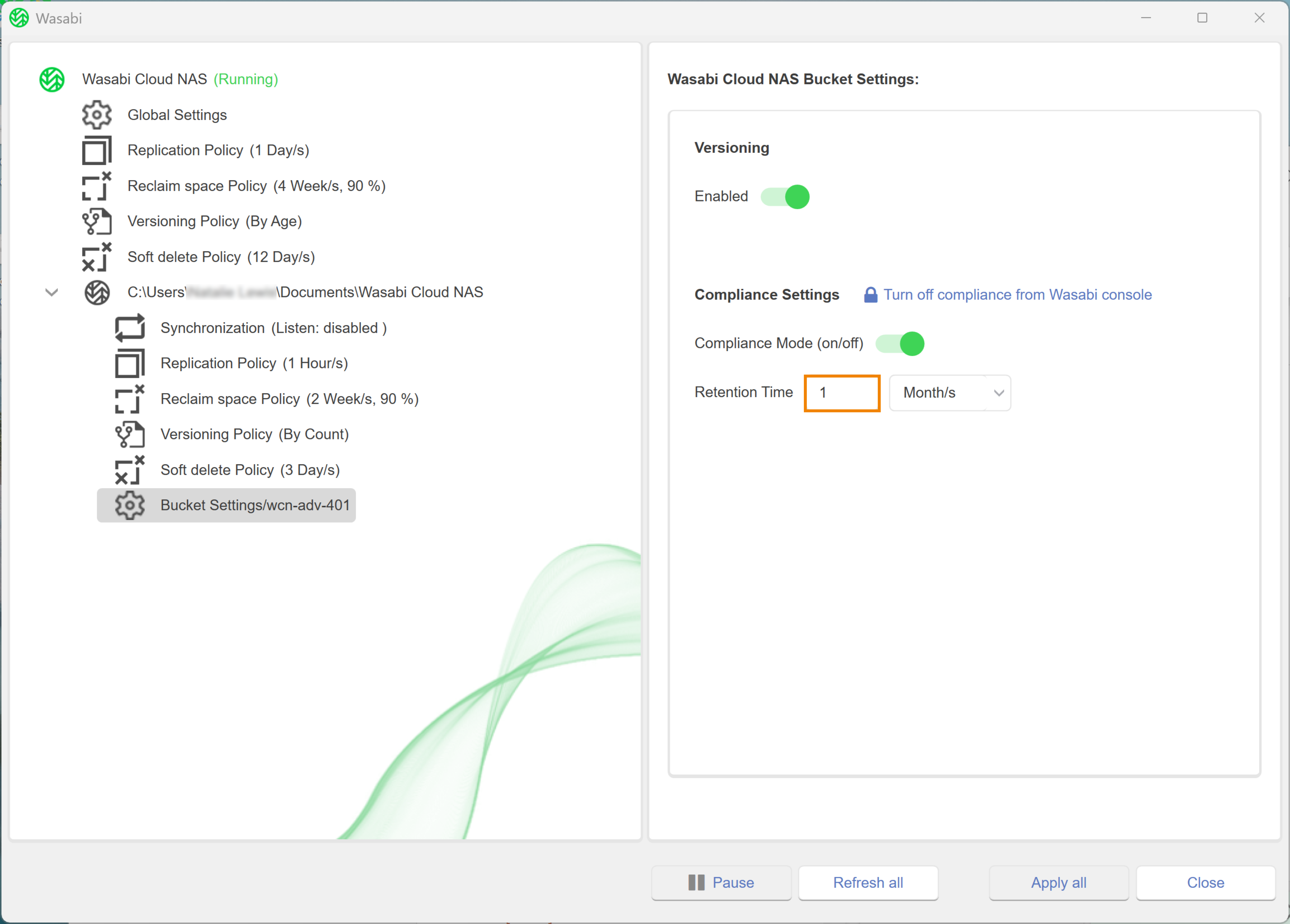
Click the drop-down to select a unit.