When you sign in to WACM as Admin, you are presented with the Distributors Accounts dashboard. The Distributor Account is the highest-hierarchy account and can manage Control Accounts, Channel Accounts, and Sub-Accounts.
Wasabi Admin Dashboard
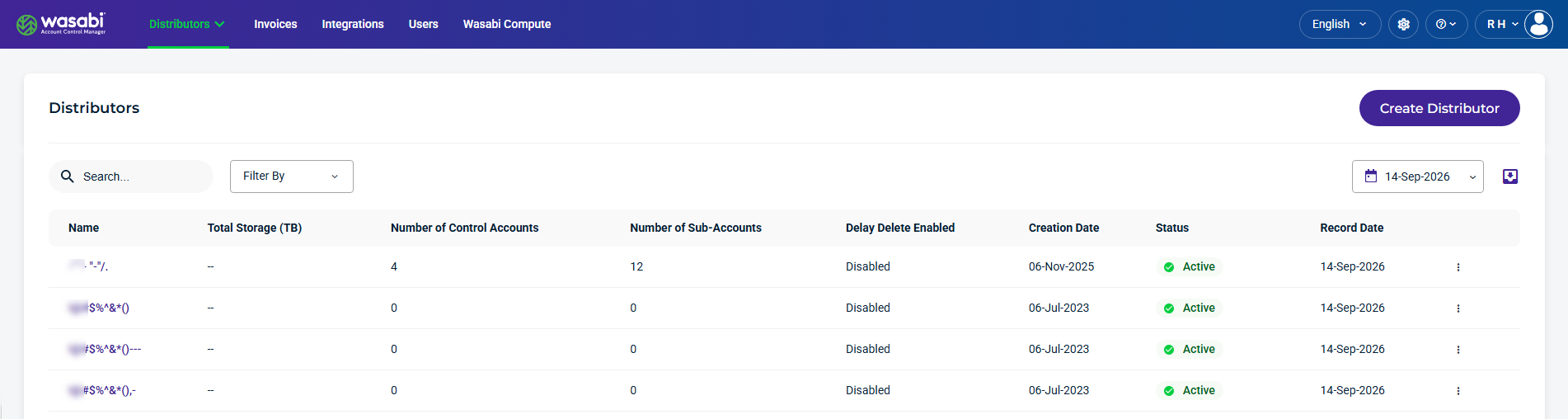
When you sign in to WACM as a Wasabi Admin, the Distributors page is displayed by default.
Distributors Details and Metrics
The Distributors section provides the following details and metrics for accounts:
Name—The name of the Distributor’s account. This is based on the name you assign when filling out the Create Distributor form.
Total Storage—The total storage allocated to the Distributor’s account.
Number of Control Accounts—The number of Control Accounts under the Distributor’s account.
Number of Sub-Accounts—The number of Sub-Accounts under the Distributor’s account.
Delay Delete Enabled—Delay Delete feature for Sub-Accounts is Enabled or Disabled.
Creation Date—The date the Distributor’s account was created
Status—Indicates the Distributor’s status as Active or Deactivated.
Record Date—The date the details and metrics were recorded.
Kebab menu—Select an option on an account.
Find and Refine Sub-Accounts
Use the Search, Filter By, and Calendar tools to find and refine the Distributors data displayed on the page. You can also use the Export tool to export historical data for reporting or further analysis.

Search and Filter By
Use the Search field to find specific Distributors, and use the Filter By menu to filter specific account details.
The following Filter By menu options are available:
Status—Select Distributor’s status as Active or Deactivated.
Delay Delete Enabled—Filter on the Delay Delete Enabled feature.
Calendar Tool
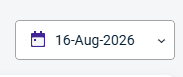
The calendar dropdown lets you select a specific Record Date to filter account data.
Export Tool
The Export tool lets you filter results and export data to CSV, JSON, or Excel formats.

Creating a Distributor Account
To create a new Distributor, refer to Creating a Distributor Account.