When you sign in to WACM as Admin, you are presented with the Distributors Accounts dashboard. The Distributor Account is the highest-hierarchy account and can manage Control Accounts, Channel Accounts, and Sub-Accounts.
When you sign in to WACM as a Wasabi Admin, the Distributors page is displayed by default.
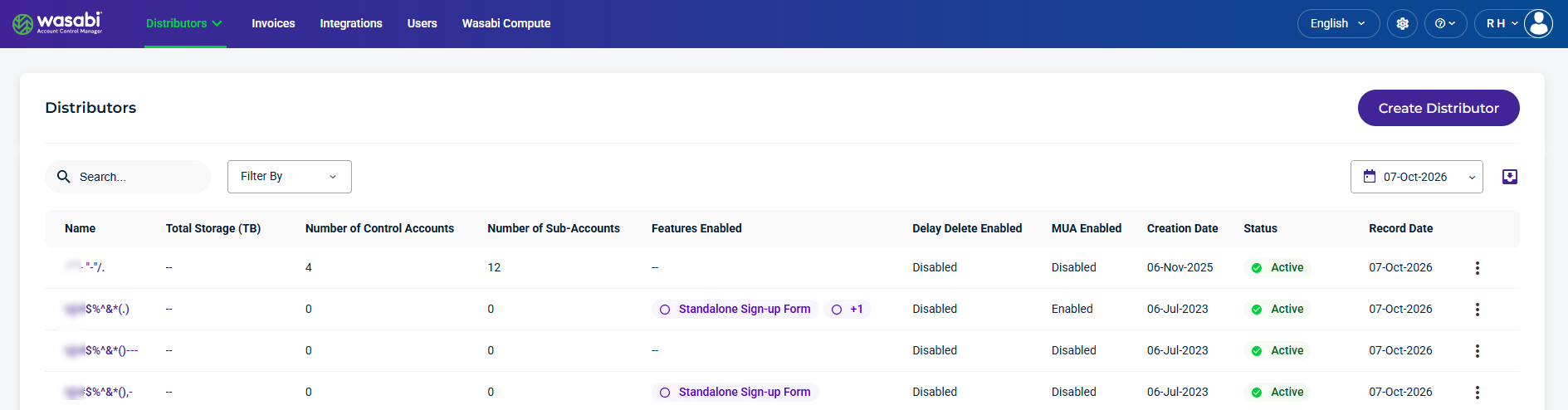
Distributors Details and Metrics
The Distributors section provides the following details and metrics for accounts:
Name—The name of the Distributor’s account. This is based on the name you assign when filling out the Create Distributor form.
Total Storage—The total storage allocated to the Distributor’s account.
Number of Control Accounts—The number of Control Accounts under the Distributor’s account.
Number of Sub-Accounts—The number of Sub-Accounts under the Distributor’s account.
Features Enabled—Displays the features currently enabled for the account.
Delay Delete Enabled—Indicates whether Delay Delete is enabled or disabled. When enabled, this feature provides a grace period during which a scheduled account deletion can be canceled before the account is permanently deleted.
MUA Enabled—Indicates whether Multi-User Authorization (MUA) is enabled or disabled for the account.
Creation Date—The date the Distributor’s account was created
Status—Indicates the Distributor’s status as Active or Deactivated.
Record Date—The date the details and metrics were recorded.
Kebab menu—Select an option on an account.
Find and Filter Distributors
Use the Search, Filter By, and Calendar tools to find Distributors, filter account details, and view data for a selected date. Use the Export tool to download data for reporting or further analysis.

Search and Filter Distributors
Use the Search field to find specific Distributors and use the Filter By menu to narrow the list based on account status, enabled features, and other criteria.
The following Filter By menu options are available:
Status—Filters accounts by Active or Deactivated status.
Features Enabled— Filters accounts by enabled features. Select one or more features:
Custom Cloud Console (CCC)—Displays accounts with the CCC feature enabled.
Multi-User Authorization (MUA)—Displays accounts with the MUA feature enabled.
Standalone Sign-up Form—Displays accounts with the Standalone Sign-up Form feature enabled.
MUA Enabled—Filters accounts based on whether Multi-User Authorization (MUA) is enabled or disabled. Select Enabled to list accounts with MUA enabled, or select Disabled to list accounts with MUA disabled.
CCC Enabled—Filters accounts based on whether Custom Cloud Console (CCC) is enabled or disabled. Select Enabled to list accounts with CCC enabled, or select Disabled to list accounts with CCC disabled.
Delay Delete Enabled—Filters accounts that have Delay Delete enabled.
Select a Date
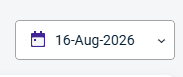
The calendar dropdown lets you select a specific Record Date to filter account data.
Export Distributor Data
The Export tool lets you filter results and export data to CSV, JSON, or Excel formats.

Creating a Distributor Account
To create a new Distributor, refer to Creating a Distributor Account.