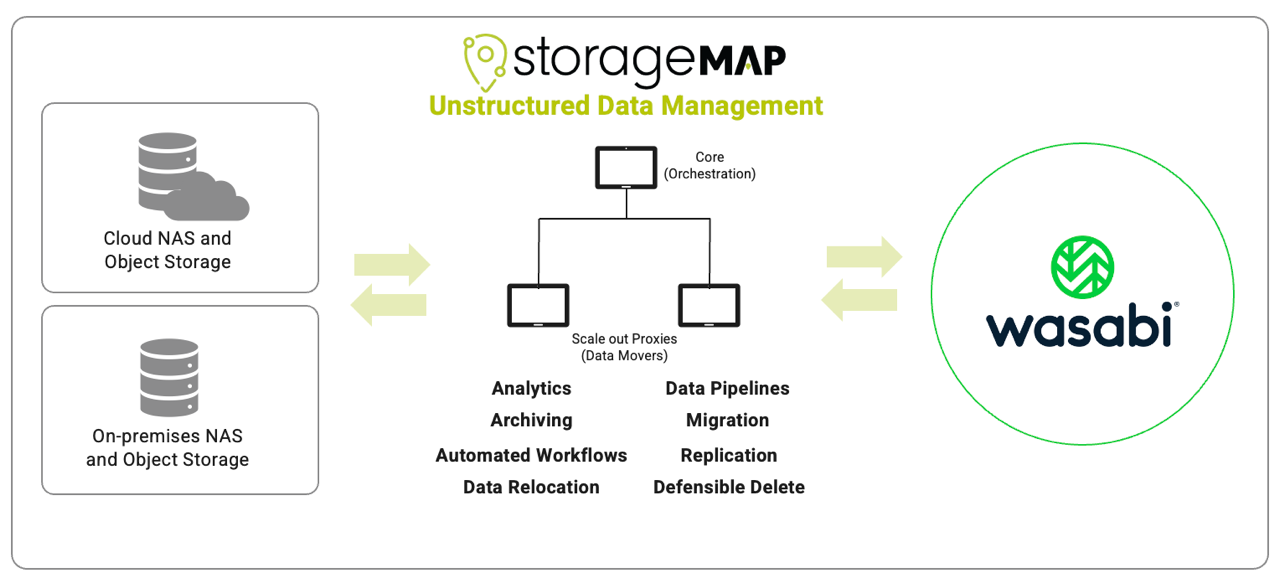
StorageMAP is a data orchestration platform that combines file analysis, policy management, automation, and data mobility for unstructured data across hybrid-cloud storage environments. This article details how to configure StorageMAP to work with Wasabi.
Reference Architecture
Requirements
StorageMAP access.
A Wasabi bucket—For more information, review 2—Working With Buckets and Objects (opens in new tab). This can be either a regular bucket or one that has Object Lock enabled. If migrating from another S3-compatible storage provider, match your Wasabi bucket settings with those of the other provider.
Access and secret key pair—For more information, review 3—Creating a User Account and Access Key (opens in new tab).
Configuring StorageMAP
Log in to StorageMAP.
Click the Configuration tab and select Object storage as shown below.
.png)
Click the + Add object storage server button.
.png)
From the new window, select the Wasabi Hot Cloud Storage button and click Next in the lower right corner.
.png)
Provide the following and click Next.
Friendly name.
Needed Scan Strategy (Flat Keyspace UTF-8 is the Wasabi default).
.png)
Provide the following and click Next.
This configuration example uses Wasabi’s us-east-1 storage region. To use another Wasabi storage region, use the appropriate URL. See Service URLs for Wasabi’s Storage Regions (opens in new tab). Use the region in which your bucket is located.
Endpoint (the appropriate region-specific Wasabi service endpoint URL)
Access key
Secret key
Select the needed proxies
Clicking the Test connection button will verify connectivity between the proxies and Wasabi.
.png)
Select the buckets you want to migrate to using the drop-down menu, then select the Path/Access key. (If not migrating a path, leave it set to not configured.) Click OK.
.png)
Navigate to Jobs and Migrate. Click + Create migration.
.png)
Select the appropriate source file server (for example, AWS S3) and click Next.
.png)
Select the destination bucket on Wasabi and click Next. This should be an empty bucket.
.png)
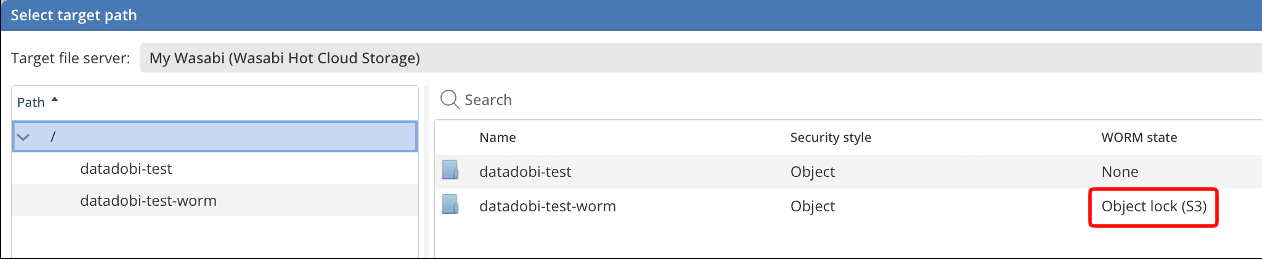
This is an example of a Wasabi bucket that has Object Lock enabled:
Click Next and Finish on the next two windows to confirm the selections and schedule the Migration job. The dashboard will show the migration job.
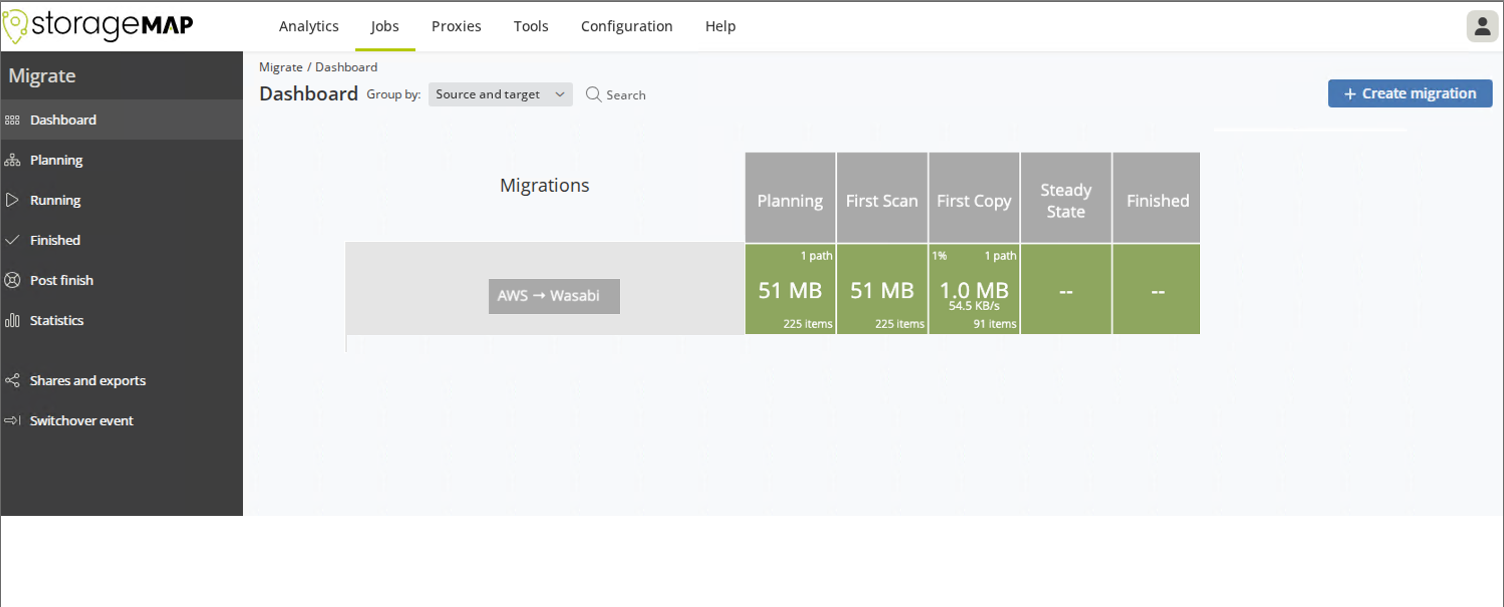
Source object data is now being migrated to the Wasabi bucket.