GoAnywhere MFT is validated for use with Wasabi. To use this product with Wasabi, follow the configuration steps below.
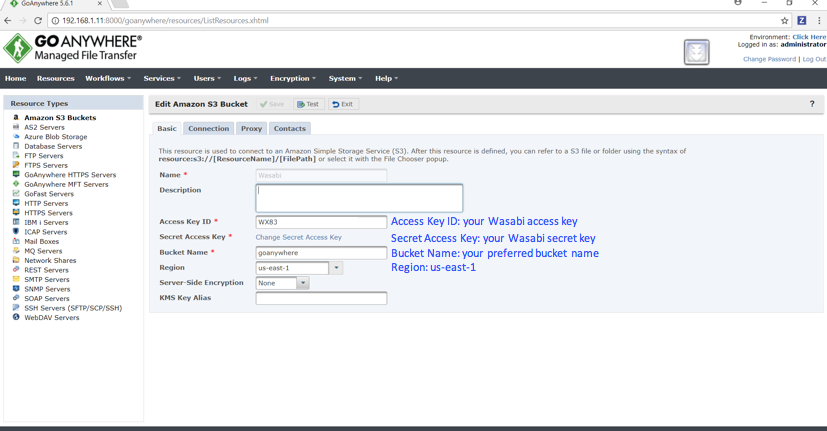
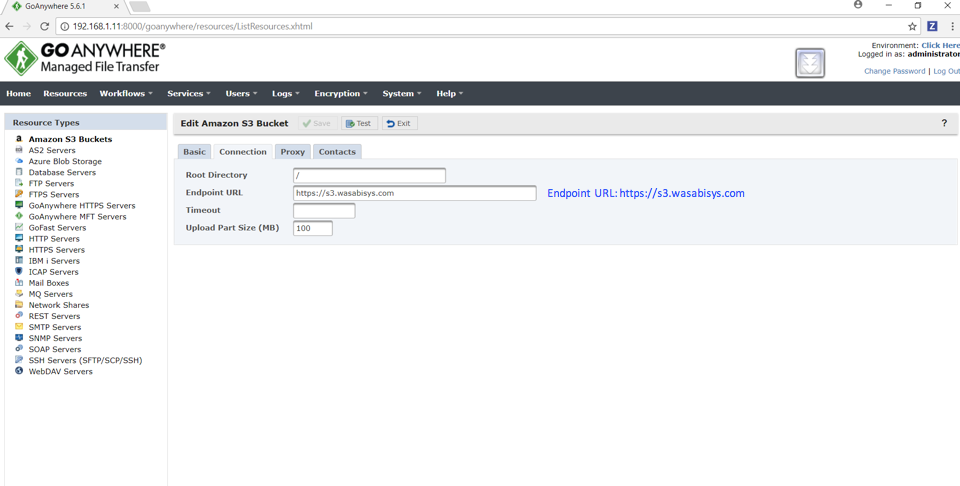
Configure the Amazon S3 bucket with the relevant Wasabi parameters as shown below.
Create a workflow to copy from local to cloud storage and then execute (see the example below).
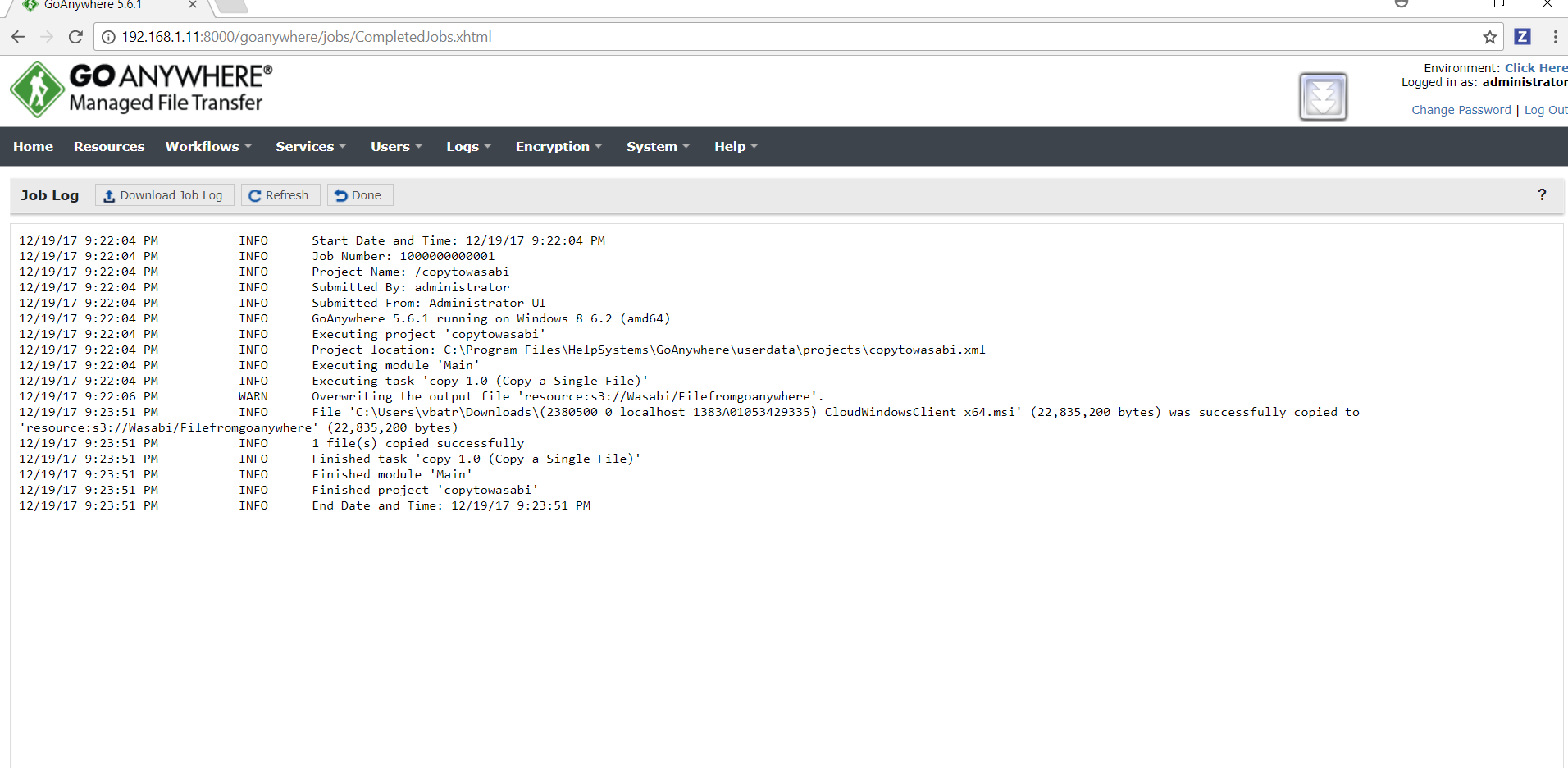
Below is a sample job log for the workflow execution.
Note that this example uses Wasabi’s us-east-1 storage region. To use other Wasabi storage regions, use the appropriate Wasabi service URL as described in Service URLs for Wasabi's Storage Regions.