The Regions tab displays the Wasabi storage regions available to the selected Sub-Account, organized by geographic location. Each region card displays the region name, region identifier, and S3 service endpoint. Administrators can use the toggle to enable or disable individual regions for the Sub-Account. Disabled regions appear grayed out, with the toggle in the off position.
Unlike the Distributor Account Regions tab, the Sub-Account Regions tab does not provide an Edit option for modifying region details. Administrators can only enable or disable available regions.
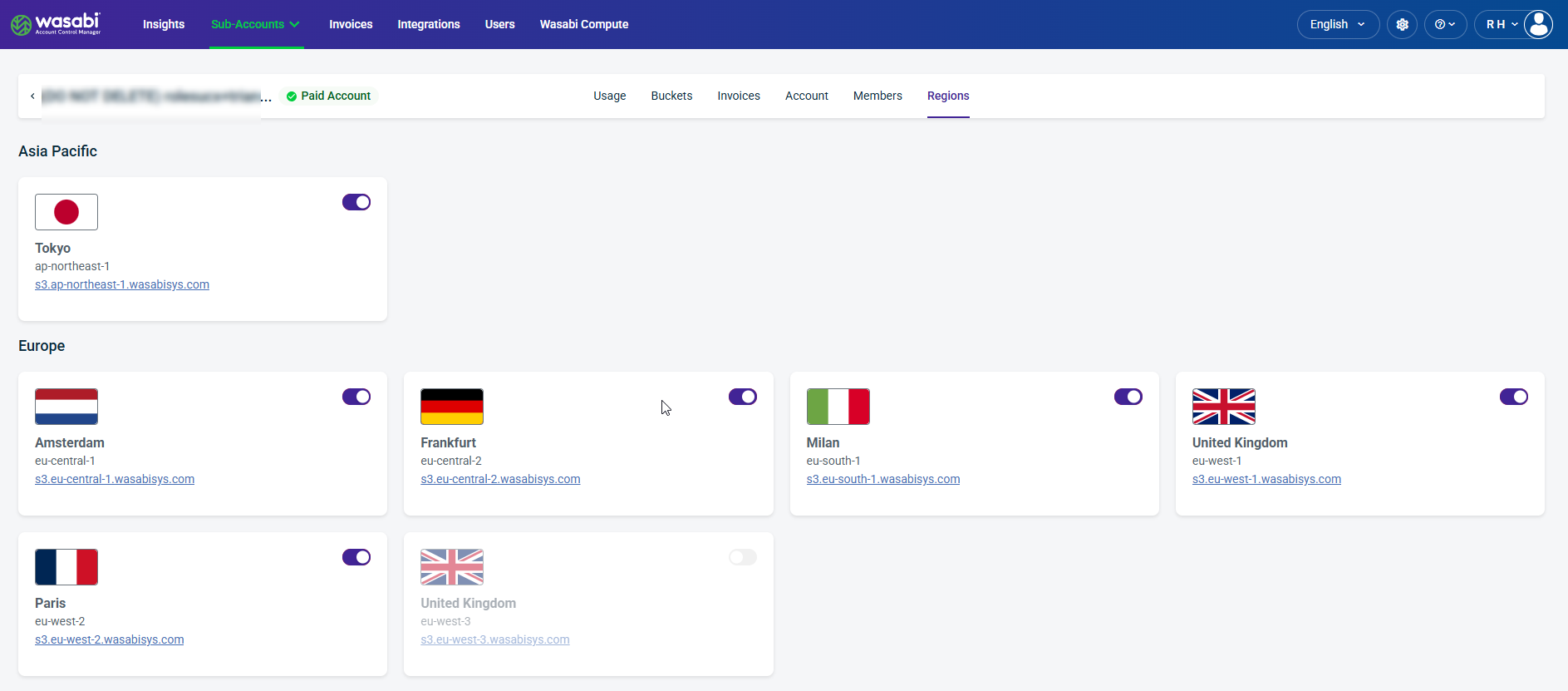
Region Card Details
Region Name—Displays the geographic location of the storage region, such as Tokyo, Amsterdam, or Frankfurt.
Region Identifier—Displays the unique identifier assigned to the region (for example, ap-northeast-1).
S3 Endpoint—Displays the region-specific URL used to access Wasabi Object Storage.
Enable/Disable Toggle—Enables or disables the selected region for the Sub-Account.