Flysystem is a PHP file storage abstraction library. It provides a single, consistent API for reading, writing, and managing files regardless of where those files actually live — local disk, FTP, or cloud object storage such as Wasabi. Symfony is a PHP web application framework, and the flysystem-bundle integrates Flysystem into Symfony applications as configurable storage services.
This article documents a tested configuration for using the Flysystem bundle’s AWS S3 adapter to store and retrieve objects in a Wasabi bucket. It also includes a working PHP console command that verifies the connection end-to-end (write, read, and delete).
Requirements
An active Wasabi account. See Signing Up for Wasabi for instructions on how to sign up.
A Wasabi bucket. See Creating a Bucket for details.
Wasabi Console access.
Access to the Symfony system (the server or environment where Symfony will run).
This article was tested with the following software and versions:
Ubuntu 26.04 server
PHP 8.5.4 (cli)
Composer version 2.10.2
symfony/skeleton 8.1.99
league/flysystem-bundle 3.7.0
league/flysystem-aws-s3-v3 3.35.2
aws/aws-sdk-php 3.388.5
Wasabi Configuration
Before configuring Symfony, create a dedicated Wasabi policy and user scoped to the storage bucket. This follows the principle of least privilege — the application receives only the permissions it needs on the one bucket it uses, rather than full account access.
Create a Policy. Log in to the Wasabi Console as the root user and create a new policy. Use the following JSON, replacing YOUR_WASABI_BUCKET with the actual name of your bucket. See Creating a Policy for details. This policy grants only the actions required for the write, read, existence check, and delete operations described later in this article: listing bucket contents, getting and putting objects and their ACLs, and deleting objects. It is scoped to a single bucket via the Resource entries.
{
  "Version": "2012-10-17",
  "Statement": [
    {
      "Effect": "Allow",
      "Action": [
        "s3:ListBucket",
        "s3:GetObject",
        "s3:DeleteObject",
        "s3:GetObjectAcl",
        "s3:PutObjectAcl",
        "s3:PutObject"
      ],
      "Resource": [
        "arn:aws:s3:::YOUR_WASABI_BUCKET",
        "arn:aws:s3:::YOUR_WASABI_BUCKET/*"
      ]
    }
  ]
}
Create a User. Create a new Wasabi user with the following settings.
Access type: Programmatic access only (no console password needed).
Group assignment: optional — the policy can be attached directly to the user.
Attach the policy created in the previous step to the user.
Once the user has been created, the Wasabi Console will display the access and secret keys. Save both in a secure location (such as a password manager) immediately — the secret key is shown only once and cannot be retrieved again later.
Symfony Configuration
Create the Symfony project and install packages. From the Symfony system, create a new project and install the Flysystem bundle and the AWS S3 adapter:
composer create-project symfony/skeleton flysystem-project
cd flysystem-project
composer require league/flysystem-bundle
composer require league/flysystem-aws-s3-v3 aws/aws-sdk-php
Add Wasabi Credentials
Create a .env.local file in the project root to hold the real credentials. This file is ignored by git by default in the Symfony skeleton and should never be committed to version control.
This configuration example discusses the use of Wasabi’s us-east-2 storage region. To use another Wasabi storage region, use the appropriate URL in Service URLs for Wasabi's Storage Regions. Use the URL for the region your bucket is located in.
WASABI_KEY=your_access_key
WASABI_SECRET=your_secret_key
WASABI_BUCKET=your_wasabi_bucket
WASABI_REGION=us-east-2
WASABI_ENDPOINT=https://s3.us-east-2.wasabisys.com
Replace your_access_key, your_secret_key, and your_wasabi_bucket with your access key, secret key, and Wasabi bucket name, respectively.
Define the S3 Client Service. Add Wasabi.client service to
config/services.yaml. This service represents the connection to Wasabi’s endpoint and is not tied to any specific bucket — the bucket is specified separately in the Flysystem storage configuration in the next step. Append the following, indented as a sibling of the existing _defaults and App\ entries under the existing “services:” key (do not add a second “services:” key — YAML does not allow duplicate top-level keys):wasabi.client: class: Aws\S3\S3Client arguments: - version: 'latest' region: '%env(WASABI_REGION)%' endpoint: '%env(WASABI_ENDPOINT)%' use_path_style_endpoint: true credentials: key: '%env(WASABI_KEY)%' secret: '%env(WASABI_SECRET)%'
Configure the Flysystem Storage. Add the wasabi. storage entry to the existing
config/packages/flysystem.yamlfile, such as that shown in the example file here:
flysystem:
    storages:
        default.storage:
            adapter: 'local'
            options:
                directory: '%kernel.project_dir%/var/storage/default'
        wasabi.storage:
            adapter: 'aws'
            options:
                client: 'wasabi.client'
                bucket: '%env(WASABI_BUCKET)%'
                prefix: ''
Note: The adapter name for the AWS SDK S3 adapter is aws, not aws-s3-v3 or the package name. Using an incorrect adapter name causes Symfony to treat the value as a literal service ID to look up, producing an error such as: “The service’ wasabi.storage' has a dependency on a non-existent service 'aws-s3-v3'.”
Create a Test Command. Create src/Command/TestWasabiCommand.php with the following content. This command writes a test object, reads it back, confirms its existence, and — when run with the --delete option — deletes it and confirms removal:
<?php

namespace App\Command;

use League\Flysystem\FilesystemOperator;
use Symfony\Component\Console\Attribute\AsCommand;
use Symfony\Component\Console\Command\Command;
use Symfony\Component\Console\Input\InputInterface;
use Symfony\Component\Console\Input\InputOption;
use Symfony\Component\Console\Output\OutputInterface;

#[AsCommand(name: 'app:test-wasabi')]
class TestWasabiCommand extends Command
{
    public function __construct(
        private FilesystemOperator $wasabiStorage,
    ) {
        parent::__construct();
    }

    protected function configure(): void
    {
        $this->addOption(
            'delete',
            null,
            InputOption::VALUE_NONE,
            'Delete test.txt instead of writing it'
        );
    }

    protected function execute(
        InputInterface $input,
        OutputInterface $output
    ): int
    {
        if ($input->getOption('delete')) {
            if (!$this->wasabiStorage->fileExists('test.txt')) {
                $output->writeln(
                    'test.txt does not exist — nothing to delete.'
                );
                return Command::SUCCESS;
            }

            $this->wasabiStorage->delete('test.txt');
            $output->writeln('Delete succeeded.');

            $exists = $this->wasabiStorage->fileExists('test.txt');
            $output->writeln('Exists check: ' . ($exists ? 'yes' : 'no'));

            return Command::SUCCESS;
        }

        $this->wasabiStorage->write(
            'test.txt',
            'Hello from Symfony + Flysystem!'
        );
        $output->writeln('Write succeeded.');

        $contents = $this->wasabiStorage->read('test.txt');
        $output->writeln('Contents: ' . $contents);

        $exists = $this->wasabiStorage->fileExists('test.txt');
        $output->writeln('Exists check: ' . ($exists ? 'yes' : 'no'));

        return Command::SUCCESS;
    }
}
Clear the Cache. Rebuild the Symfony container to pick up the new configuration:
php bin/console cache:clearThis should complete with no errors. A YAML syntax error at this point usually indicates a malformed or duplicated key in flysystem.yaml or services.yaml; a “non-existent service” error usually indicates an incorrect adapter or service name.
Testing
Write and Read Test
Run the test command without any options:
php bin/console app:test-wasabiExpected output:
Write succeeded.
Contents: Hello from Symfony + Flysystem!
Exists check: yes
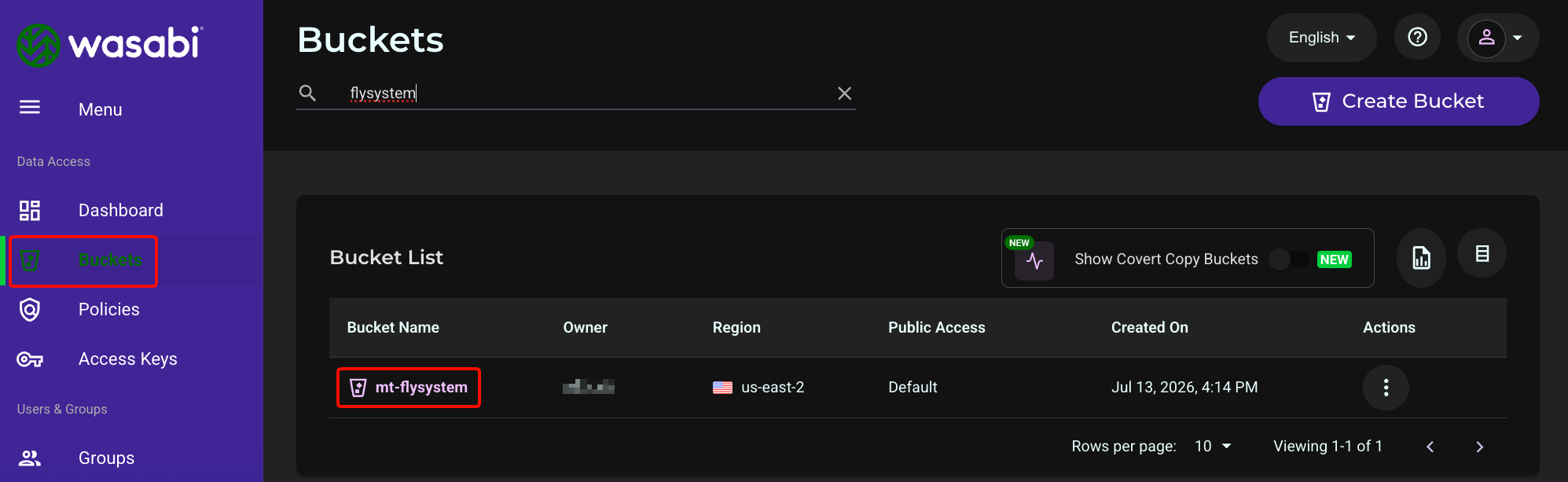
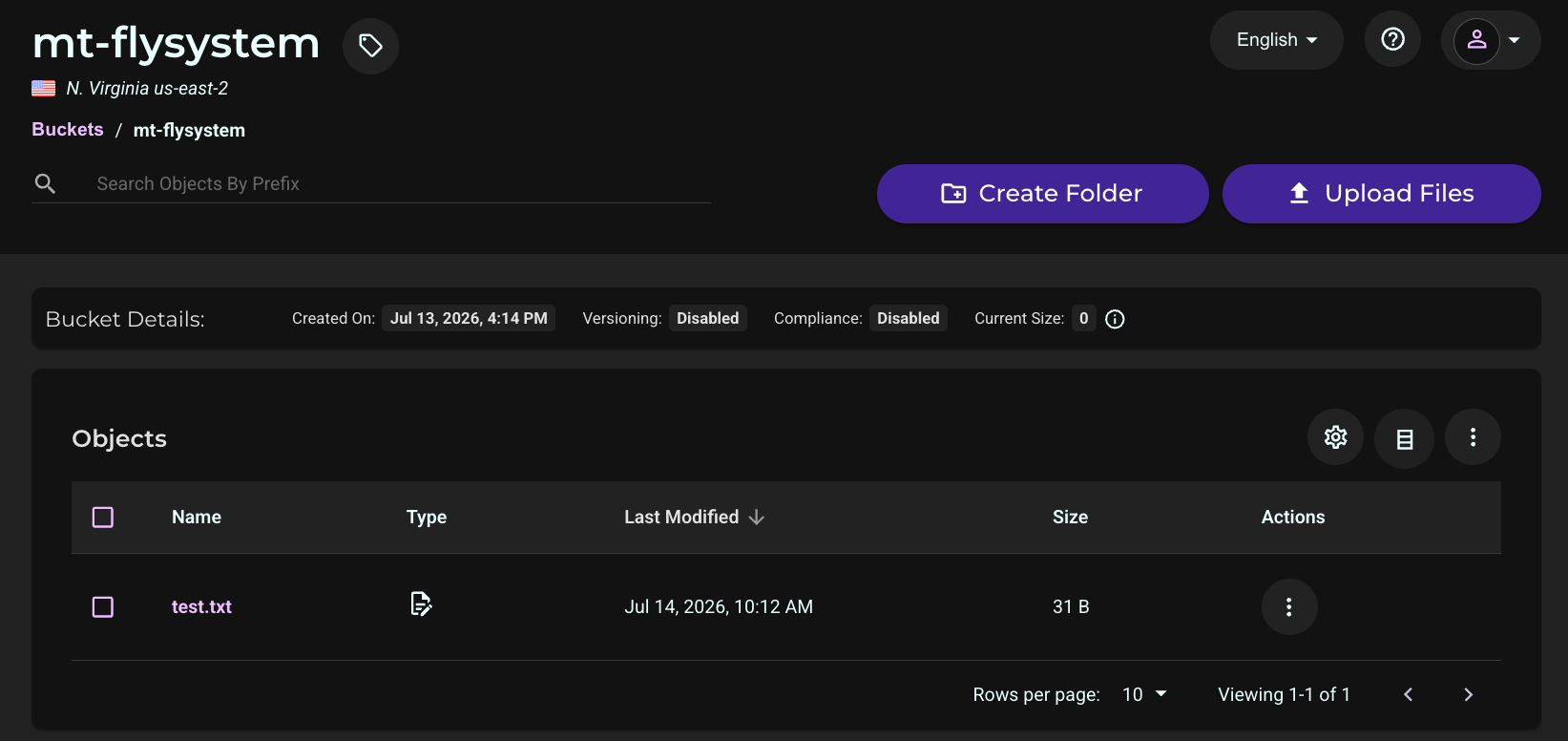
Log in to the Wasabi Console and confirm that the test.txt object now exists in the bucket. This confirms the write actually reached Wasabi rather than only succeeding locally. Click Buckets, then click your bucket’s name.
Delete Test
Run the test command with the --delete option:
php bin/console app:test-wasabi --deleteExpected output:
Delete succeeded.
Exists check: no
Refresh the Wasabi Console and confirm that the test.txt object is no longer present in the bucket. Together, the write/read and delete tests confirm that the Symfony application can create, read, and remove objects in Wasabi through the Flysystem AWS S3 adapter.
Common Pitfalls
Duplicate top-level keys: appending new configuration to services.yaml or flysystem.yaml with a leading services: or flysystem: line, when the file already has one, produces invalid YAML or silently overrides the earlier block. Append only the new entries, indented as siblings under the existing top-level key.
Incorrect adapter name: the Flysystem bundle’s built-in adapter identifier for the AWS SDK S3 adapter is aws. Using the package name (aws-s3-v3) instead causes a “non-existent service” error at container compile time.
Missing php-cli: installing the php metapackage on Ubuntu also installs Apache and mod_php as a side effect. For a command-line-only test such as this one, install php-cli directly along with the extensions Symfony and Composer require (php-xml, php-curl, php-mbstring, php-intl, php-zip).