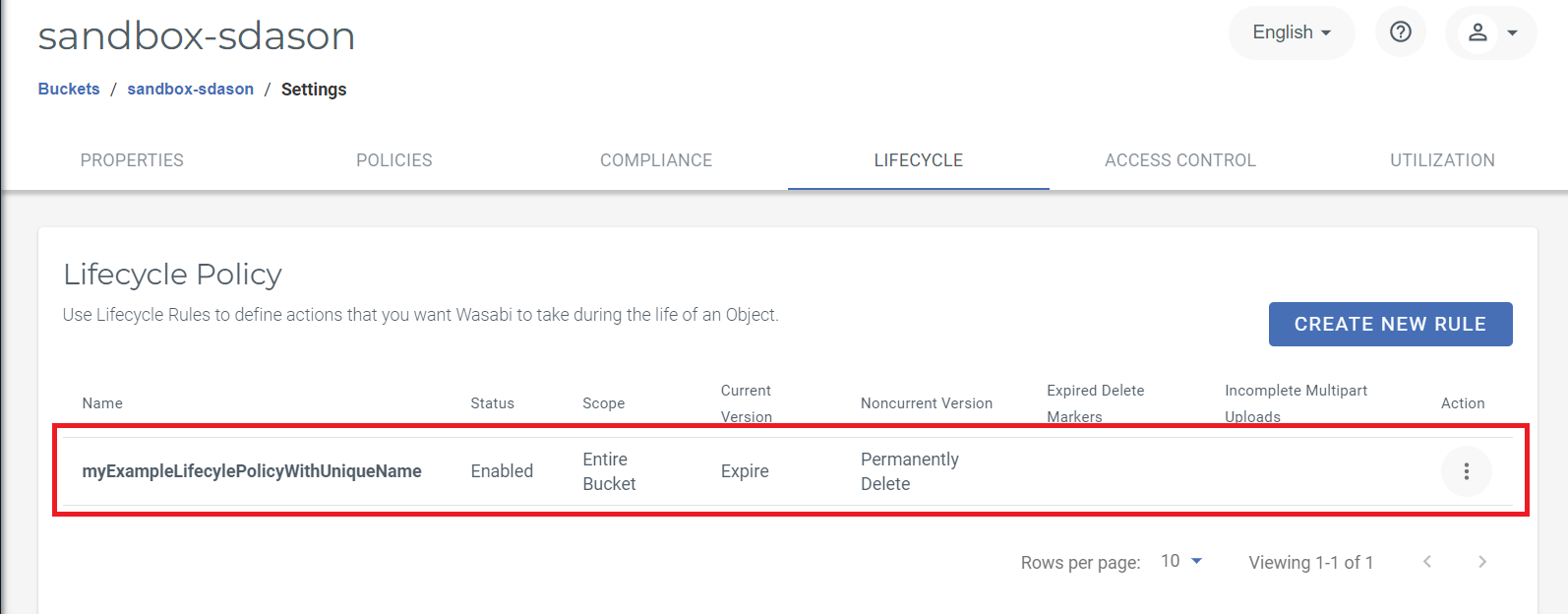
Lifecycle policies can be a good way to manage the lifespan of your data stored within your buckets. You can implement lifecycle rules for compliance, internal policy, or general housekeeping. Lifecycle policies can be managed in the Console, using API requests with an application such as Postman, or with AWS CLI commands (as described in this article).
The AWS CLI provides the s3api put-bucket-lifecycle-configuration command to set or update the lifecycle configuration of your buckets. The command requires the lifecycle policy defined for the bucket as a JSON file or in string format. To set the lifecycle policy using the AWS CLI:
Install and configure AWS CLI. Refer to AWS CLI with Wasabi for instructions on setting it up.
Define the lifecycle to apply to the bucket in JSON format. For example:
{
                "Rules":[
                {
                "ID":"myExampleLifecylePolicyWithUniqueName",
                "Filter":{

                },
                "Status":"Enabled",
                "NoncurrentVersionExpiration":{
                "NoncurrentDays":90
                },
                "Expiration":{
                "Days":365
                }
                }
                ]
                }
The example policy configuration above sets a lifecycle rule for a bucket that applies to all objects within the bucket (both current and non-current versions). The rule defines an ID, which is a unique identifier for the lifecycle rule. Note that the ID has a 255-character limit.
The Status field activates or deactivates the rule and, in the policy example above, applies the rule to all objects within the bucket.
The Expiration action defines when objects in a bucket should be deleted. This field can be set in terms of Days or Date in ISO 8601 format (YYYY-MM-DDTHH:MM:SSZ such as 2024-04-18T00:00:00Z).
In summary, the policy example above will automatically delete both current and non-current versions of objects in the bucket to which it is applied.
Run the following command:
aws s3api put-bucket-lifecycle-configuration --bucket {yourBucketNamesGoesHere} --lifecycle-configuration file://{pathToYourLifecylePolicy.json file} --endpoint-url=https://s3.{region}.wasabisys.comIf successful, there is no visible output.

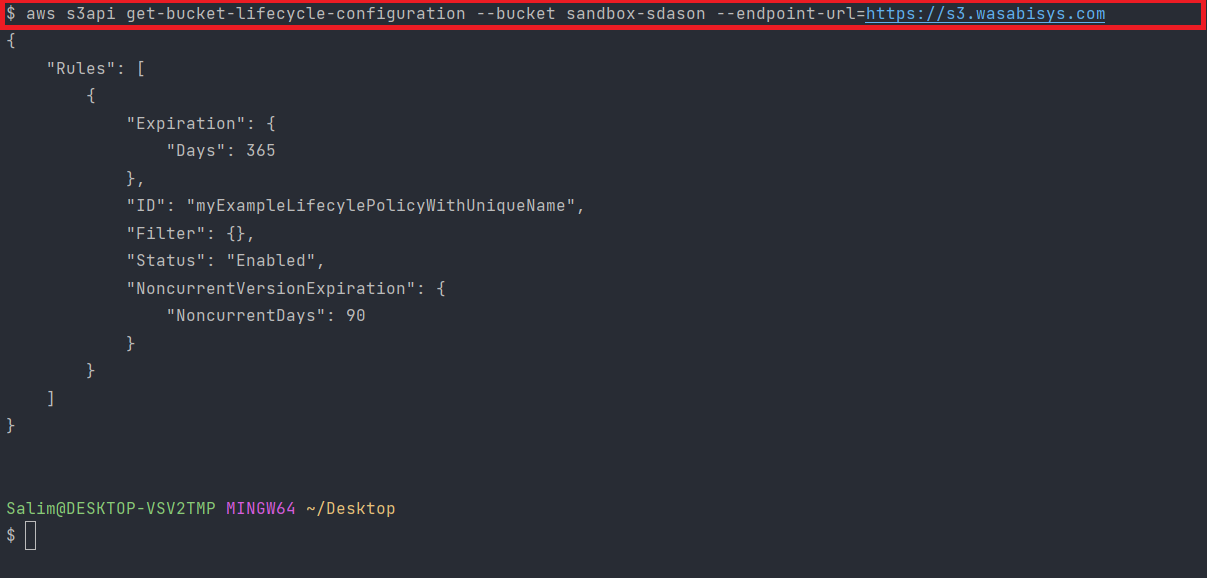
Verify the bucket lifecycle configuration.
aws s3api get-bucket-lifecycle-configuration --bucket {yourBucketNamesGoesHere} --endpoint-url=https://s3.{region}.wasabisys.comIn this example, the policy is applied to a bucket in the us-east-1 region, hence the endpoint URL: https://s3.wasabisys.com. Refer to Service URLs for Wasabi's Storage Regions for a list of all available service endpoints/regions.
Verify in the Wasabi Management Console.