WACM allows a Control Account to manage and monitor multiple linked Sub-Accounts. The Control Account Usage page provides a consolidated view of storage utilization for all linked sub-accounts under the control account. The Buckets page provides visibility and governance control for all buckets created under the linked sub-accounts.
To access usage data and buckets, click the link in the Name field.

Usage
The Usage page displays detailed usage data and graphs, which you can filter by Control Account or Control Account and Sub-Accounts using the drop-down menu. You can further filter using the date range calendar.
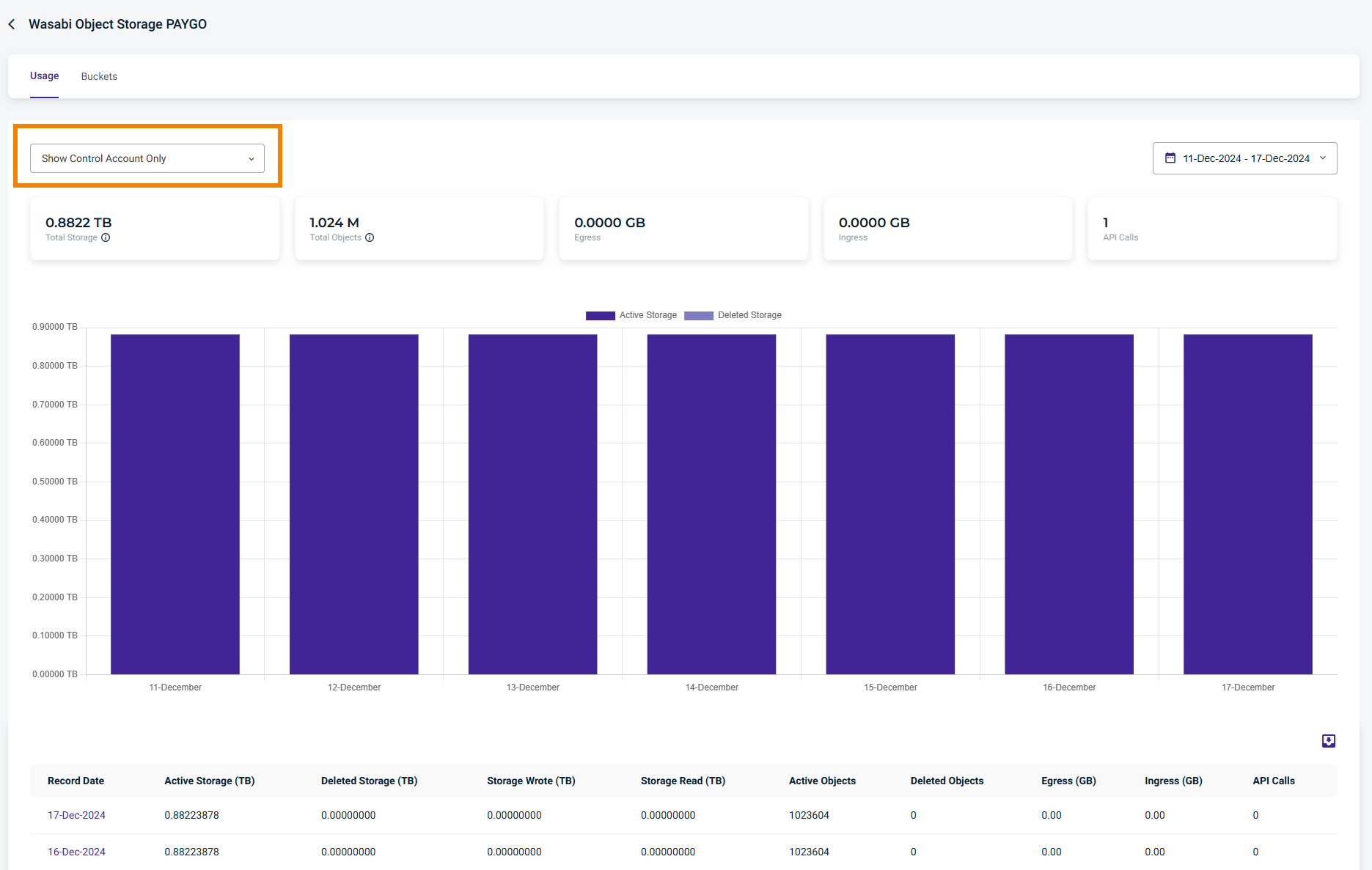
The Usage page provides the following details:
Record Date
Active Storage (TB)
Deleted Storage (TB)
Storage Wrote (TB)
Active Objects
Deleted Objects
Egress (GB)
Ingress (GB)
API Calls
Buckets Details
The Buckets page displays a list of buckets and the storage consumed per bucket within the Control Account. You can search and filter using the Filter By drop-down menu. You can further filter using the date range calendar.
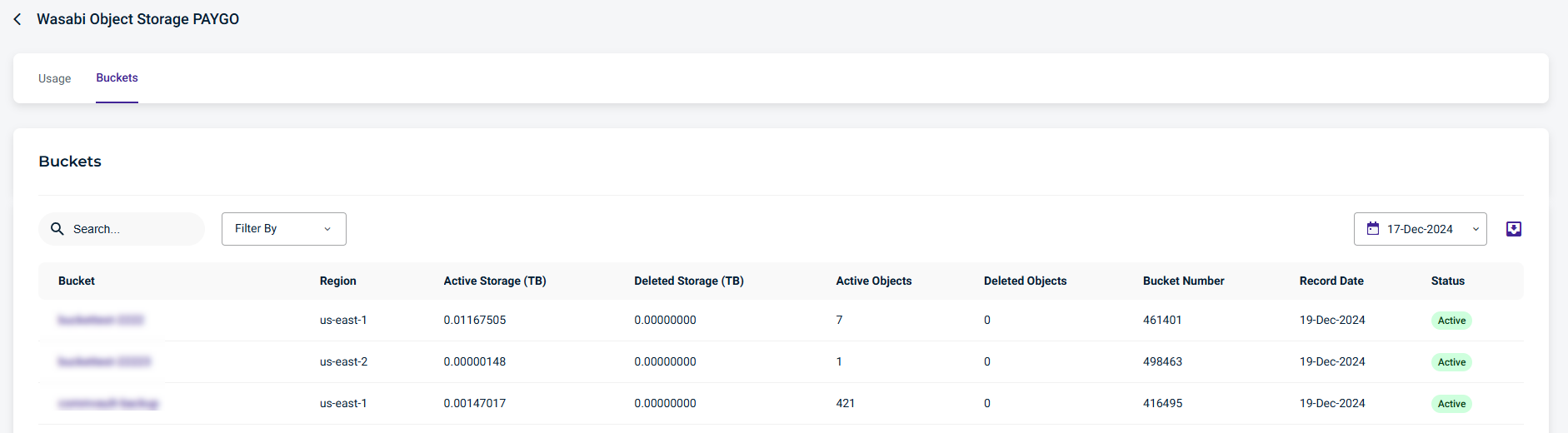
The Buckets page displays the following details:
Bucket
Region
Active Storage (TB)
Deleted Storage (TB)
Active Objects
Deleted Objects
Bucket Number
Record Date
Status