For questions about these updates, use this email to contact a Wasabi Customer Support representative: support@wasabi.com.
Version 3.1.0.5 - March 2026
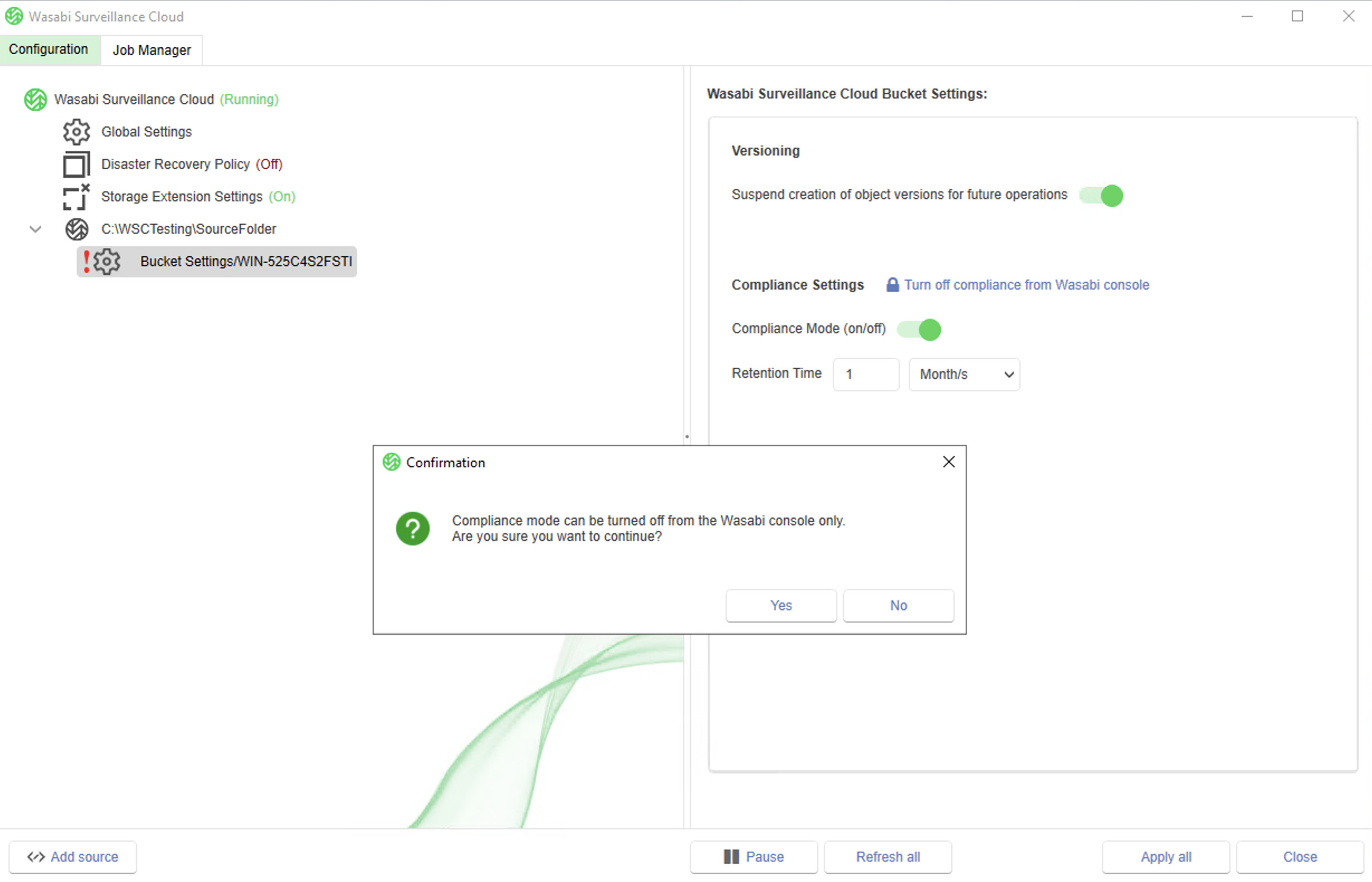
OpenEye Video Management System (VMS)
The WSC client is integrated with OpenEye VMS. The OpenEye recorder sends video to the landing folder in the Windows server, which is then uploaded to the Wasabi cloud by the WSC client. For more details about configuring WSC for use with OpenEye VMS, see OpenEye VMS With WSC.
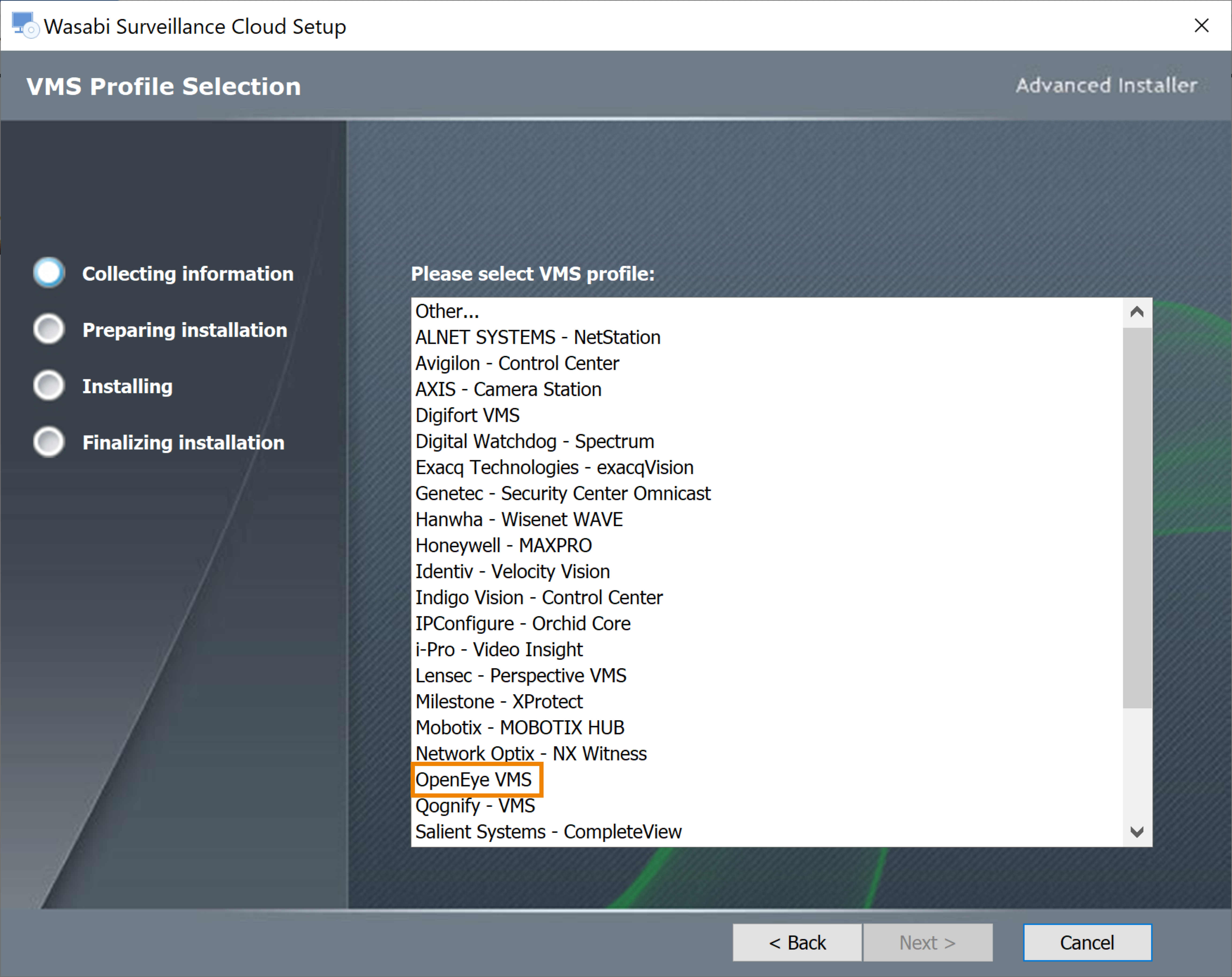
Job Manager
The Job Manager, integrated with the WSC client through a dedicated tab, enables administrators to schedule and monitor operations between the VMS (that supports the Job Manager) and the Wasabi cloud from a single interface. The Job Manager provides visibility into job status, start and stop times, and enables operations such as retrieving recordings from the cloud to the local source, offloading recordings from the local source to the cloud, and freeing up on-premises storage. For more information, see WSC Job Manager.
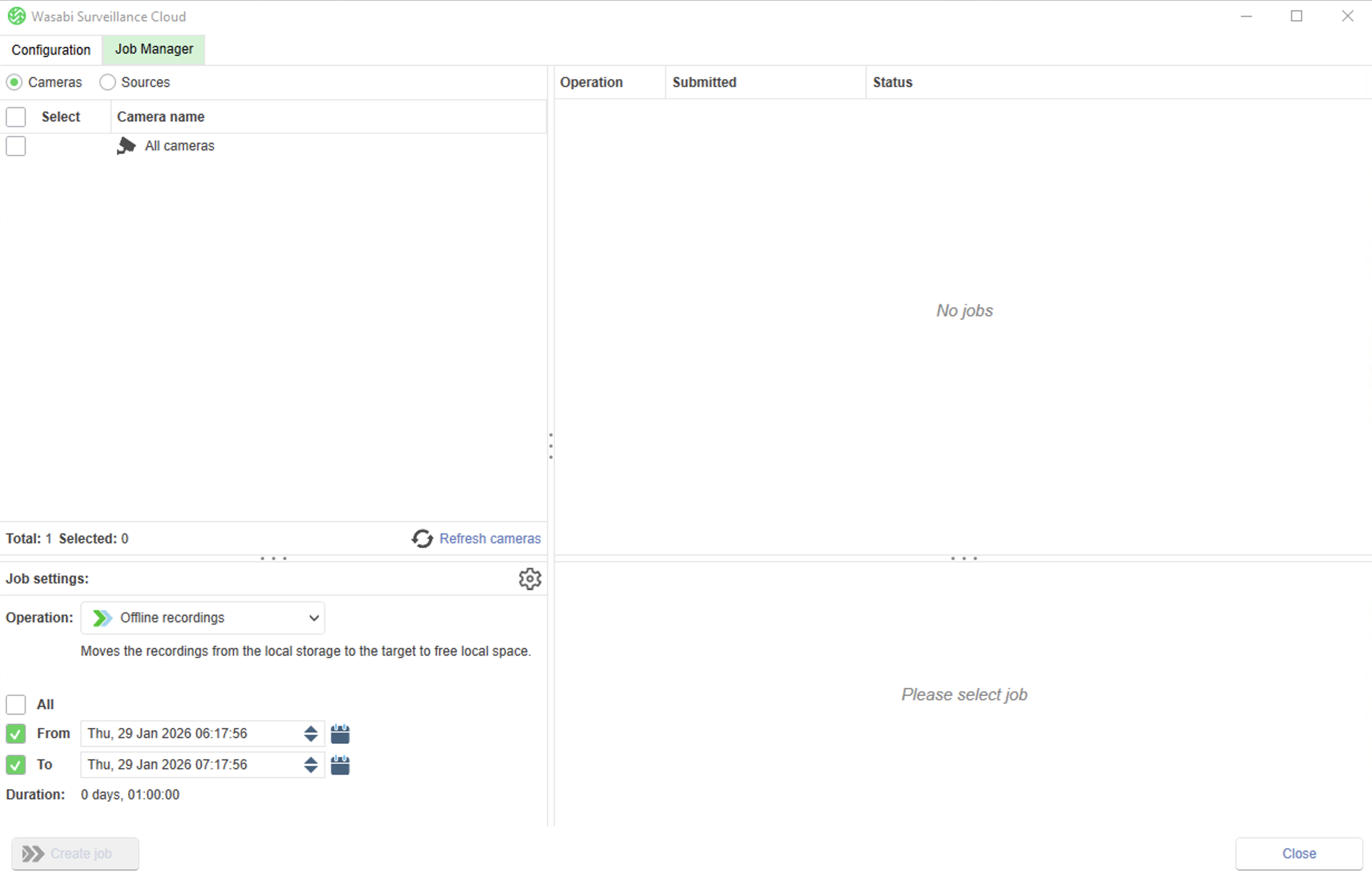
Informational Tooltips
The Test Connection feature offers tooltips for each available option, providing additional information about each test prior to selection. For additional information, see Pairing a VMS With a Target.
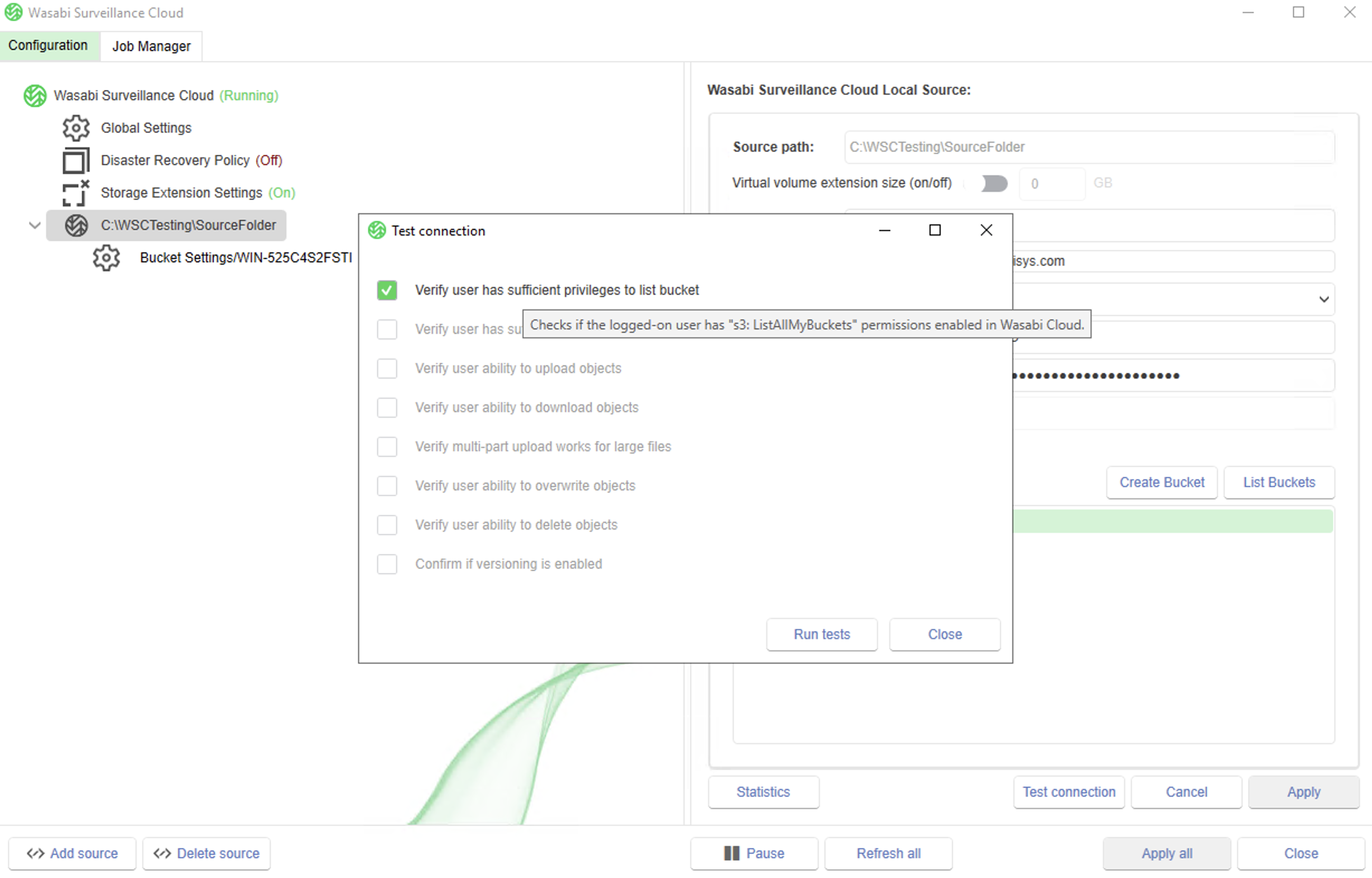
Versioning and Compliance Settings
Configure Versioning and Compliance bucket settings for each mapped source directly from the WSC client. For more information, refer to Bucket Settings: Enabling in WSC.