Managing Sub-Accounts in Control Accounts for Channel Accounts…
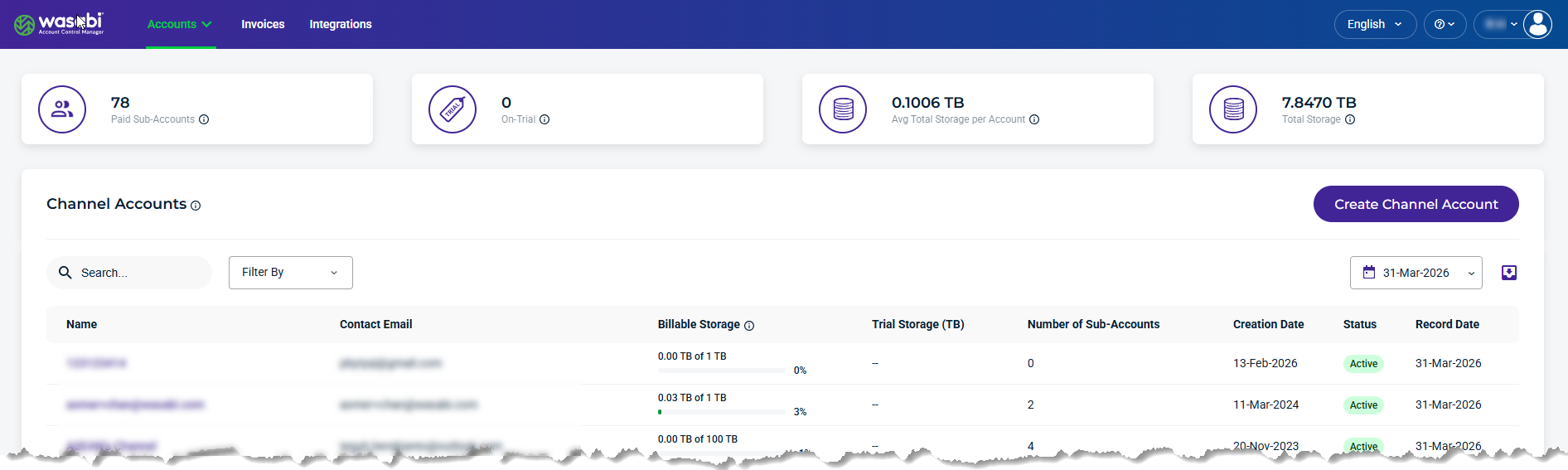
When you sign in to WACM, you are presented with the Control Accounts landing page. In the Navigation bar, select the Accounts drop-down menu and select Channel Accounts. The Channel Accounts page is displayed.
Select a Channel Account from the list to access the Sub-Accounts module.
The Account page is displayed by default. Click the Sub-Accounts tab.
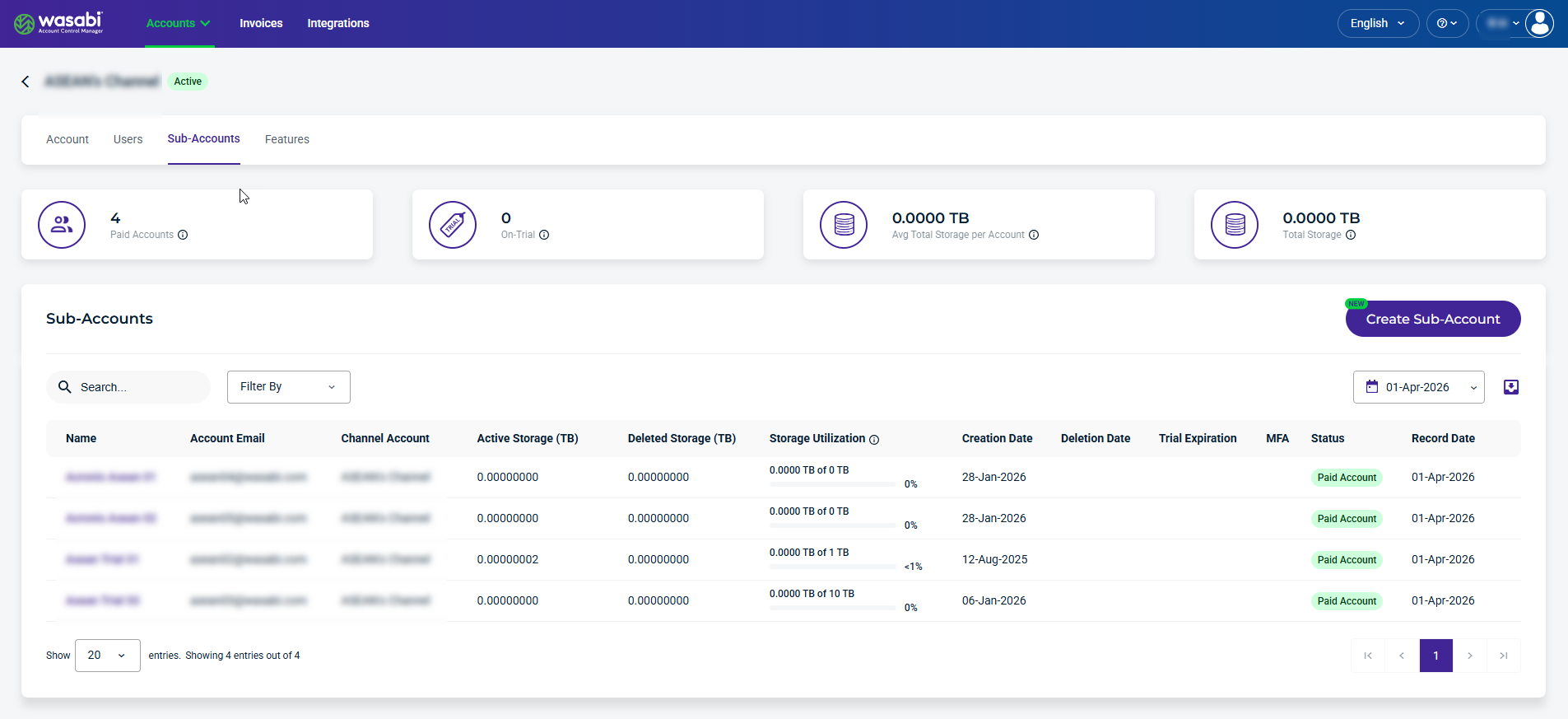
Details and Metrics
The following details and metrics are provided for each sub-account:
Name—Name of the sub-account. This is based on the name you enter when you create a Sub-Account.
Account Email—Email used for the Sub-Account.
Channel Account—Parent account to the Sub-Account.
Active Storage (TB)—Storage includes the objects currently stored.
Deleted Storage—Storage includes the objects that have been deleted.
Storage Utilization—Percentage of storage amount used, based on the configured purchased storage value. (Sub-Account Active + Deleted Storage) / Purchased Storage
Creation Date—The date that the Sub-Account was created.
Deletion Date—The date the Sub-Account was deleted.
Trial Expiration—The date and time the trial expires, if the account is On Trial.
Status—Indicating the sub-account status as Deleted, Denied, On Trial, Paid Account, Password Pending, or Suspended. If the account is On Trial, you will see a colored countdown. If the account is paid, this column entry will be green. If the account is deleted, this column entry will be pink.
Record Date—The date sub-account usage was recorded.
Create a Sub-Account
For information on creating a Sub-Account, see Create Sub-Account.
Managing Sub-Account Settings
Select a Sub-Account from the list on the Sub-Accounts page to manage settings. The Sub-Account page displays related tabs.
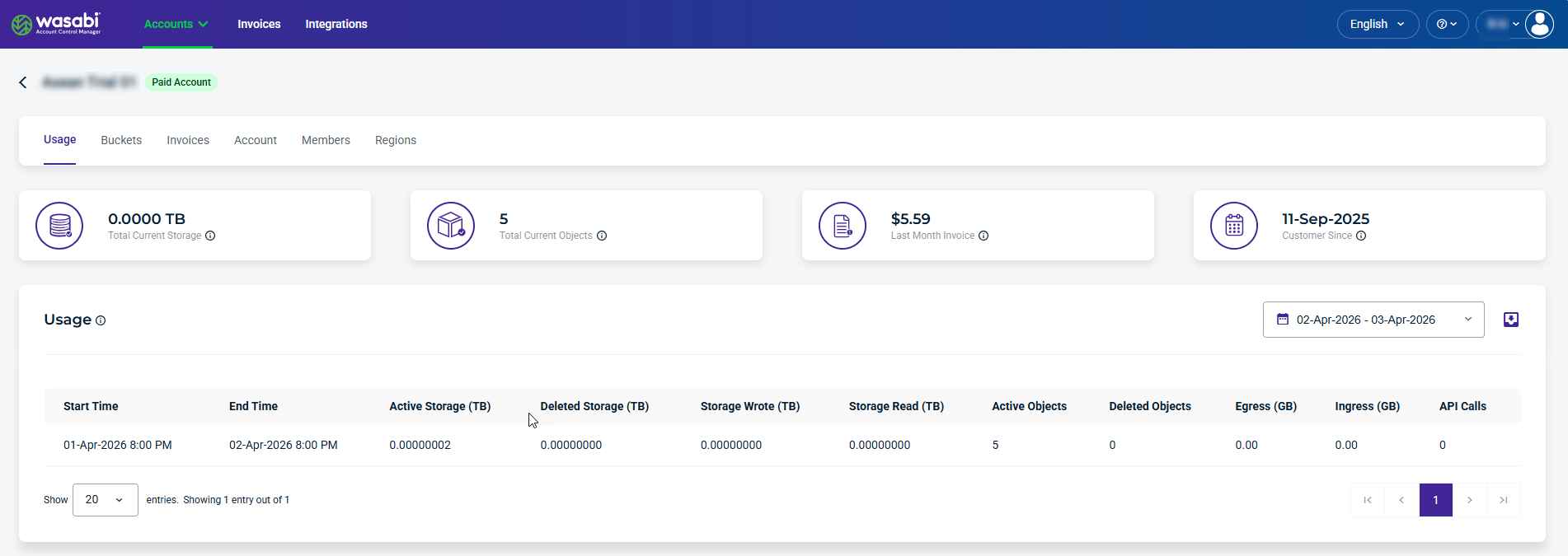
For information on:
Usage, Buckets, and Invoices modules, see Data Storage Usage: Viewing in Sub-Accounts.
Account module, see Account Settings: Managing in Sub-Accounts
Members module, see Members Settings: Managing in Sub-Accounts
Regions module, see Regions: Enabling