WACM Admins can access the Control Accounts dashboard to view storage usage for Sub-Accounts and Channel Accounts and to manage account settings.
The Sub-Accounts page is displayed by default. To view and manage Channel Accounts, select Channel Accounts from the navigation bar.
Whether you sign in as a Wasabi Admin or a WACM Admin, the Sub-Account components link to the same details tabs.
Select a Sub-Account from the list to access the following Sub-Account details.
Data Storage Usage (Usage, Buckets, and Invoices)
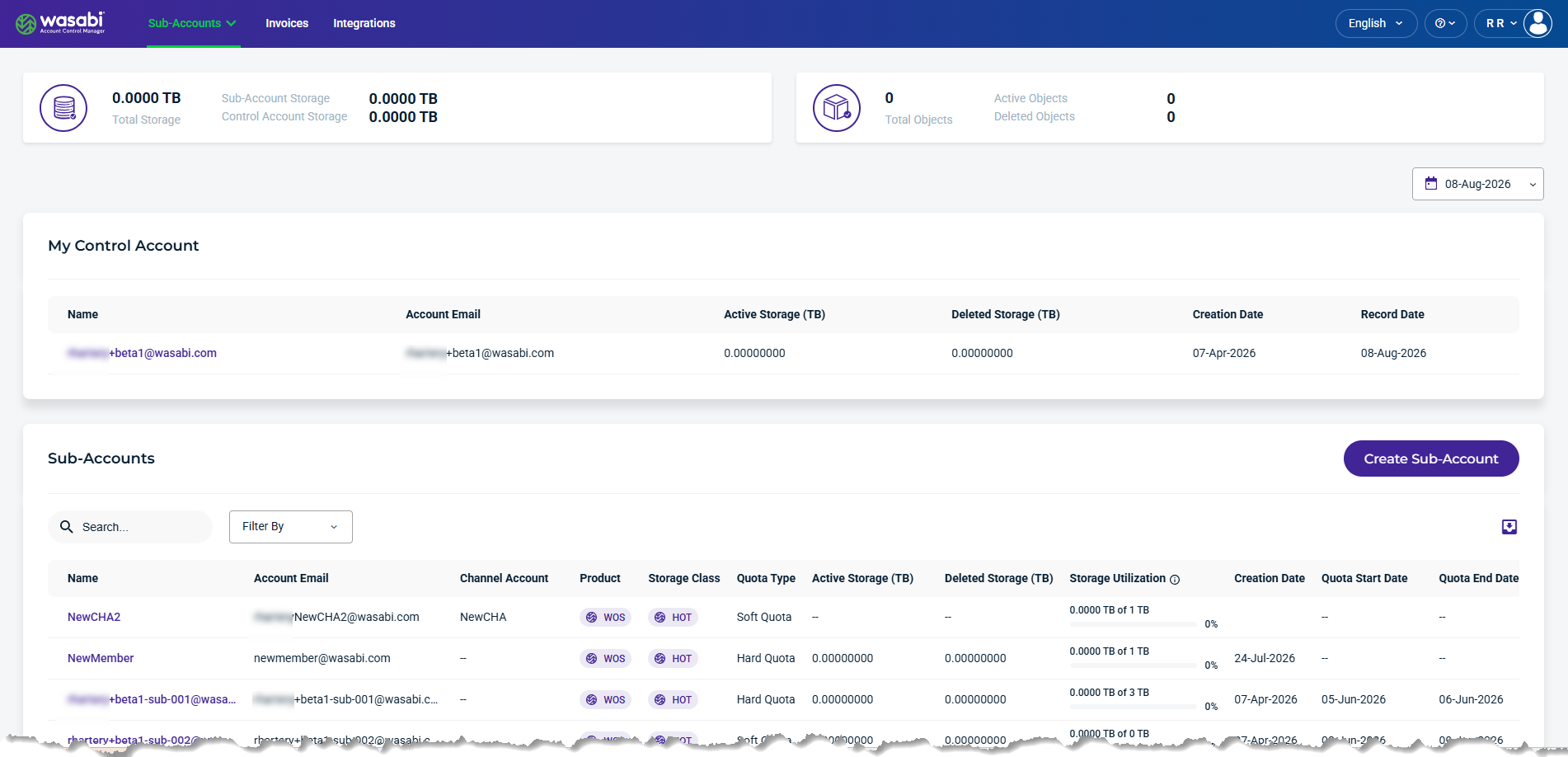
Control Account Summary Data Cards
The top section of the page summarizes account and storage information.
View Storage Object Usage
The summary data cards provide an overview of storage and object usage for the Control Account and its Sub-Accounts for the selected date.

Total Storage—The total storage used by the Control Account and its Sub-Accounts.
Total Objects—The total number of objects, including active and deleted objects.
View Reserved Capacity Storage (RCS) Summary
For WACM Admin Control Accounts, the Sub-Accounts page provides a summary of reserved capacity storage (RCS) and allocated storage, billable storage usage, and remaining capacity. The utilization bar shows the percentage of RCS currently in use.
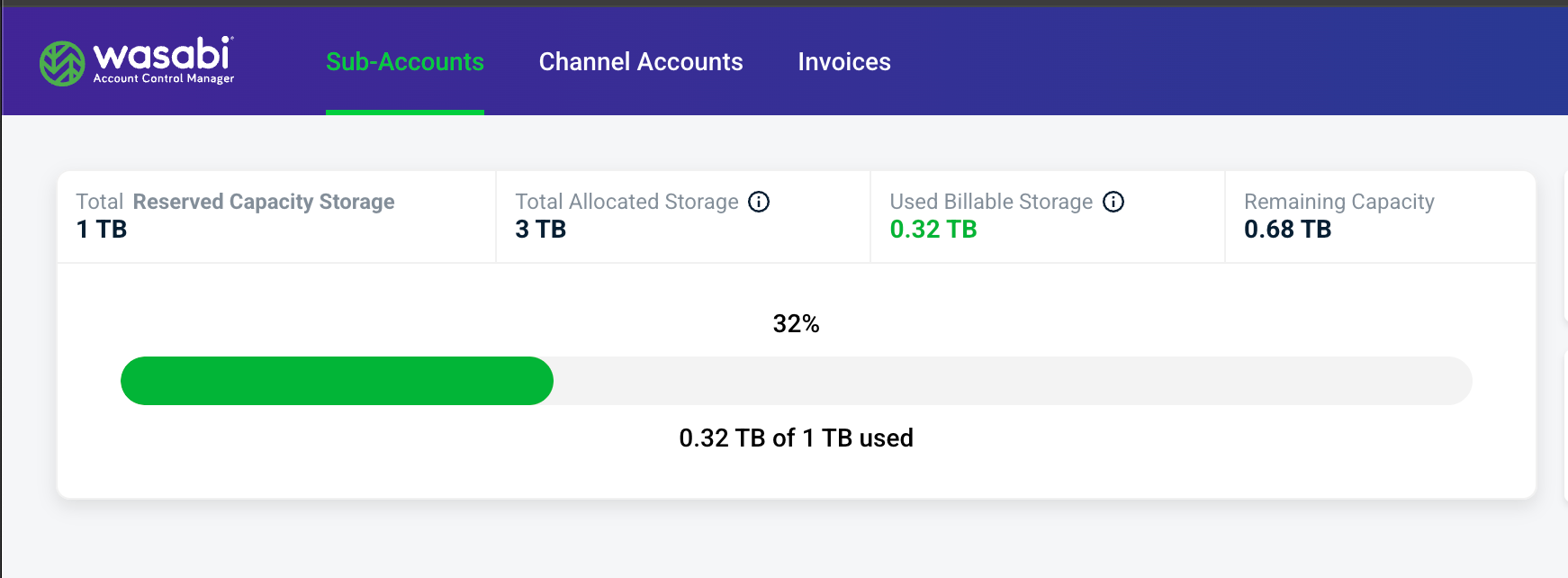
Total Reserved Capacity Storage—The amount of RCS, in TB, purchased by the account.
Total Allocated Storage—The amount of storage, in TB, that the Control Account has allocated to accounts through storage quotas.
Used Billable Storage—The amount of billable storage, in TB, currently consumed.
Remaining Capacity—The amount of purchased RCS remaining after billable storage usage is deducted.